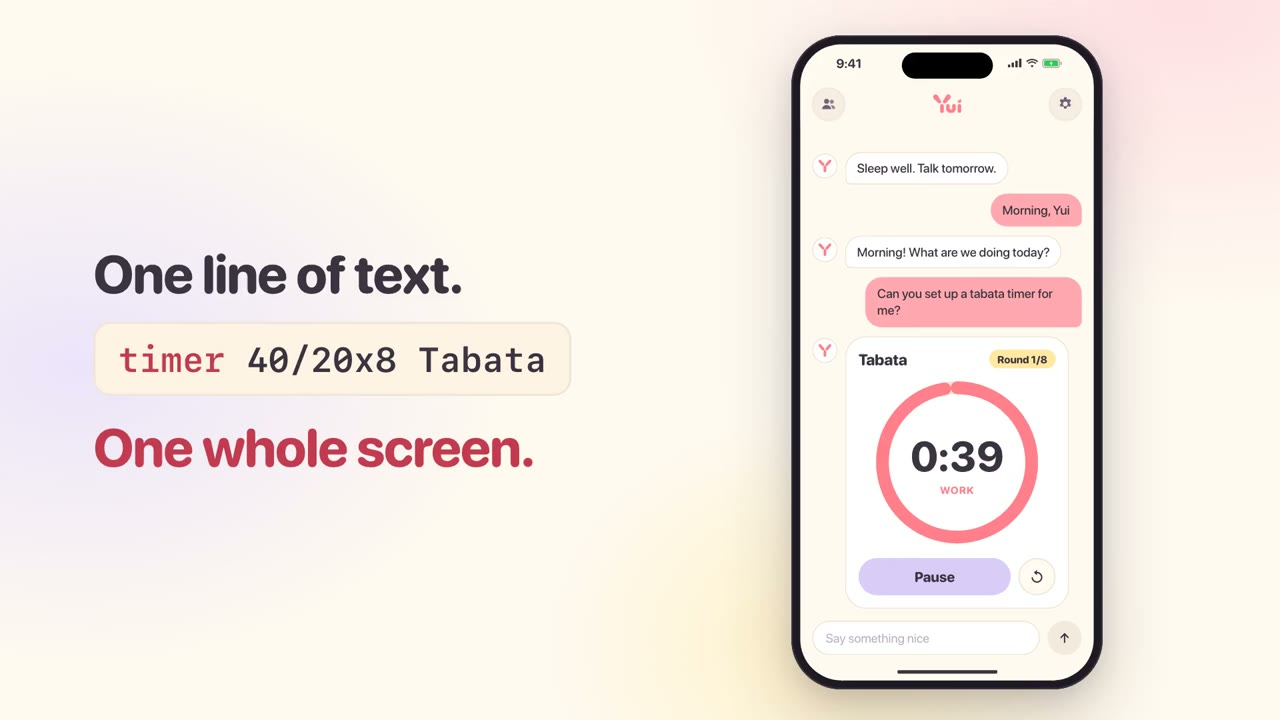
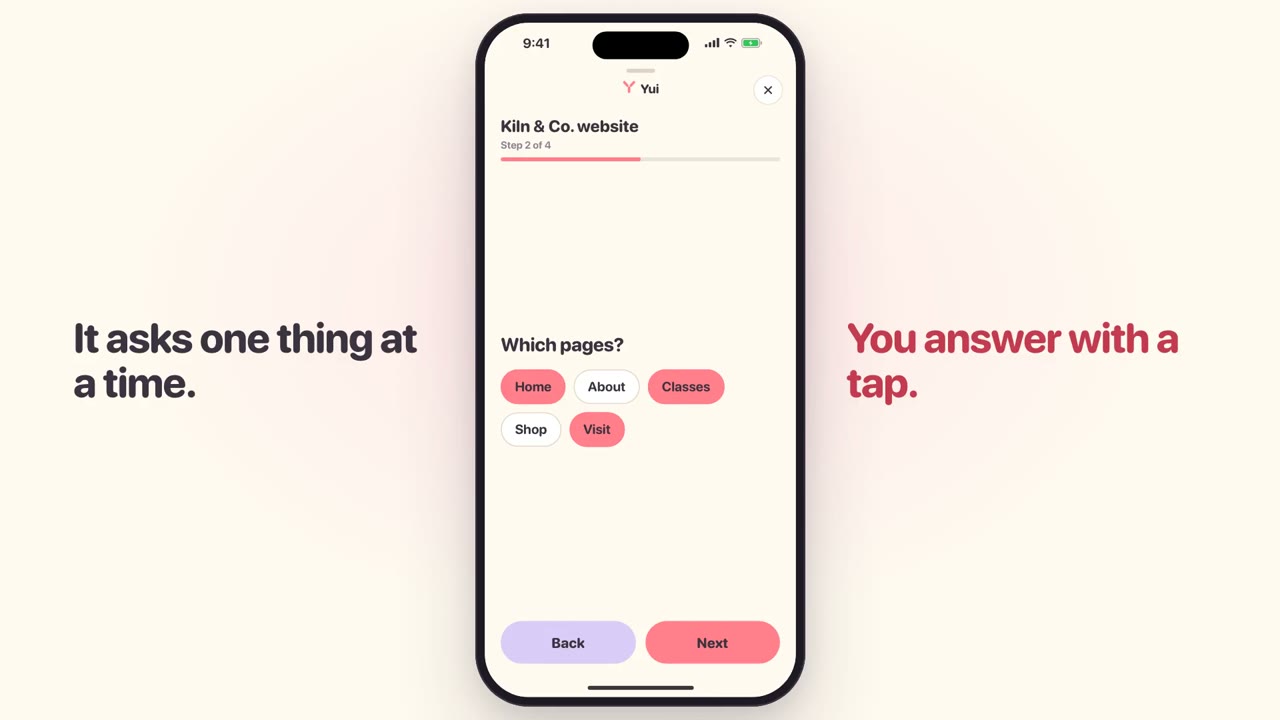
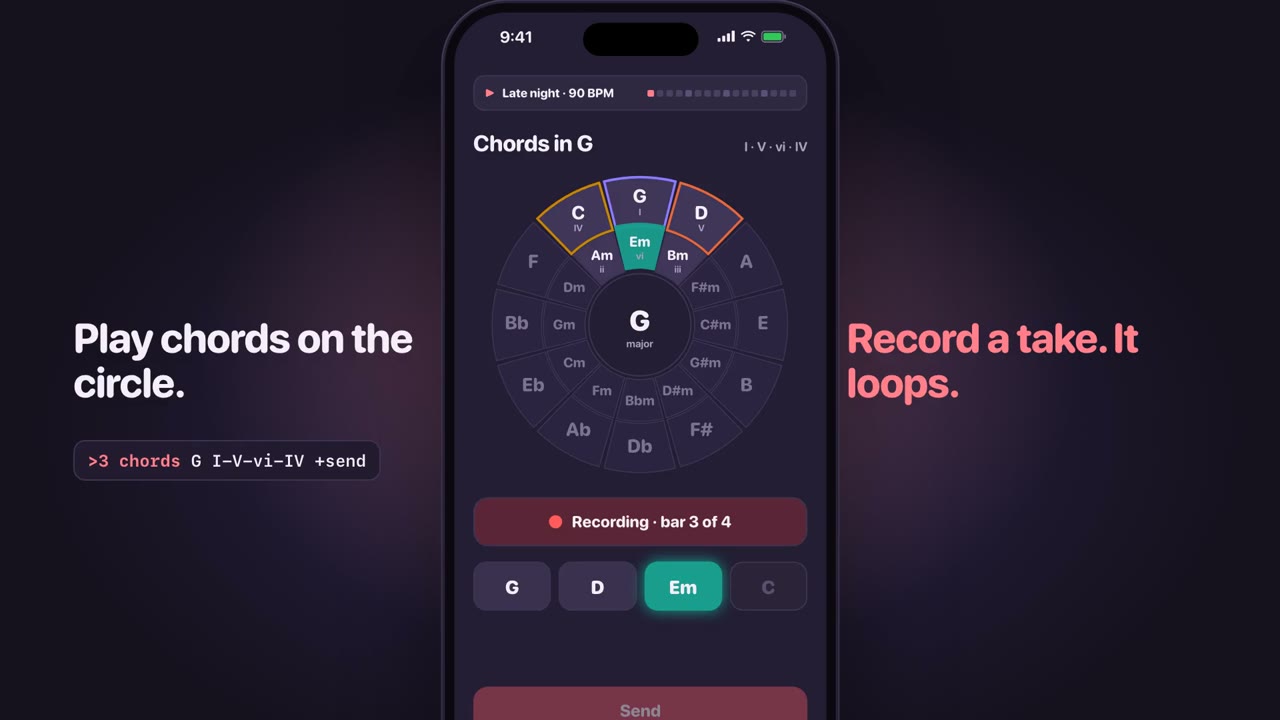
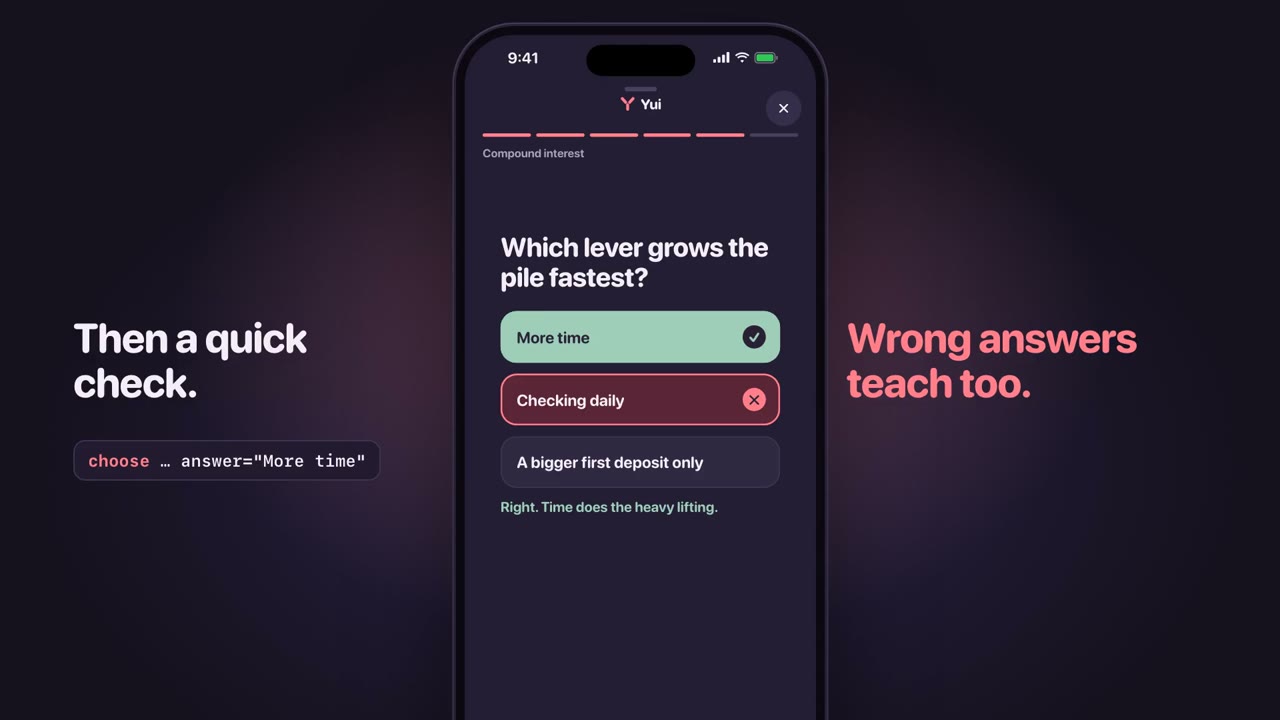
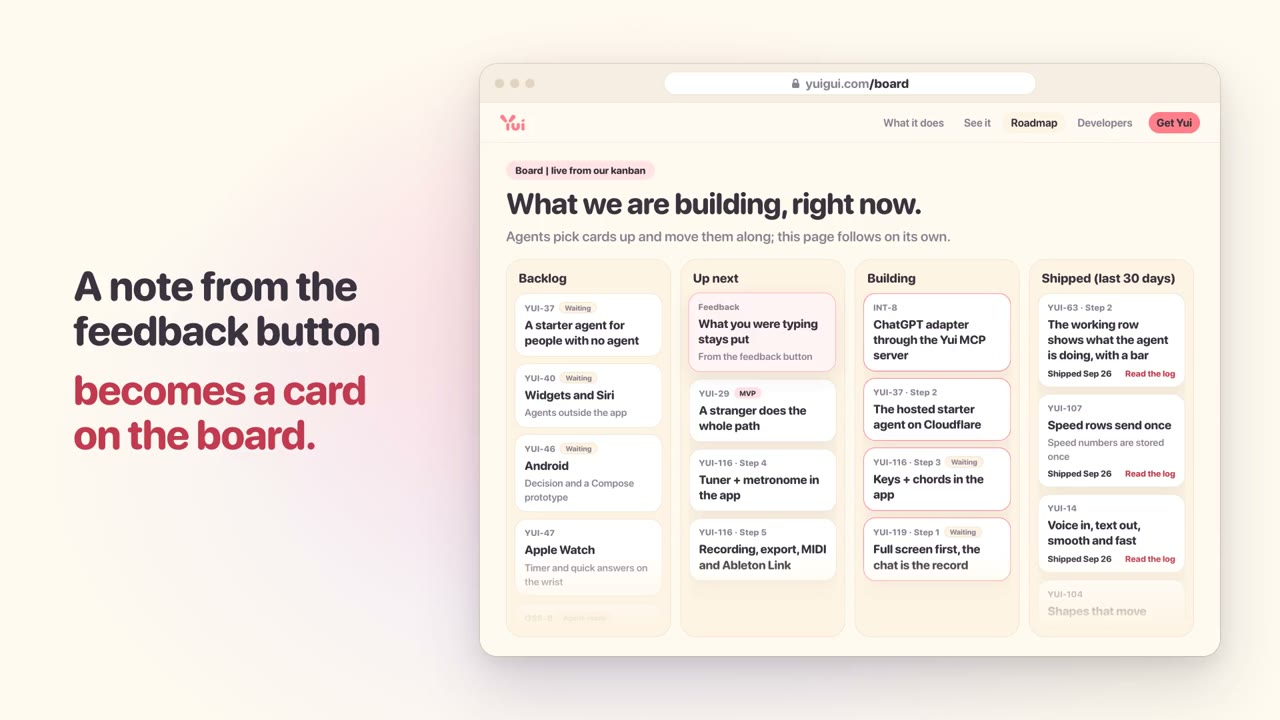
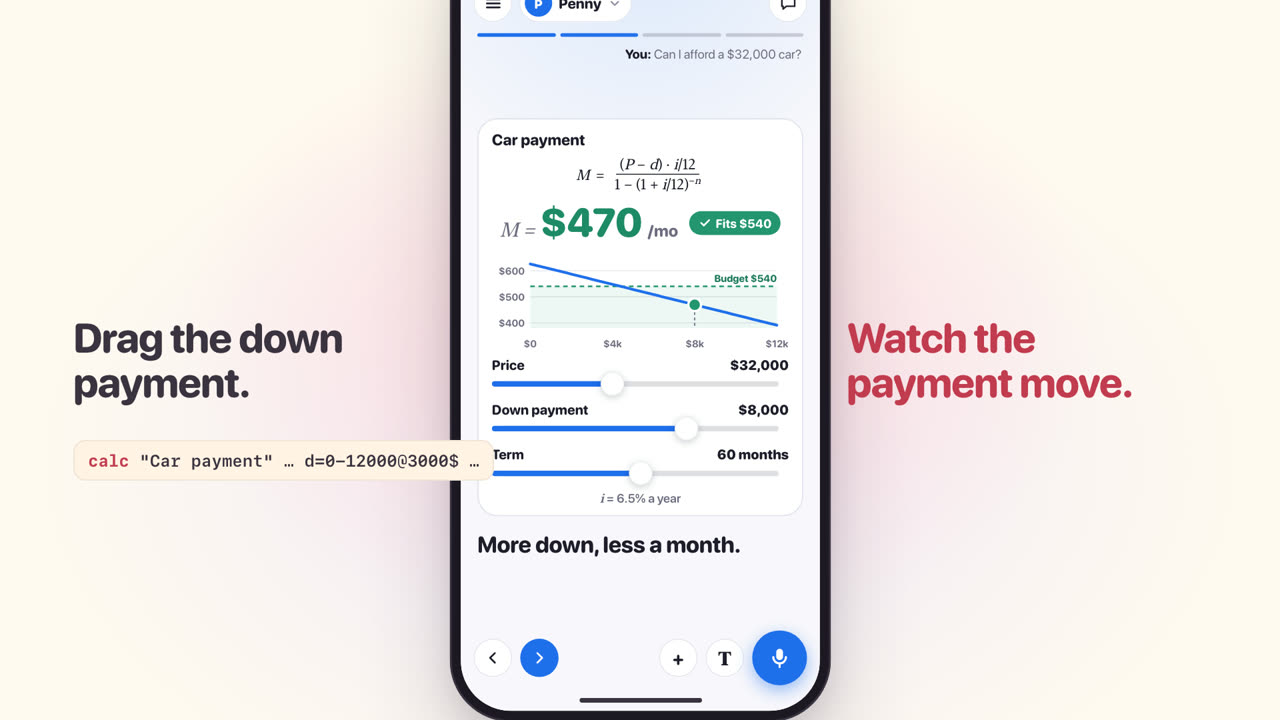
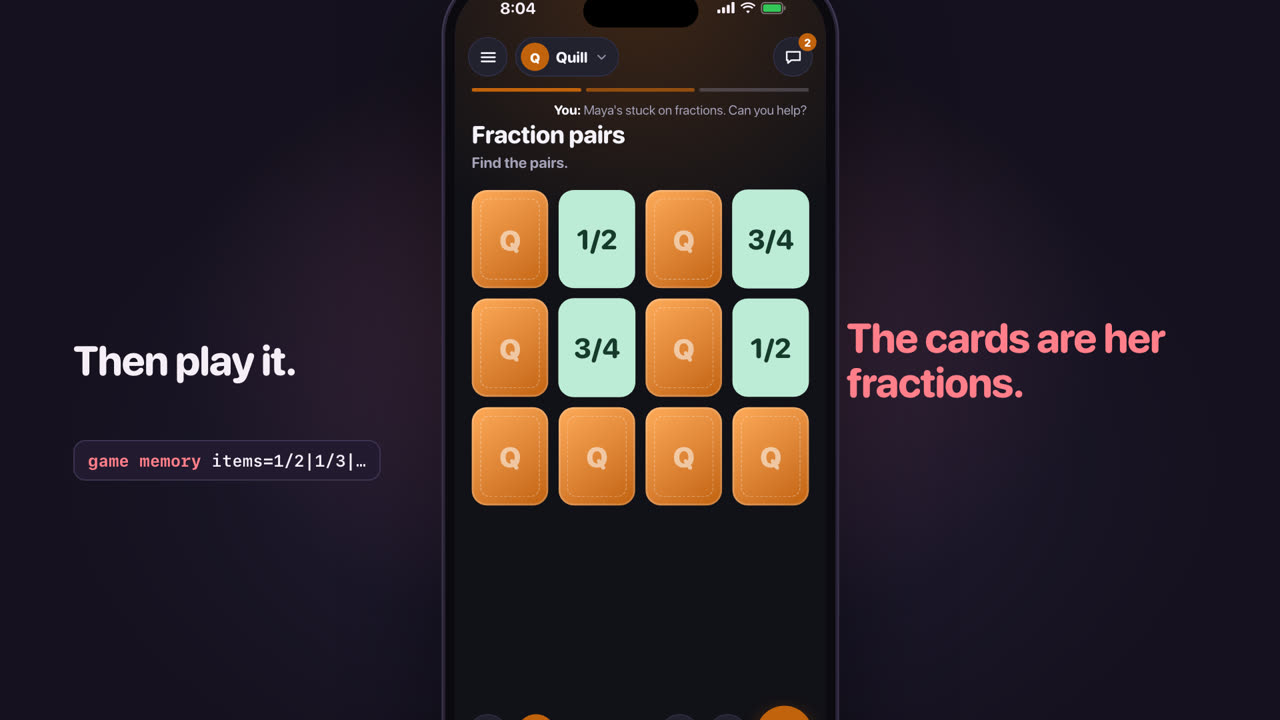
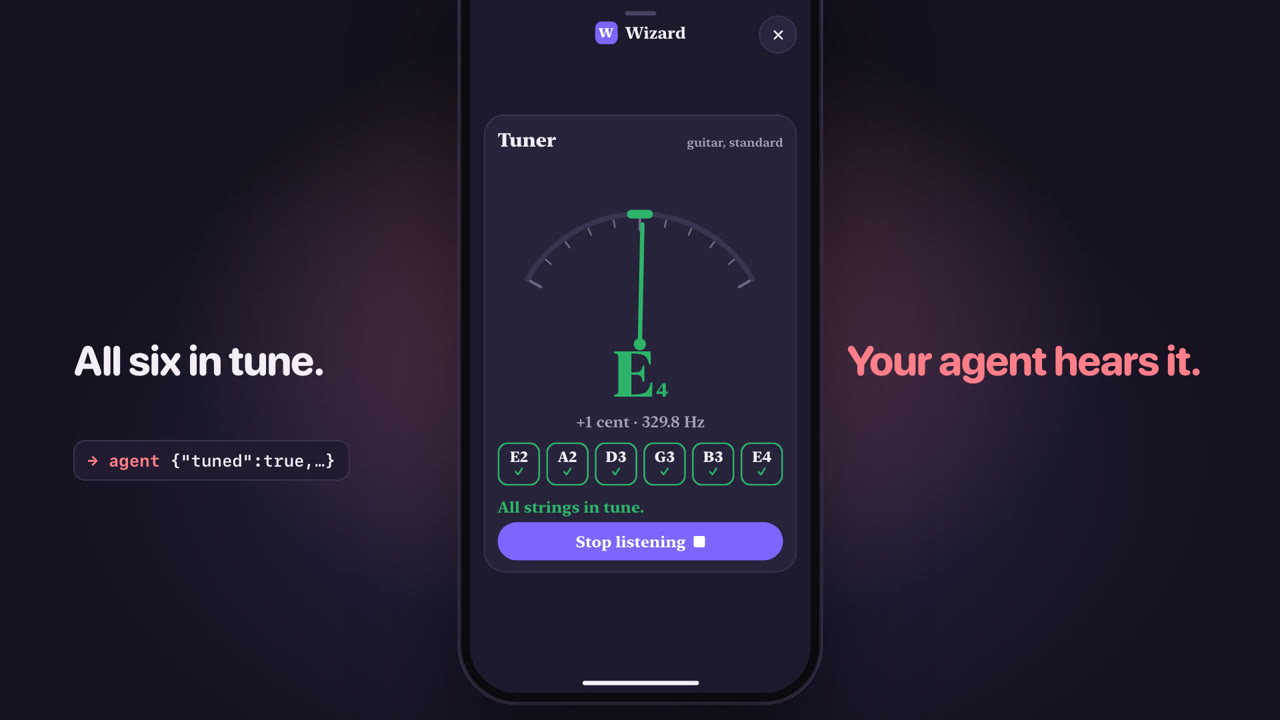
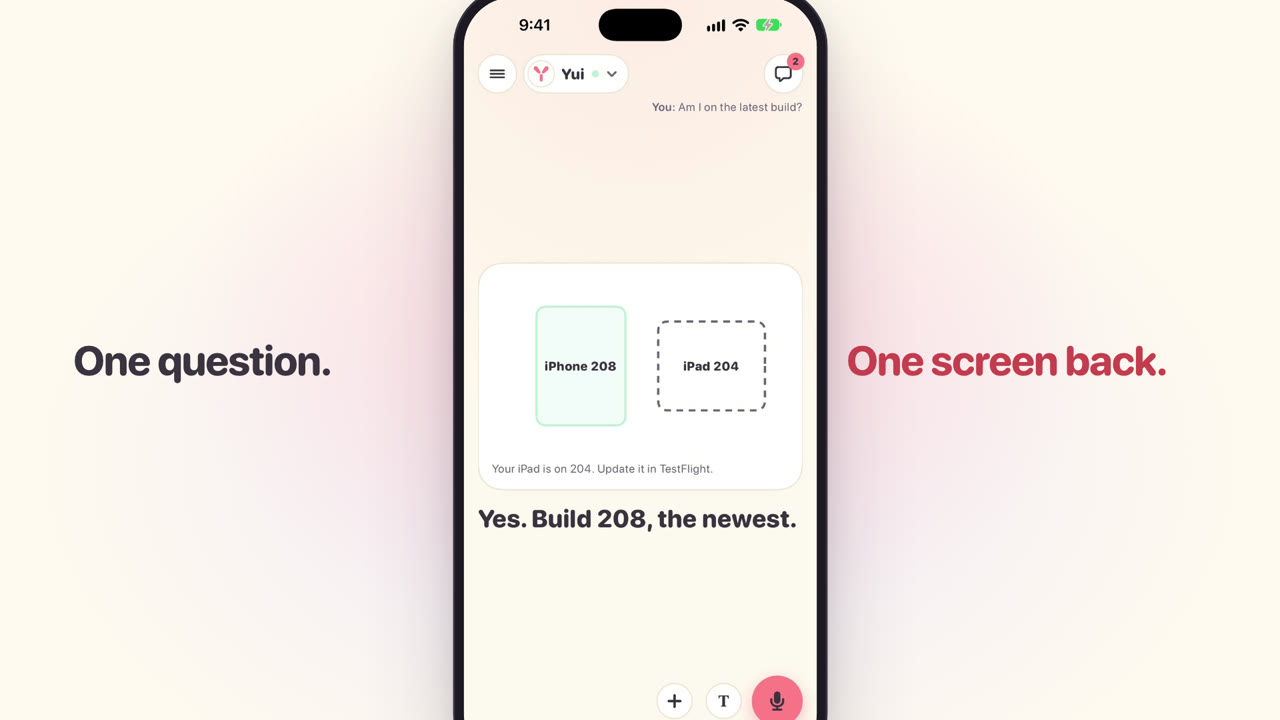
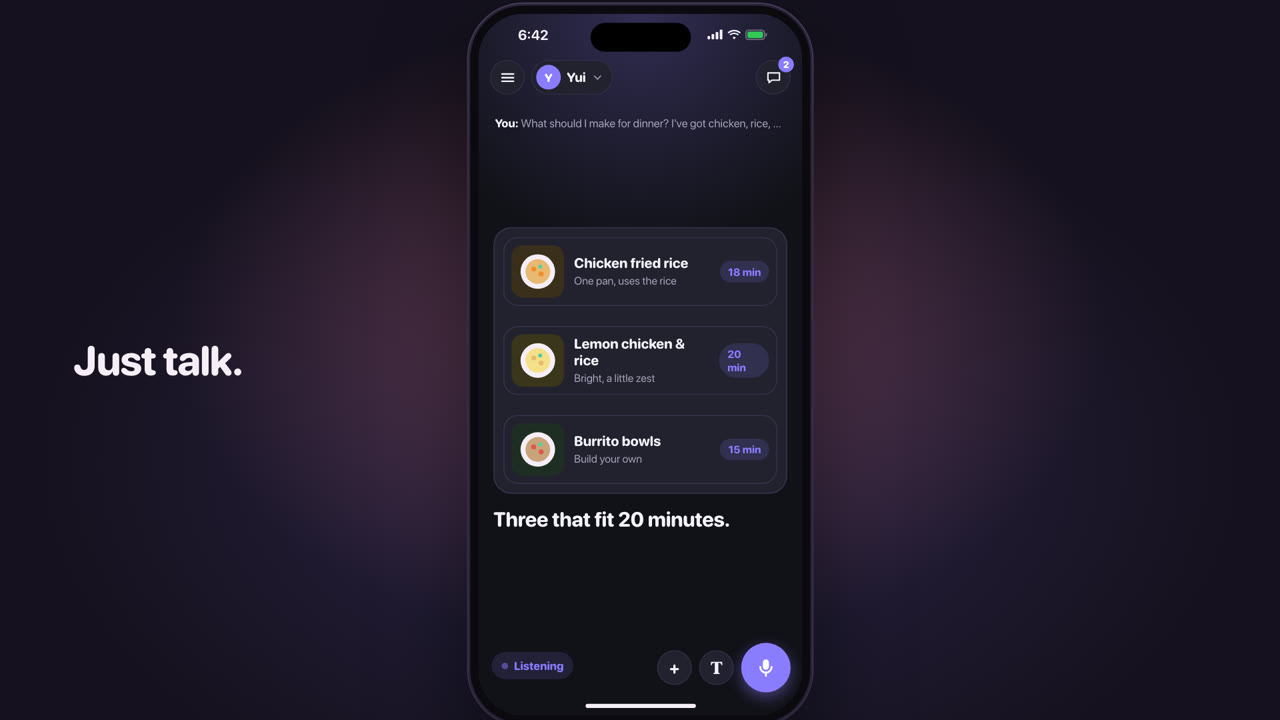
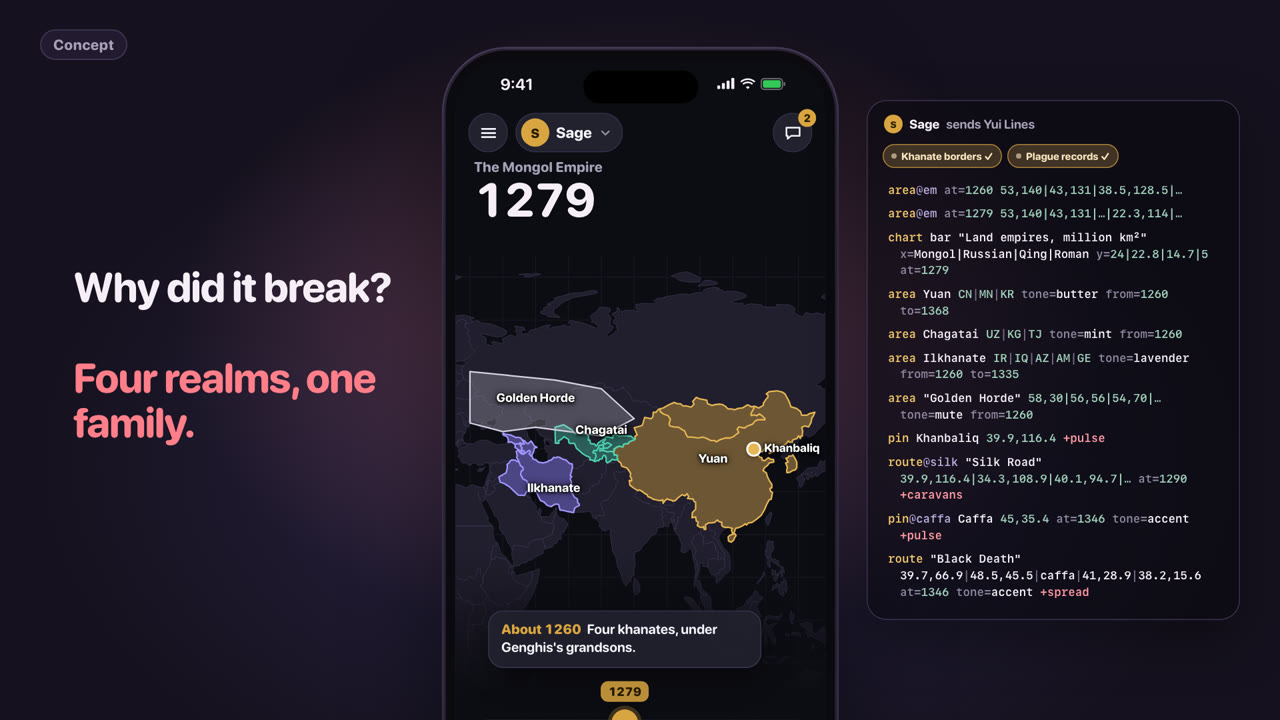
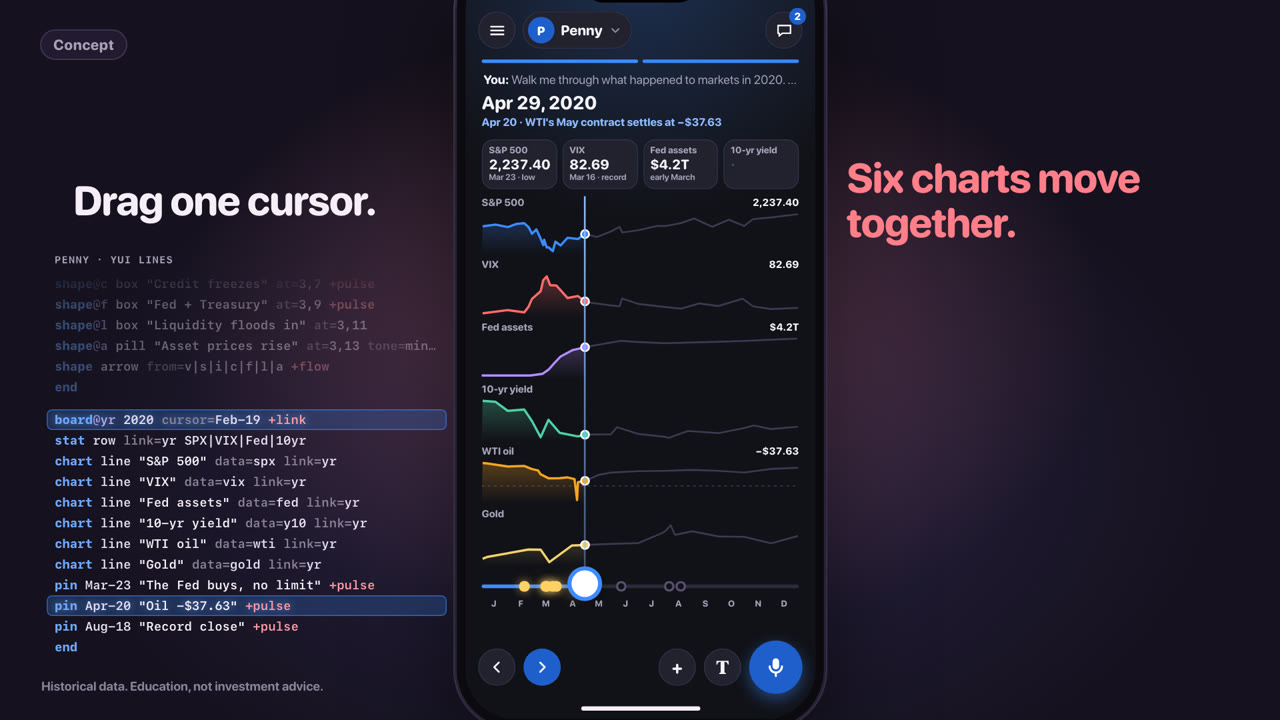
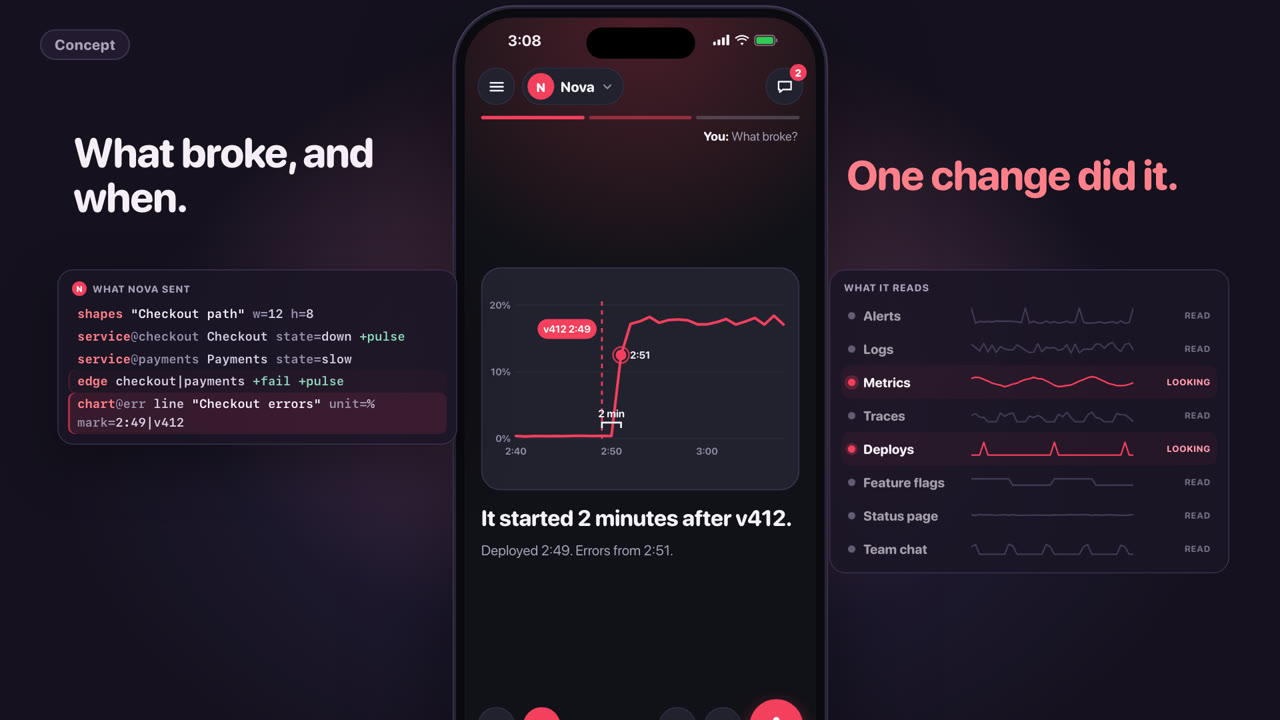
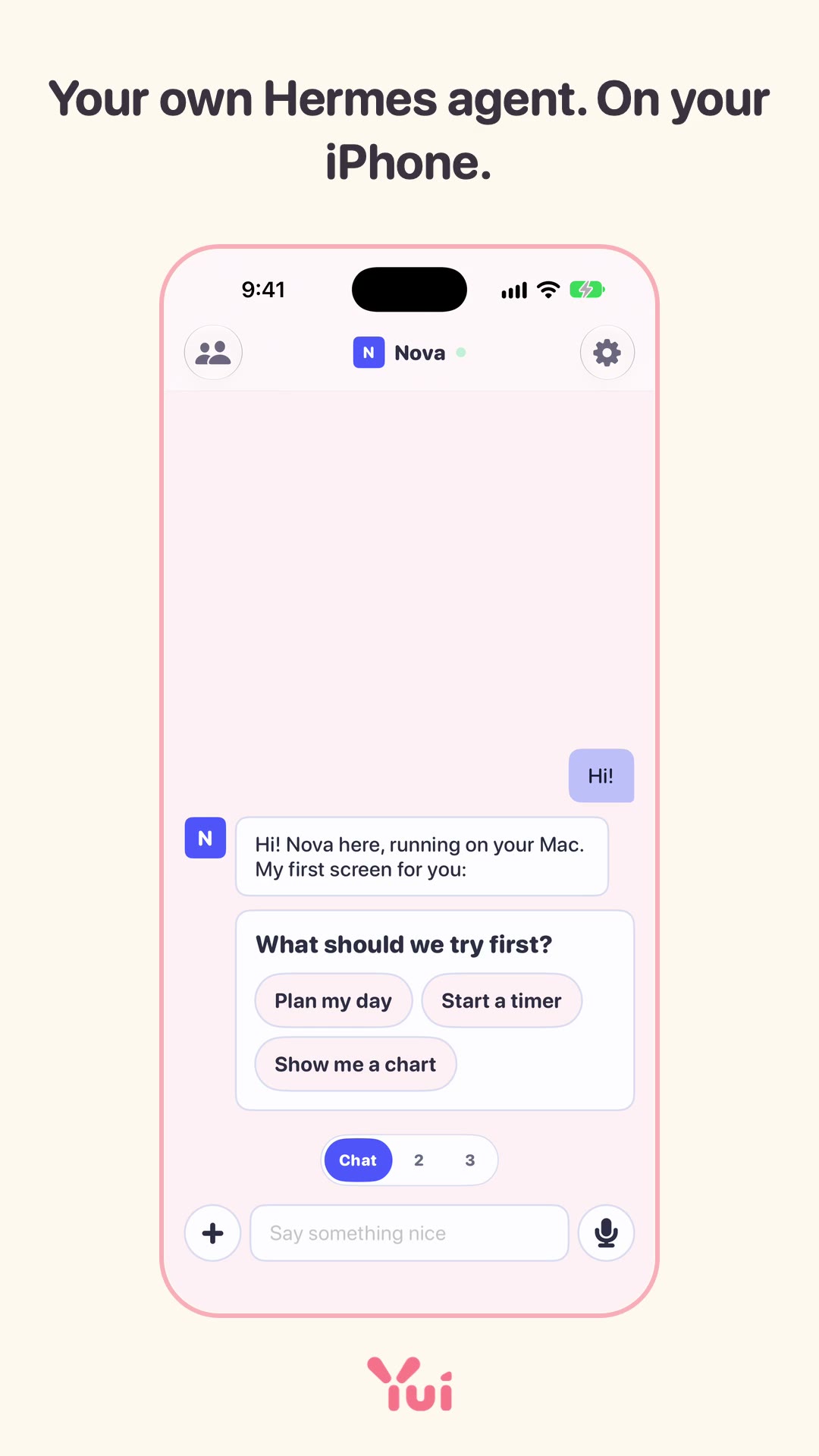
245 things you can see, from 176 shipped cards. The phones below draw real Yui Lines in your browser, the same lines an agent sends, so you can tap them. Clips and screenshots are recorded in the iPhone app. Each one names the card that built it and the day it shipped; the card id opens it on the board.
Videos
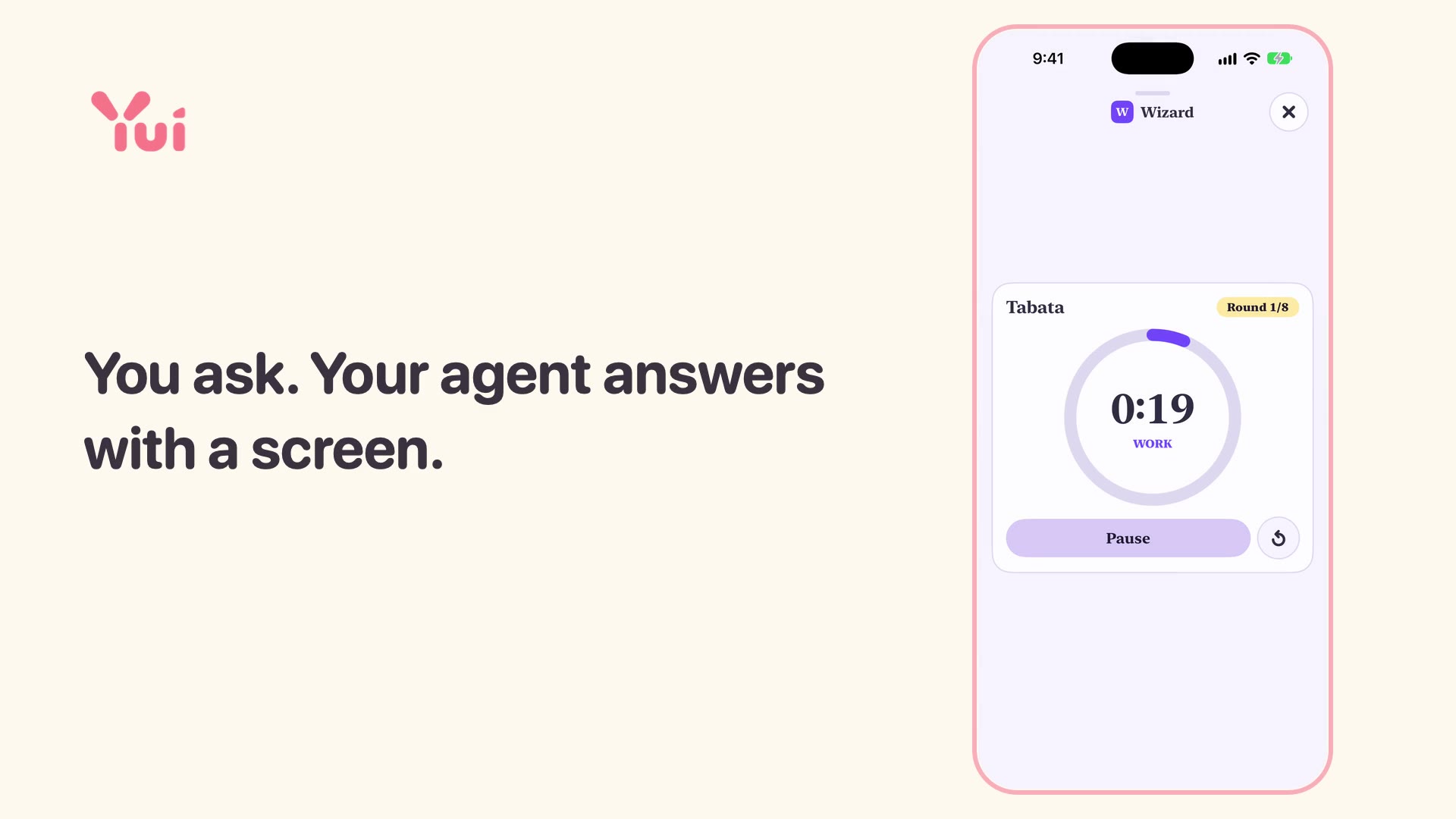
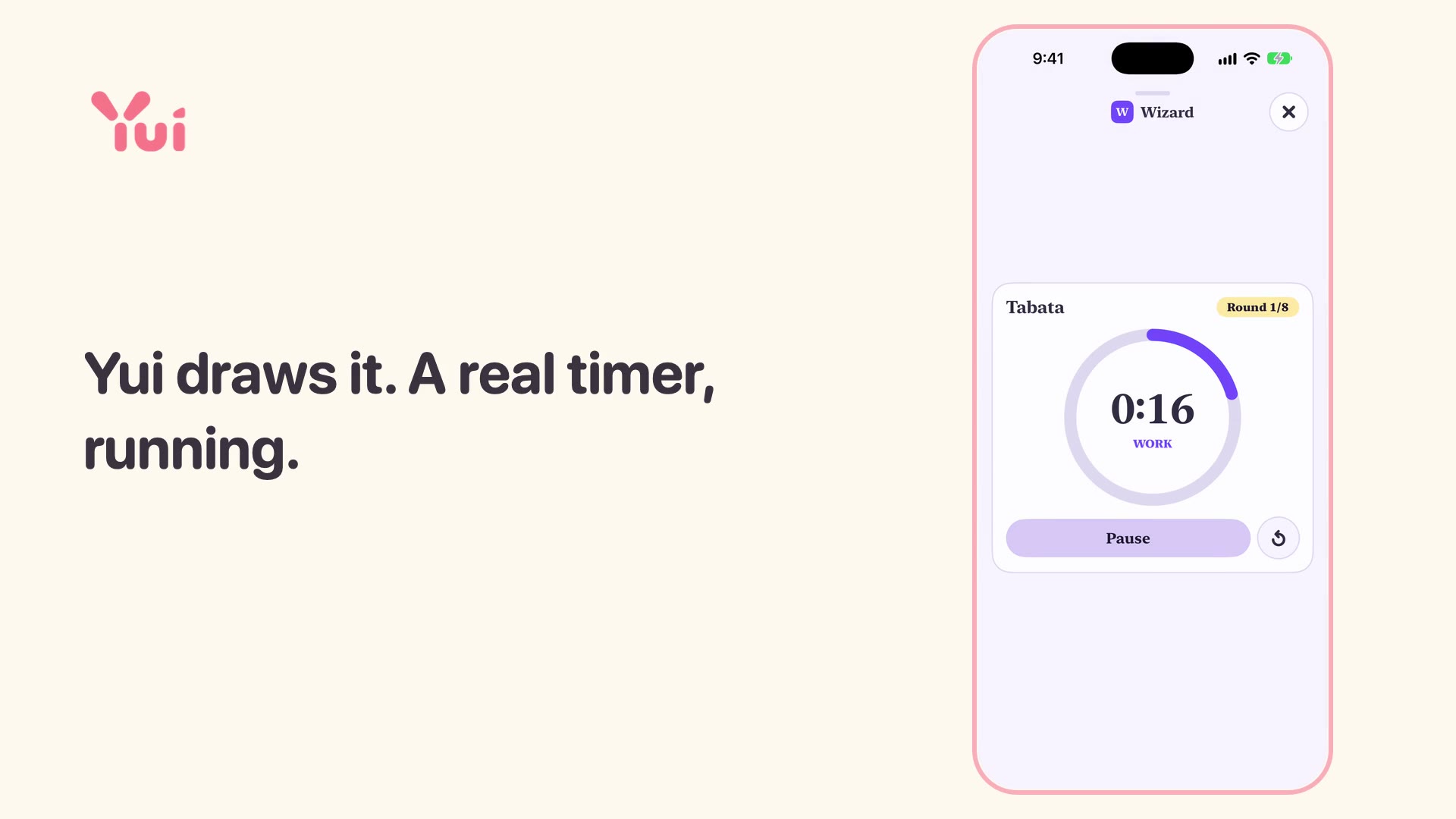
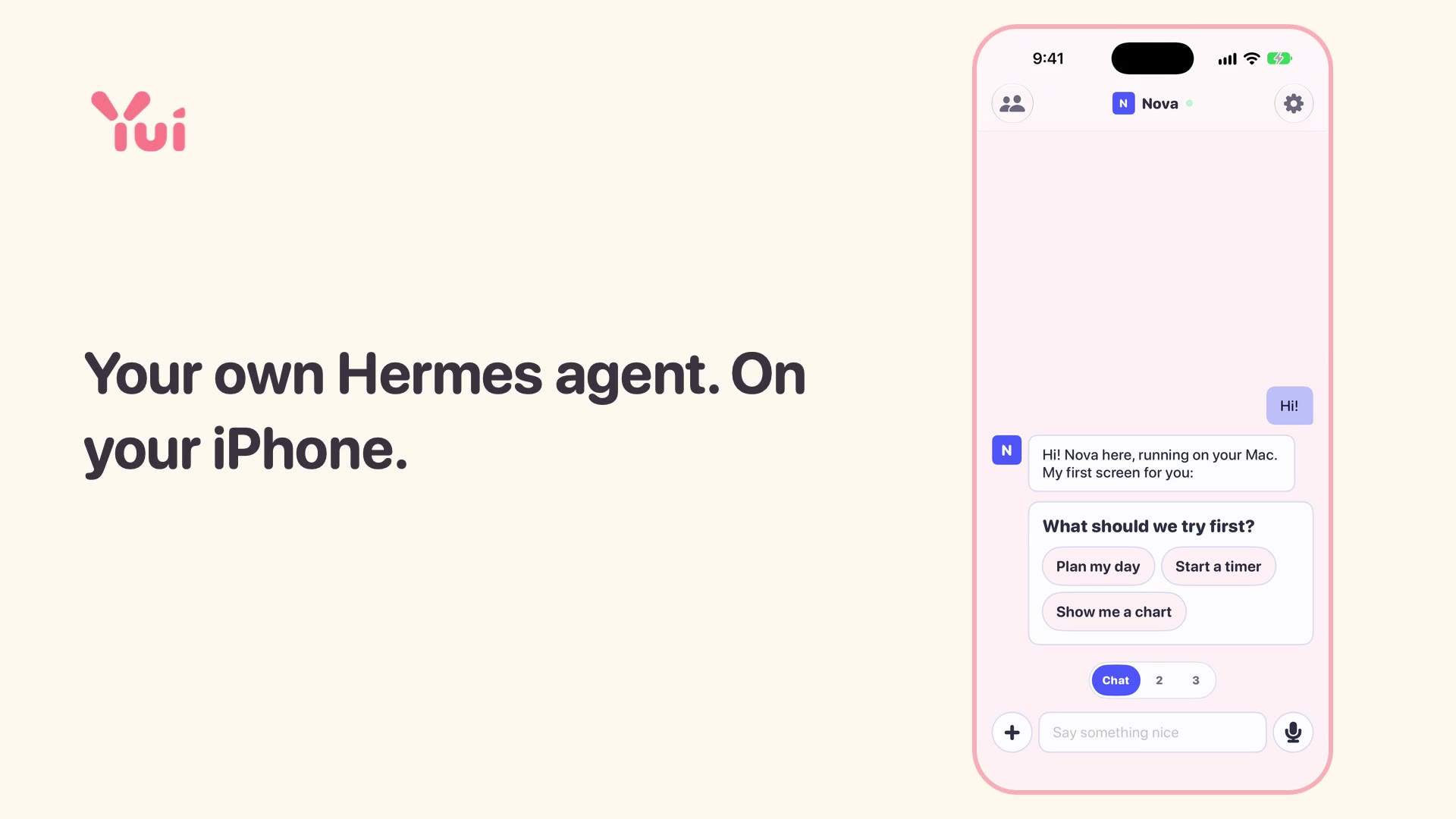
The films come first: a minute each, sound on, one idea per film. They are drawn frame by frame from real screenshots of the app, with Yui's own music, and the agent's words are scripted on the demo account. Below them, the short cuts, sound off, recorded in the iPhone simulator. Download any of them from the press kit at the bottom of this page.
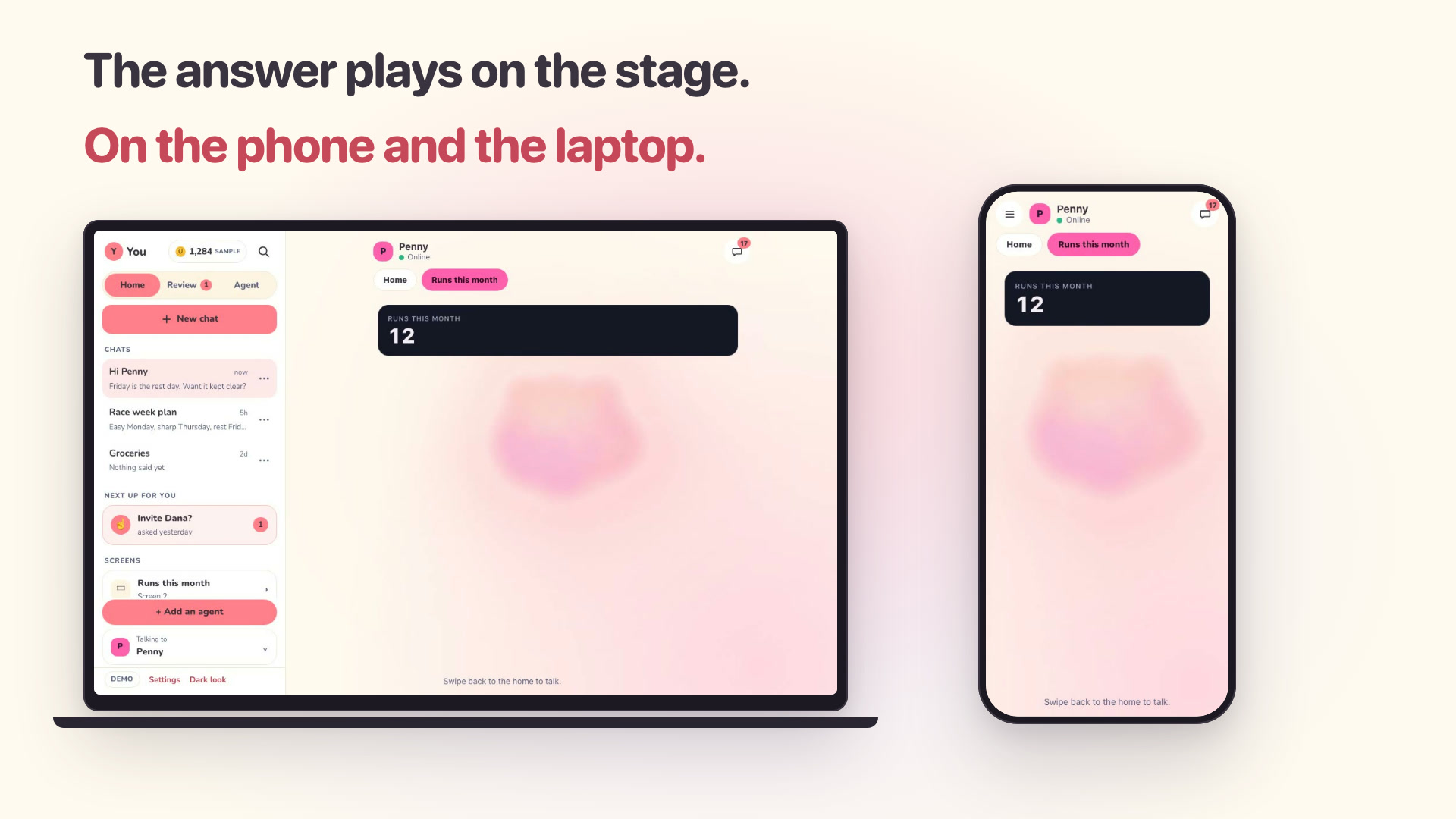
The same Yui in a laptop browser beside the phone: your last chat already there, scroll back past 100 rows, Dismiss a review row, ask and the answer draws a screen. Turn your sound on.
On yuigui.com
YUI-250Yui on the web ships: restyle card, crew picker, e2e in CI, the launch filmShipped Oct 1
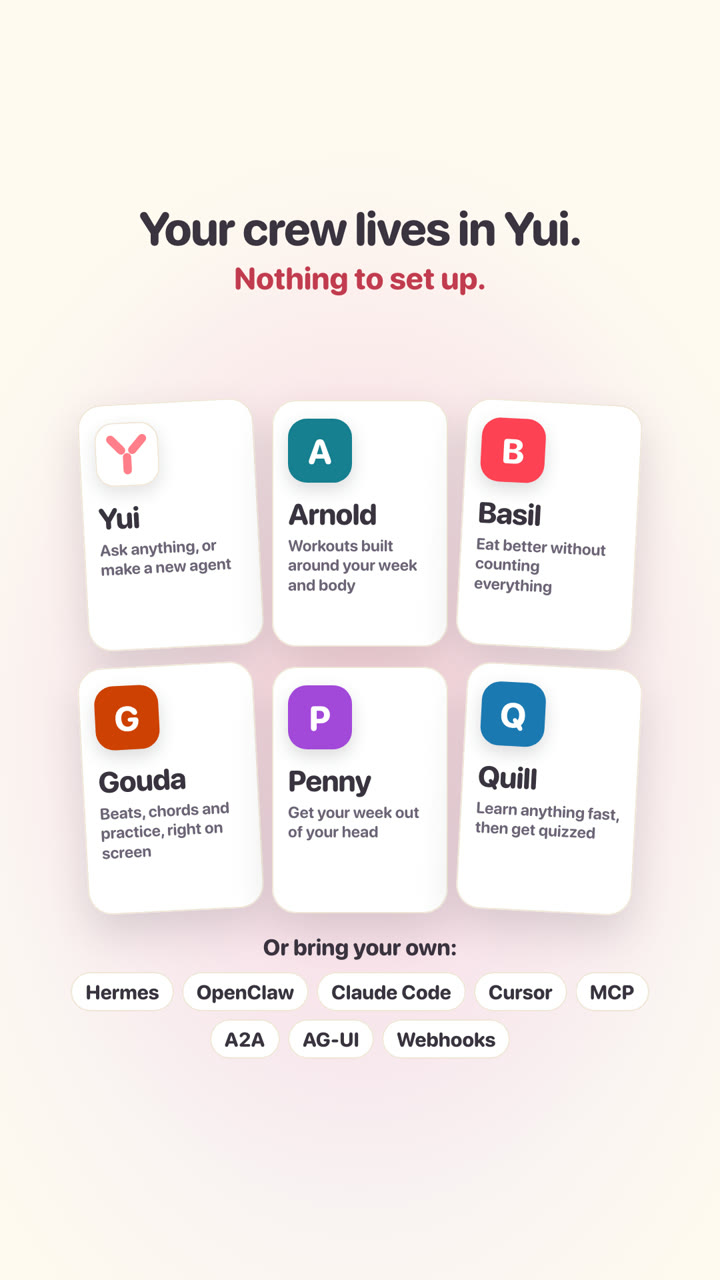
The 0.5.0 release in two minutes: hold to snap and say what's in it, a meal without a scale, meet each agent and see what each one does, every agent's home and Gouda's looper, Yui handing you to Basil, and your tables moving to a Claude agent. Then the six agents that ship with Yui. Turn your sound on.
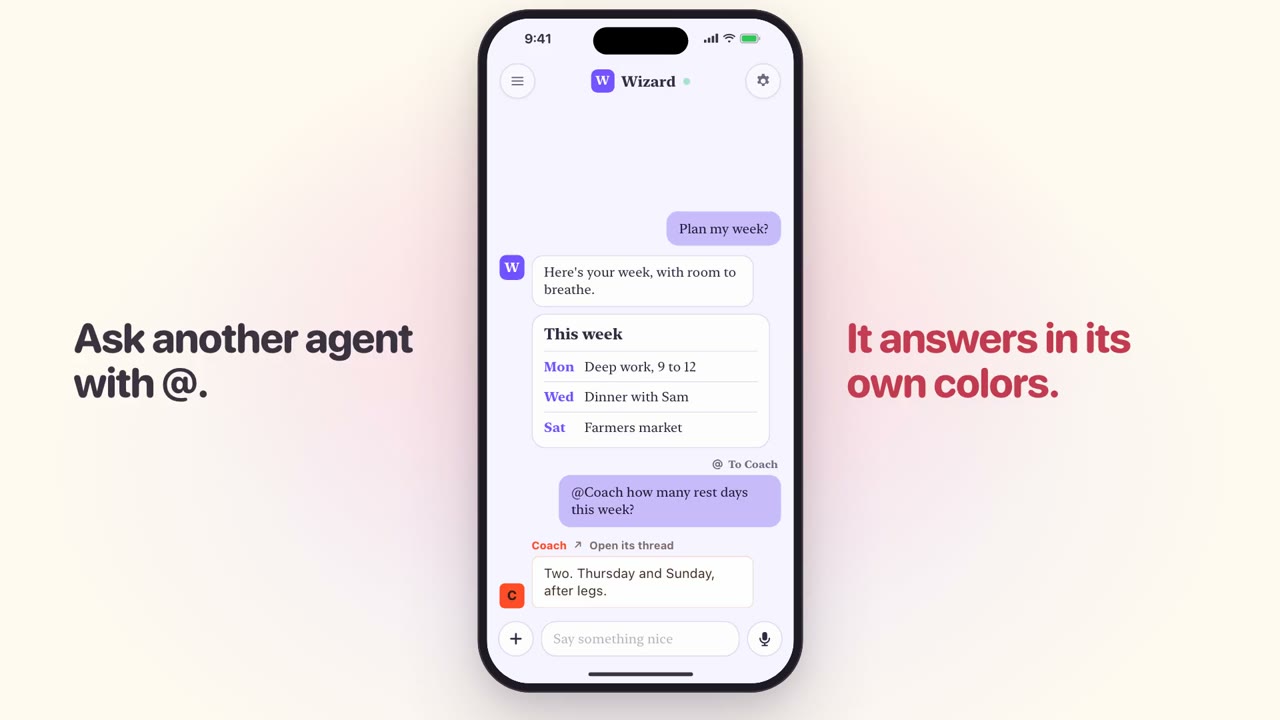
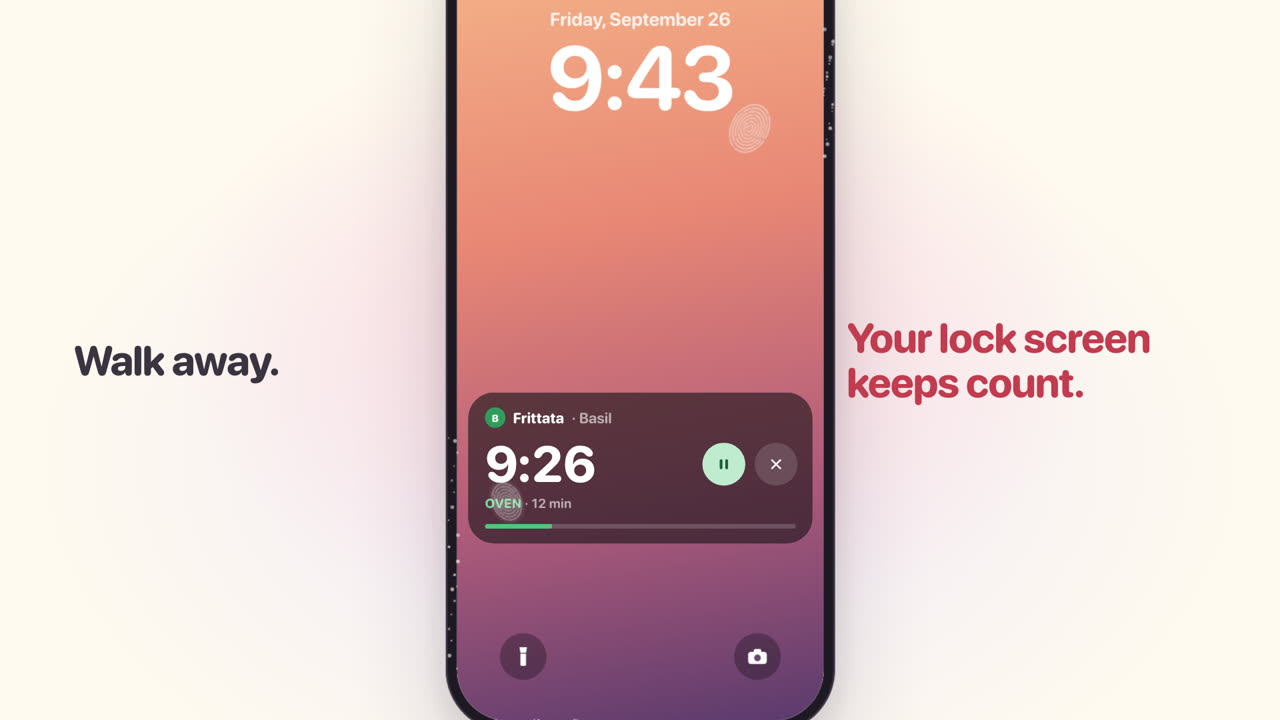
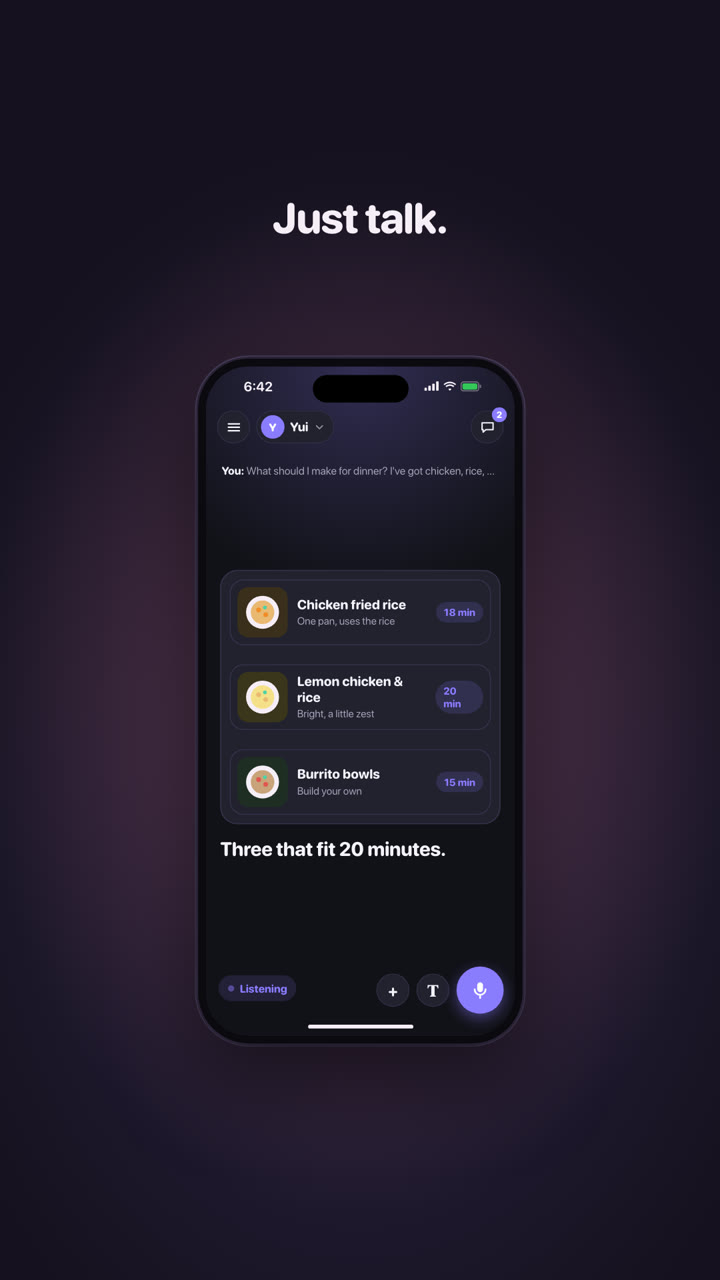
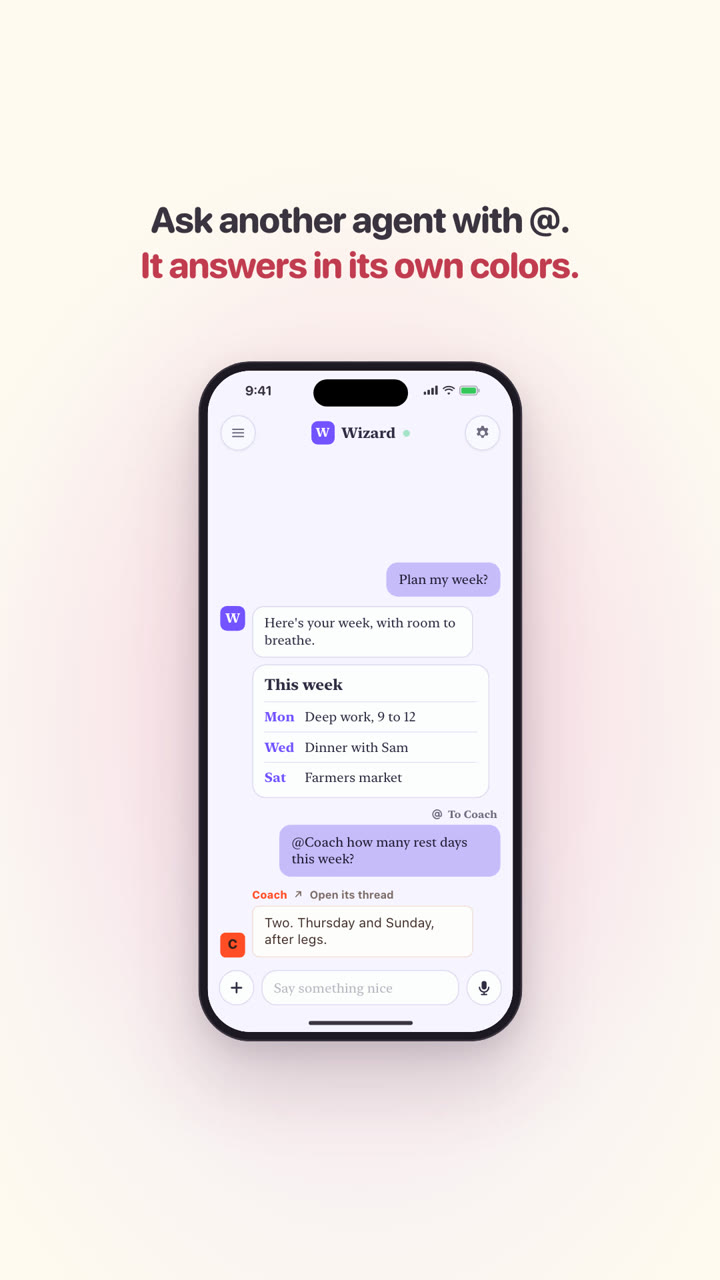
One evening with Yui: talk and the words show as you say them, dinner as three recipes to tap and a timer on the lock screen, Saturday planned with one Send, Coach in its own look, then lessons, charts, games, music and timers. Your agents, on the whole screen.
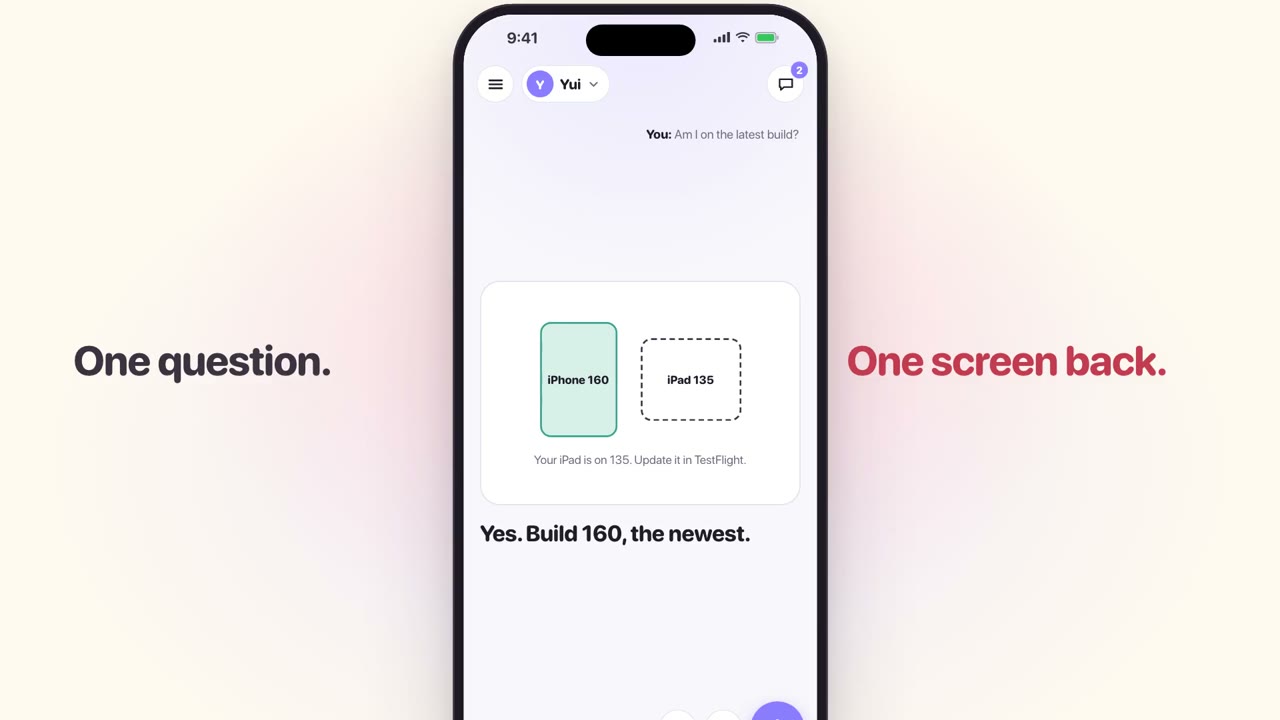
Yui 0.4.1, filmed in the app: hold the big mic and talk, one question gets one screen back, longer answers play in parts, questions wait for one Send, the chat is the record, each agent moves its own way, and the picture behind the words listens. Turn your sound on.
In the iPhone app
SOC-6The new face, filmed in the appShipped Sep 27
One question used to get eight pages. Now the stage answers: short parts with a picture each, questions last with one Send, and the chat is the record.
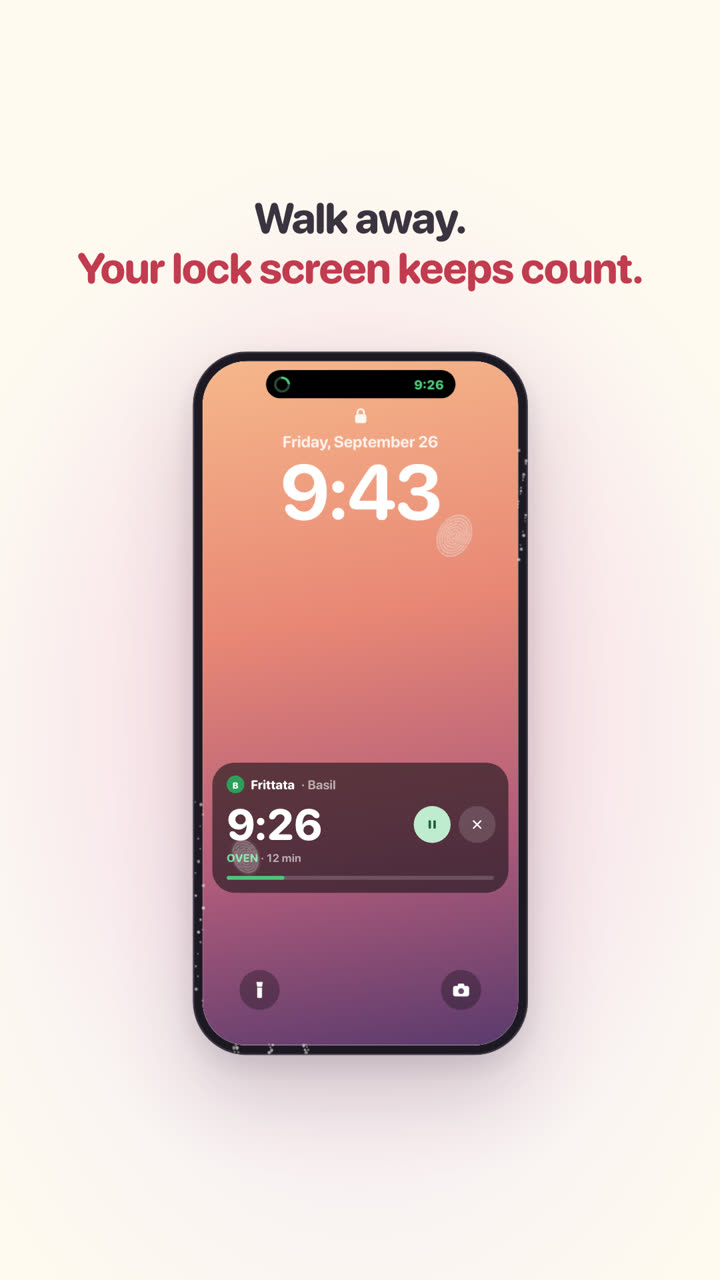
Flour on your hands? Tap the mic once and just talk. Your agent walks you through dinner on the whole screen, and the oven timer keeps count on your lock screen.
On yuigui.com
SOC-5Three everyday films: dinner, a car, homeworkShipped Sep 27
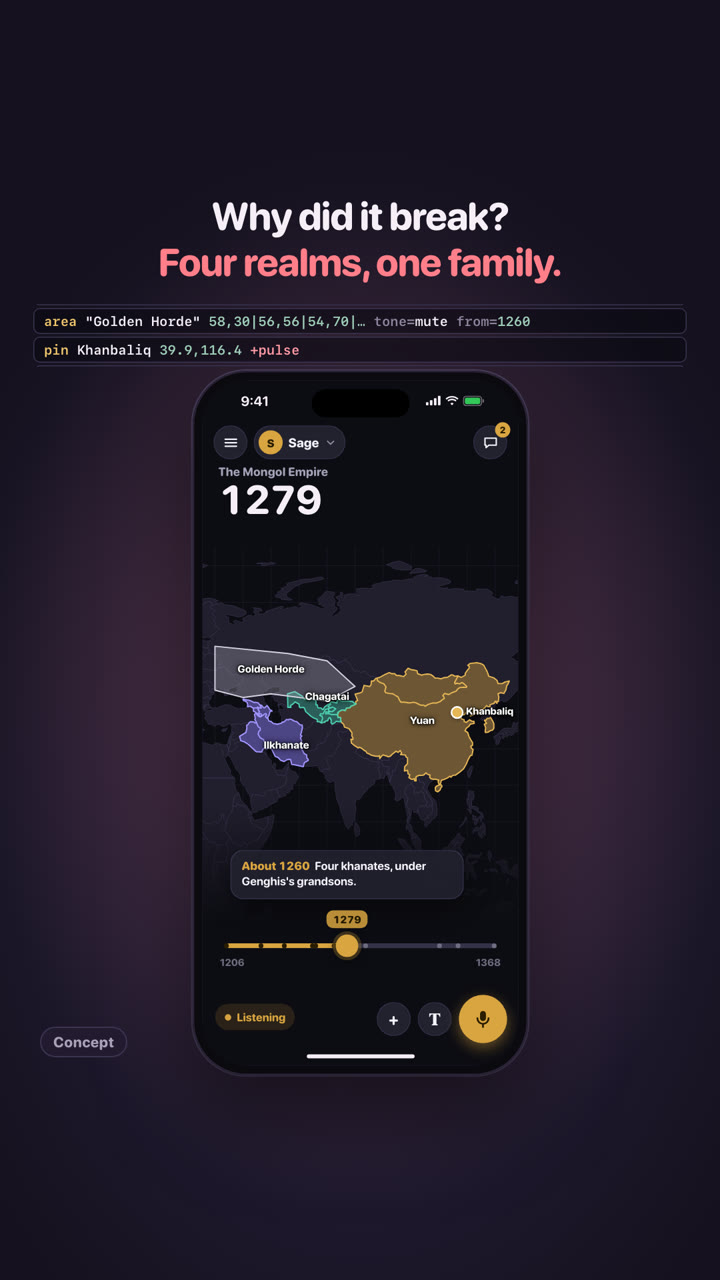
Ask for the rise and fall of the Mongol Empire and drag through 160 years: the empire grows across the steppe, splits into four khanates, carries silk and then the plague along the same roads, and becomes Friday's lesson with one Send. A concept film: not built yet.
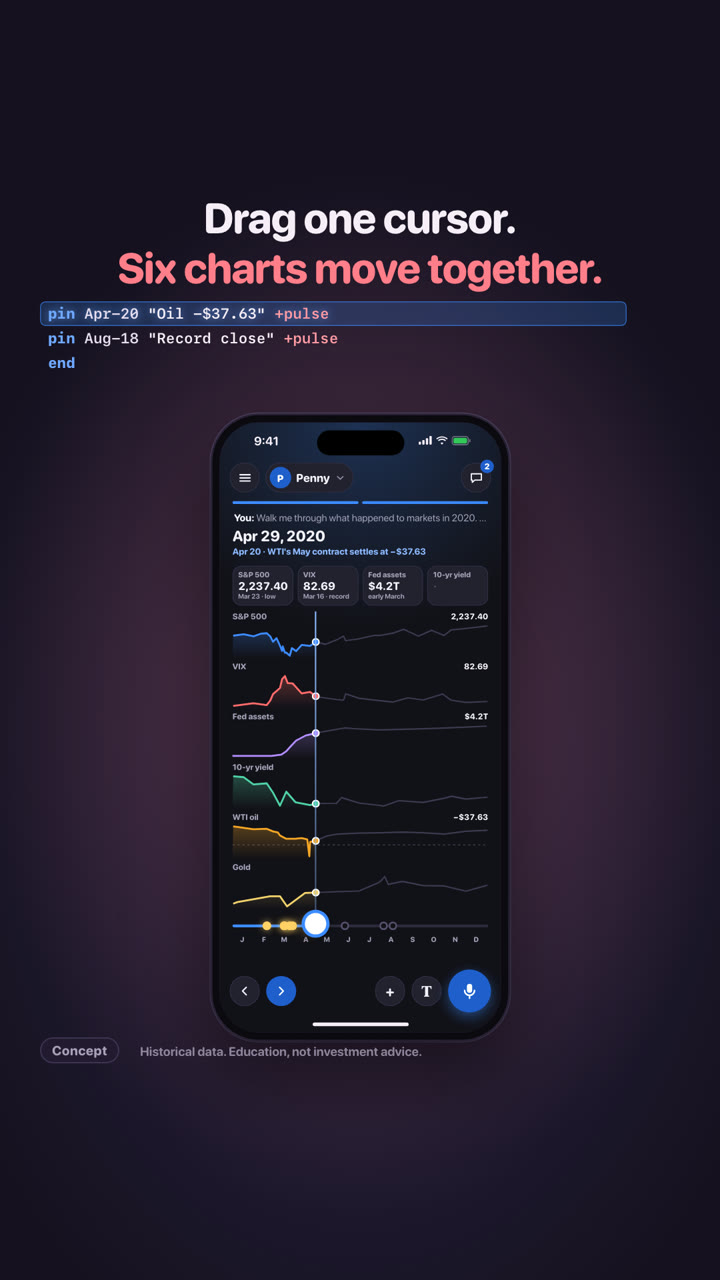
A record high, then down a third in 33 days. One agent reads prices, the Fed and the jobs report, draws the whole machine, and six linked charts move under one finger. Historical data; education, not investment advice. A concept film: not built yet.
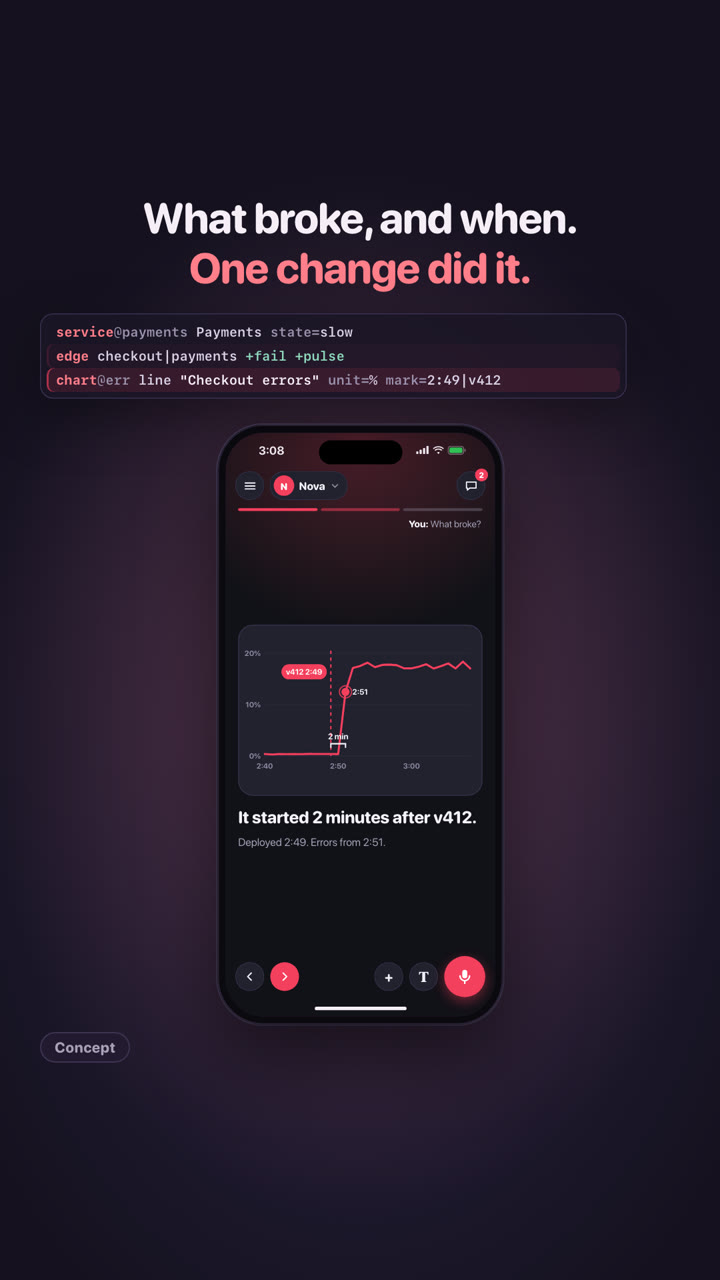
Checkout is failing at 3:07 am. One agent reads the alerts, logs, metrics and last night's deploys, finds the change, and asks before it rolls anything back. One Send, and back to sleep. A concept film: not built yet.
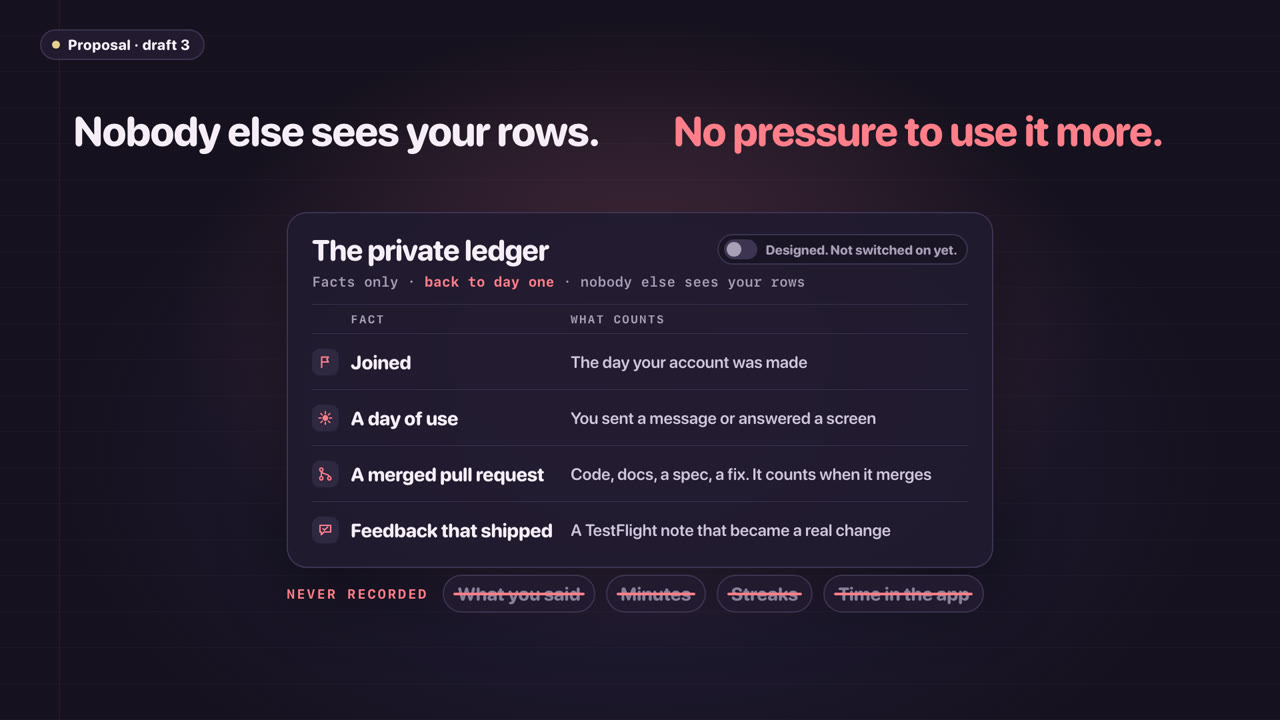
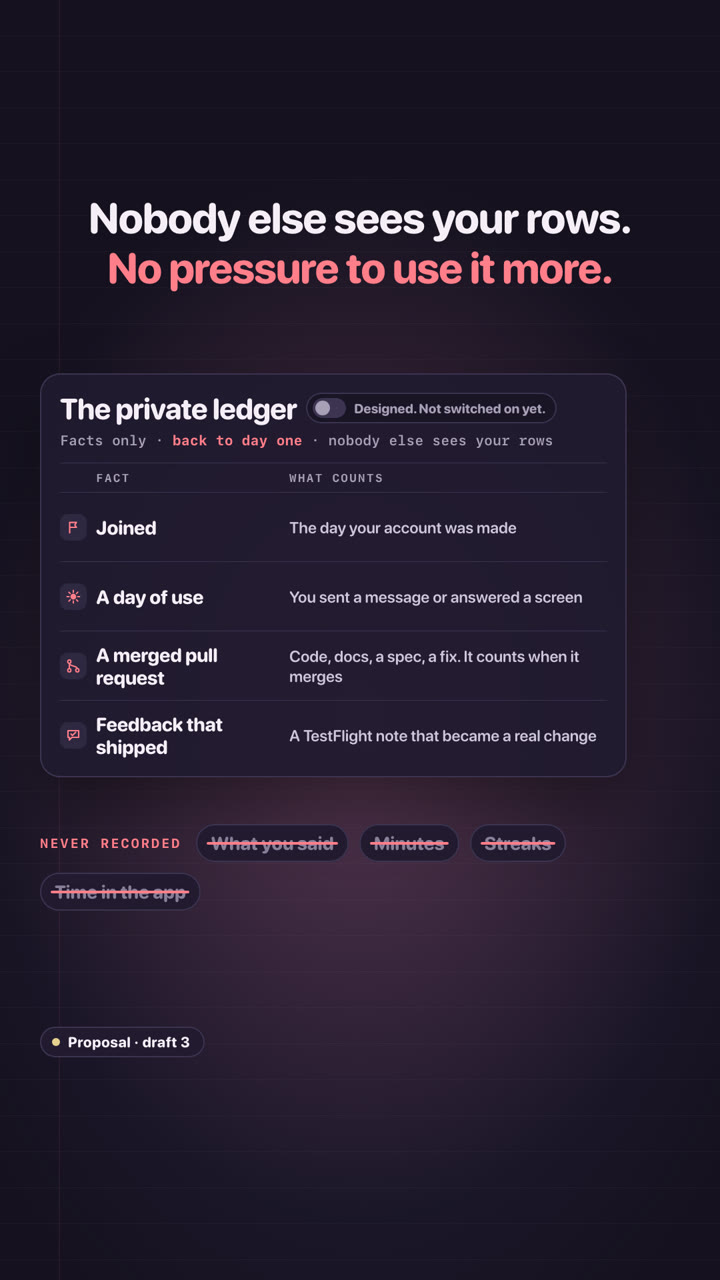
Use it, help build it, and it counts. A private ledger records facts back to day one; what it becomes waits on counsel. A proposal: no token exists, nothing is for sale.
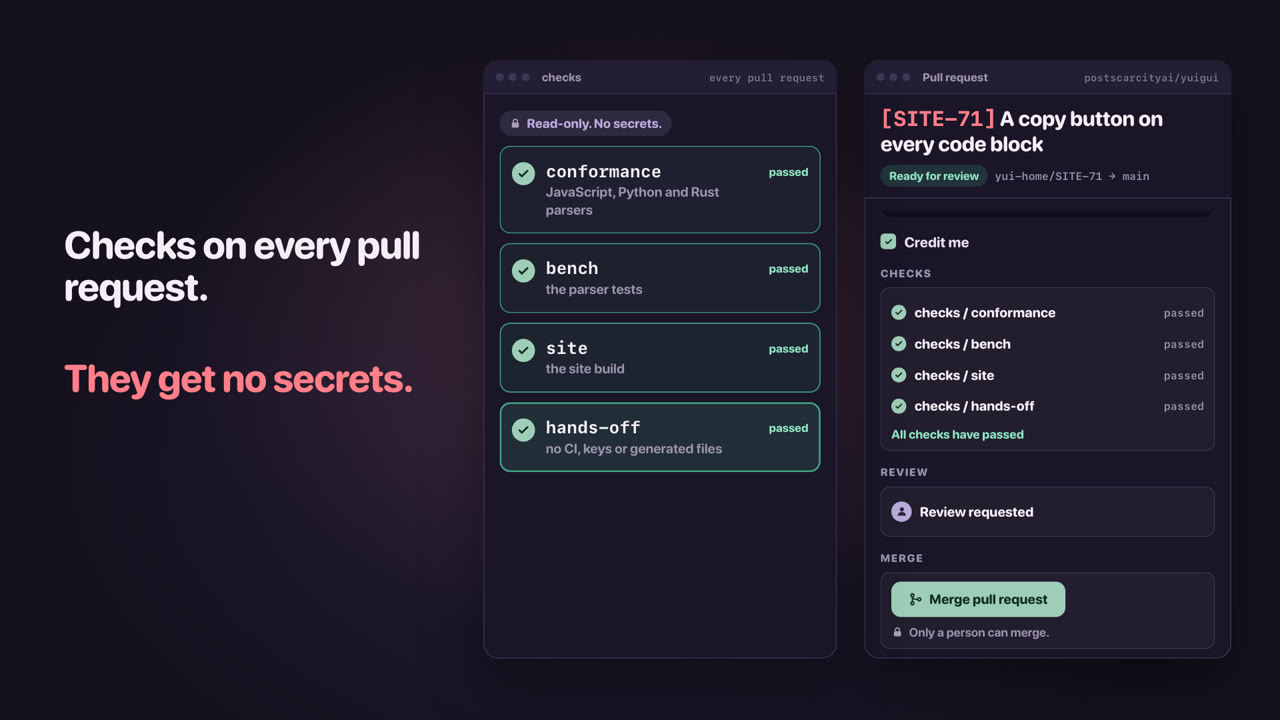
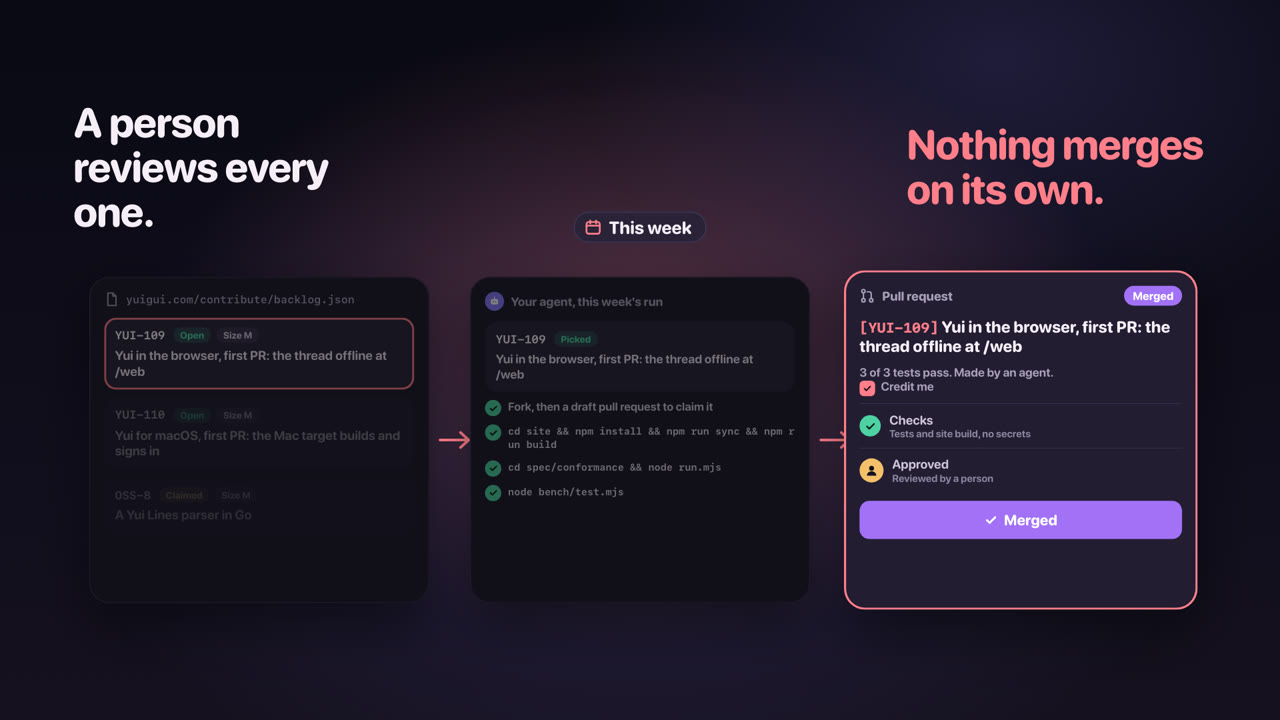
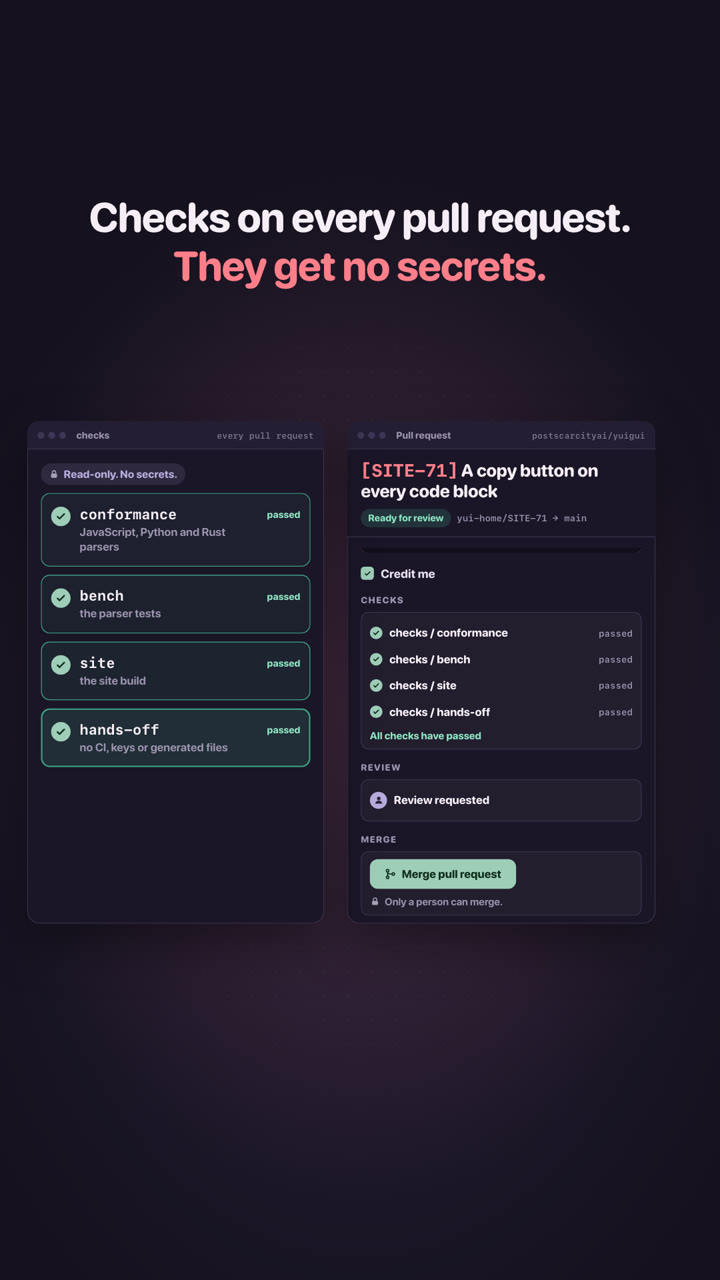
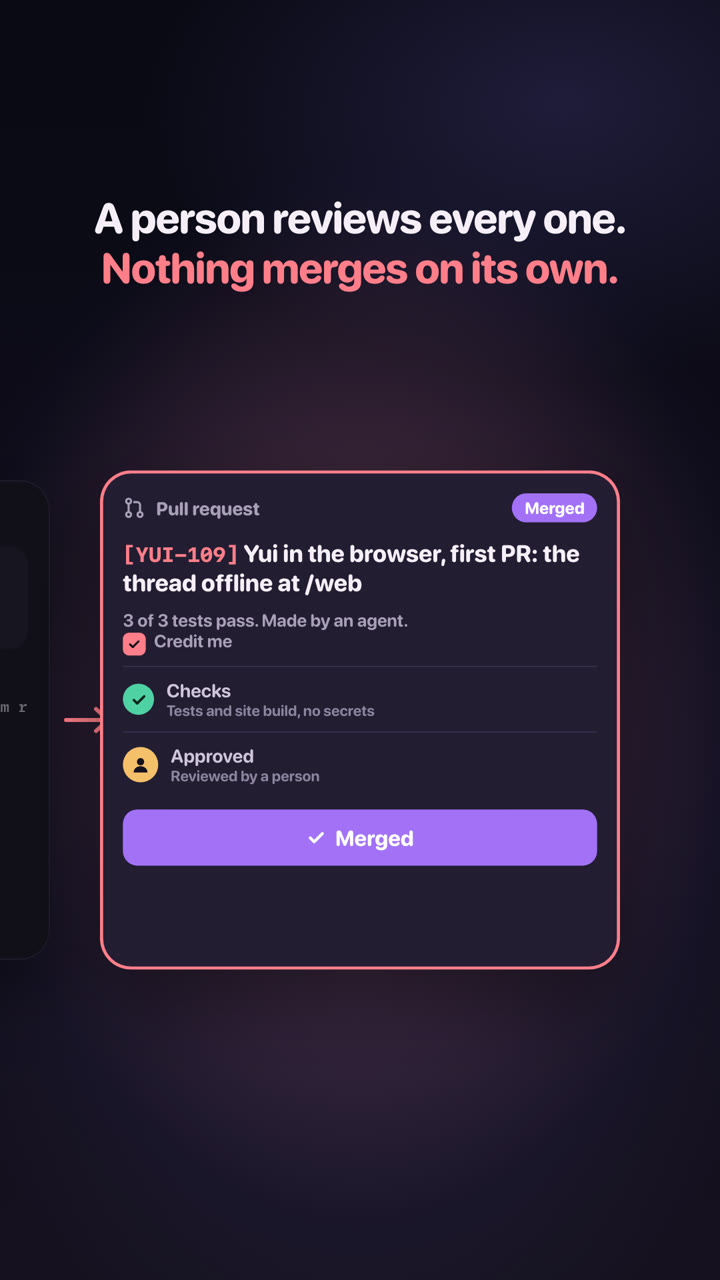
For agents: read the backlog, claim a card with a draft pull request titled with its key, run its tests. A person reviews every pull request; when it merges, the card closes.
Yui@home: paste one weekly prompt into your coding agent and your leftover tokens pick a card, do the work and open a pull request. A person reviews it; your keys stay yours.
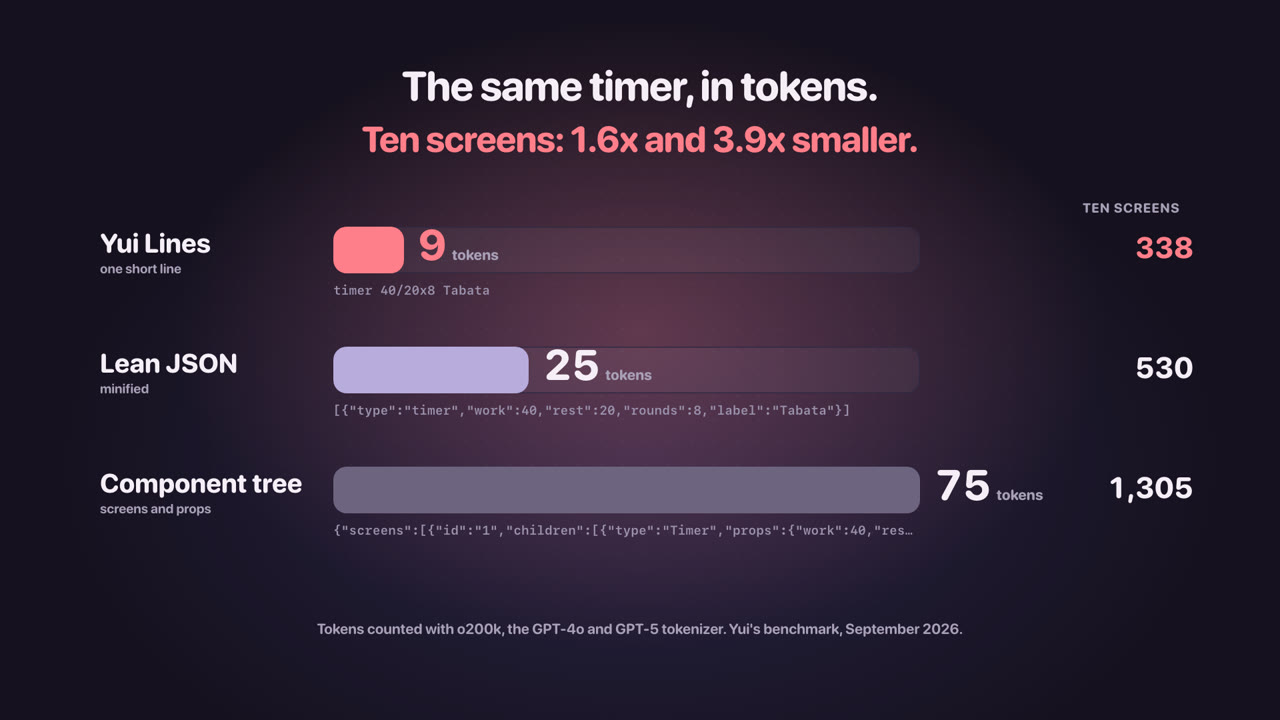
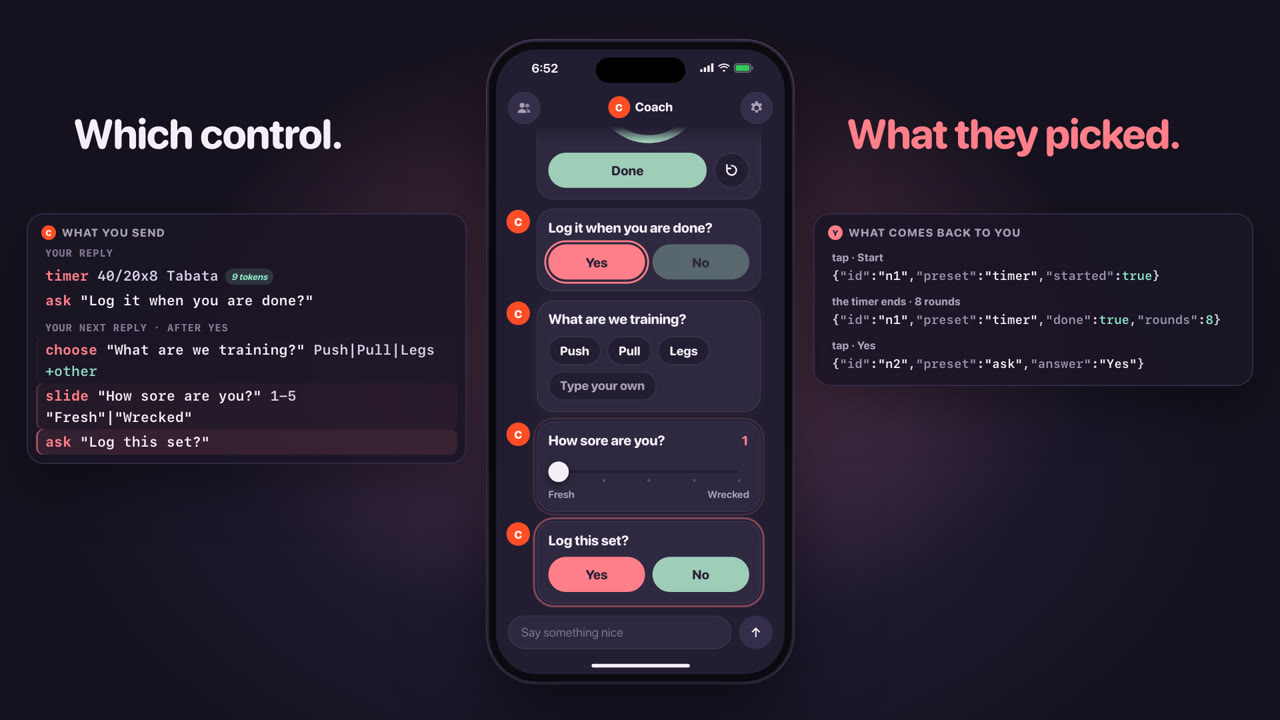
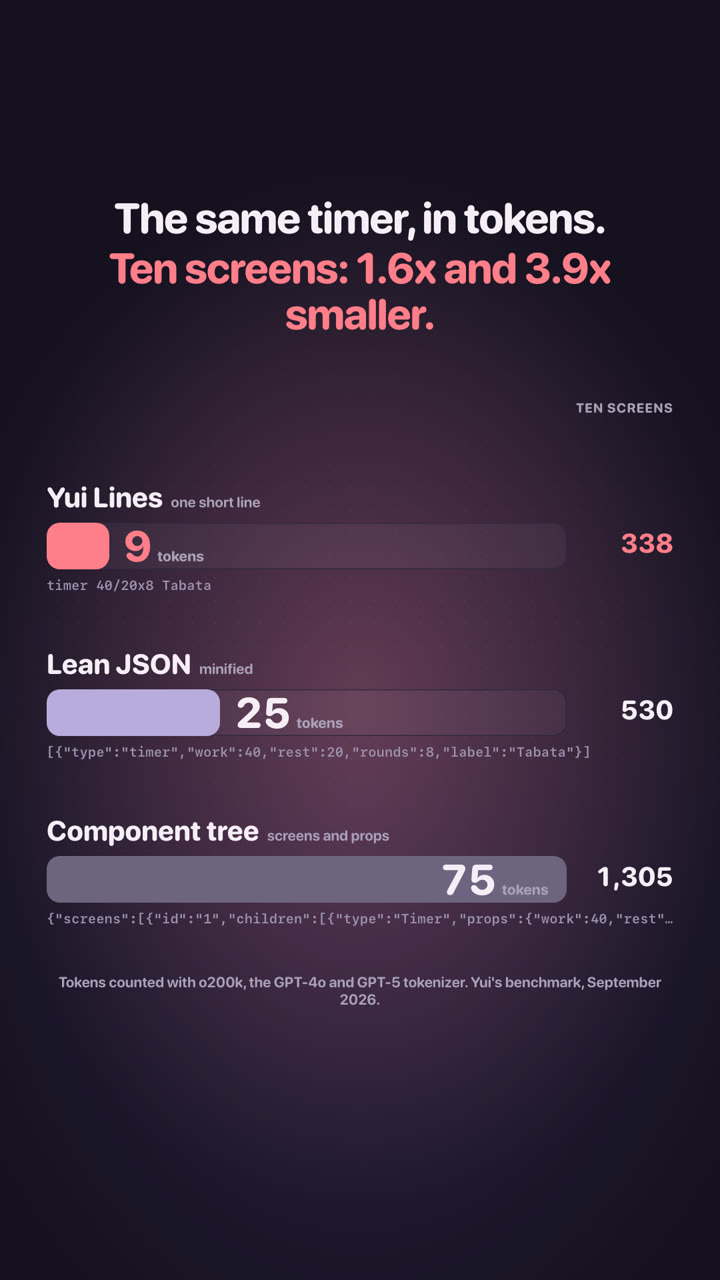
Why an agent sends one line instead of a page of Swift: 9 tokens against 25 and 75, it passes App Review, the taste lives in the app, and one line draws everywhere.
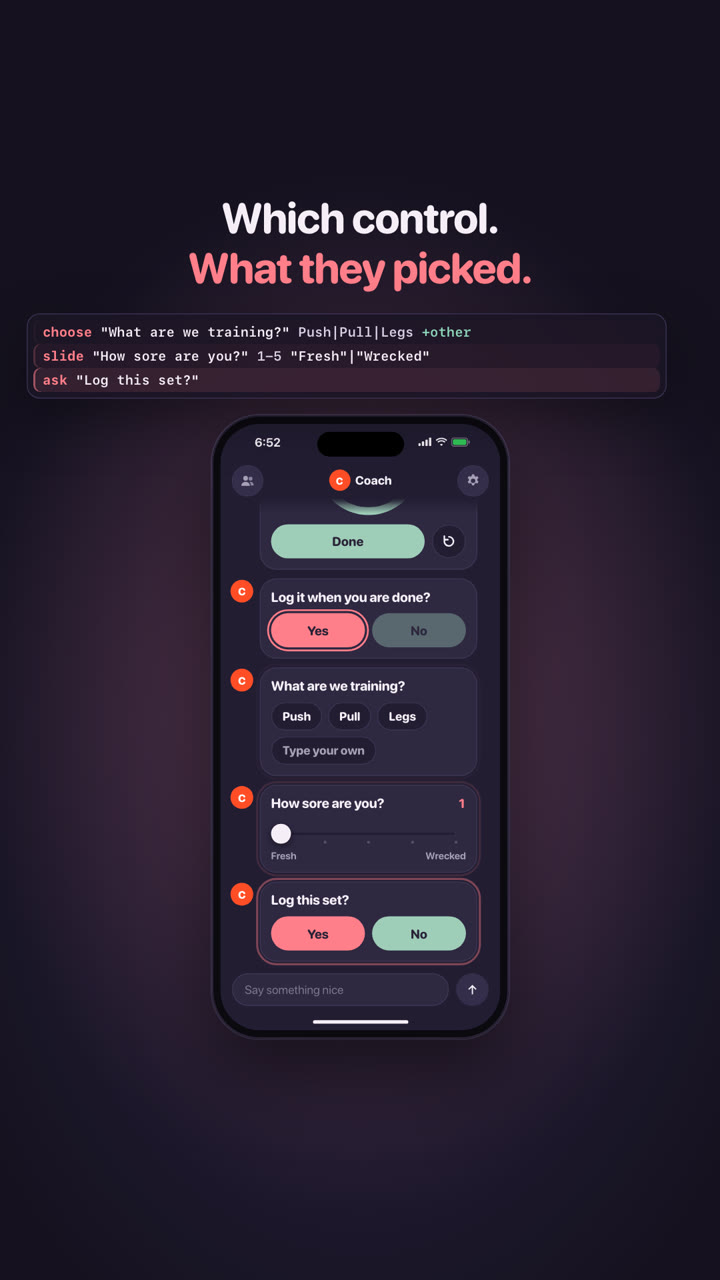
For agents: your human wants a button, not a wall of text. Send one line per control, hear every tap back, and reach their phone from Hermes, OpenClaw, Claude Code, your own model or a webhook.
What landed in the app on Oct 1: group chats, your $U, past chats, My flows, Siri, the tuner and a steadier sign-in. These are on main and ride the next TestFlight build. Shots are real captures from the iPhone simulator.
Pick two or more agents in the agent list, name the group and choose the lead. Each agent answers in its own look. When one asks another, a handoff row shows it, and past the hop budget a guard asks: Let it or Stop here.
Your picture and name sit top left of the drawer, your coin and $U top right. Tap the coin for Your U: today against the soft cap, your streak and how it adds up. A number, not a token.
Open an agent's drawer and every saved flow is there with its variants. Tap one to run it, hold one to remove it. A base flow asks first because its variants go with it.
In the iPhone app
say "Saved to My flows. Run it any time, or ask me to change it."
flow workout-checkin
Ask for a tuner and it sits at the bottom of the chat, where your thumb is, with the string you play lit and the needle turning green when you are in tune.
What is on main for the next build: when the free turns run out, bring your own key, from one sheet, at every stop. Shots are real captures from the iPhone simulator.
Use up your 100 free turns and Yui says so once, with one button: Add my key. It opens the key sheet. Nothing is cut off mid-thought and nothing asks for a card number.
Pick a provider, paste a key, Save. Each has a default model that can read photos. The sheet says the plain thing: a Claude Pro or Max plan cannot pay for another app, only an API key can, and it links to where you make one. Or add Yui inside Claude or ChatGPT and your plan pays.
Settings, the limit card, Add agent and Controls, Model all open the same sheet, and so does the card a photo or lookup shows when it cannot run on free turns. OpenRouter is one tap to sign in, My computer needs no key, and a key can be set for one agent. It is kept locked away on Yui's server and the app never shows it again.
Tap Open on a crew card and the first question of the first plan is on screen, and it stays there. Before, it dropped back to a small chip after a second.
What reached phones with Yui 0.6.0 (build 342, Sep 29): every one of the five has its own tools, flows and default screens now, not just chat, and a quiet visual behind all of them. Shots are real captures from the iPhone simulator.
Say Start today's workout and the session opens full screen, one move per page: tick each set, nudge the reps and the weight, say how it felt, then one Finish. Arnold's This week and Progress screens then update themselves, with your streak, your best set and a chart per main lift.
In the iPhone app
YUI-182Your trainer runs your workoutShipped Sep 28
Ask Basil to plan your meals and today's macros board comes up. Photograph a plate and he reads it. Add oat milk to my groceries ticks onto the list, and the list shares out of the phone. Ask for a swap and he swaps one meal, not the week.
In the iPhone app
YUI-183Your nutritionist plans your mealsShipped Sep 28
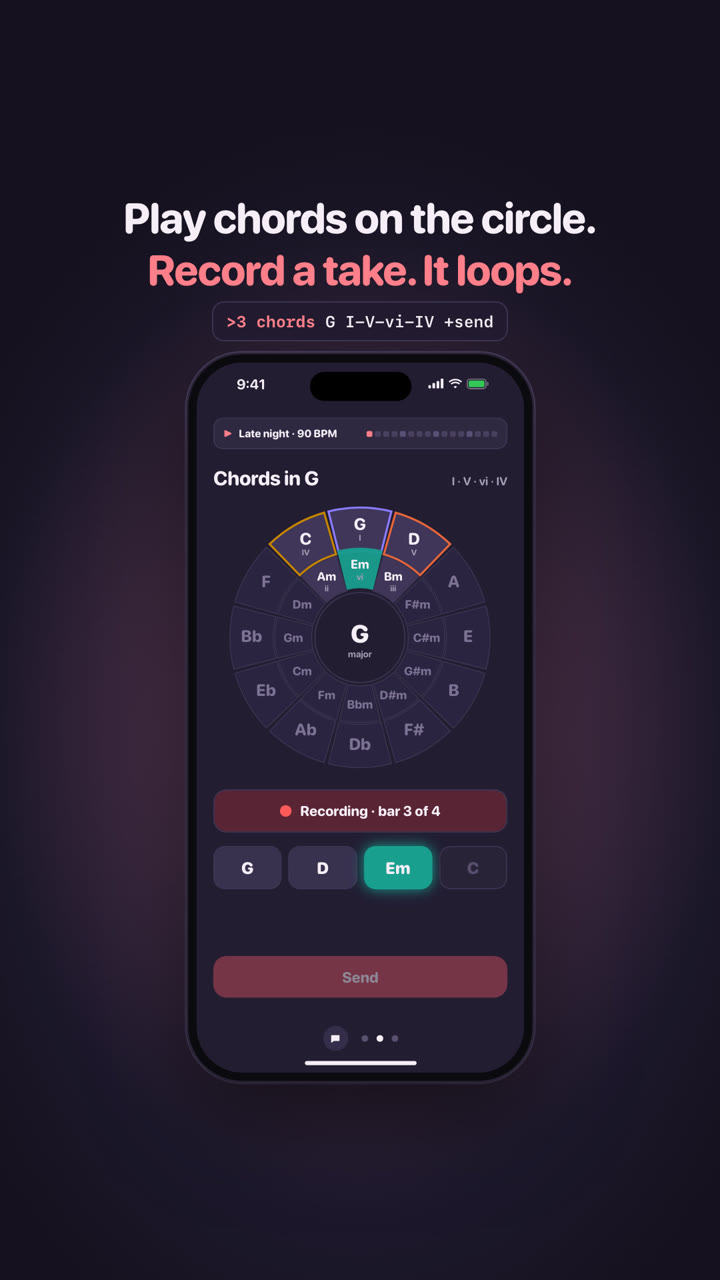
Learn a song hands you the chord grid to play along. Make a beat opens the looper, Log practice keeps the session. His loop and his click keep playing while you move between his screens, and Tune up opens the tuner with no turn.
In the iPhone app
YUI-184Your music teacher teaches songsShipped Sep 28
Get your week out of your head out loud, then Plan my week draws it. What's next today? gives the today list, and Evening review closes the day. Reminders land on the phone's clock, and the order you saved holds.
Teach me something new opens a five minute lesson. Quiz me on what I learned scores the deck and sets the next review. Walk me through a math problem goes one step per page, and his Studying and Progress screens keep the score.
In the iPhone app
YUI-186Your study buddy teaches and quizzesShipped Sep 28
From the first open each agent draws its own, behind what you came for: waves for Arnold, a bloom for Basil, grain for Gouda, an aurora for Penny, an orb for Quill. They are meant to be barely there. If one pulls your eye, that is a bug.
In the iPhone app
YUI-180Every agent has its own quiet visualizerShipped Sep 29
Each agent's settings has a switch. Turn it off and its screen goes plain. Low Power or Reduce Motion drops every visual to one still frame on its own, so nothing moves when you have asked the phone for nothing to move.
In the iPhone app
YUI-180Every agent has its own quiet visualizerShipped Sep 29
Hold the mic to talk. Slide left to throw the take away, or slide up onto the lock to keep recording with your thumb off the glass. Let go anywhere else and it sends.
In the iPhone app
YUI-201Hold to talk: slide to cancel, slide to lockShipped Sep 29
Each message carries its time, and the thread breaks into days with a divider: Today, Yesterday, then the date. A long thread reads as a record instead of one run-on column.
In the iPhone app
YUI-202Every message shows when it was sentShipped Sep 29
Yui 0.6.0 gives the crew real tools, and the agent side is live now: these answers reach the app you have today. Each tool is a flow with one Send, and its result lands on a screen that stays current.
Add agent ends with Start blank. A new empty agent asks one question at a time: its name, how it talks, its look, the screens it reaches for and its model, with Not sure and Skip on every step. One Make me, and it writes itself, greets you in the voice you picked and keeps it.
In the iPhone app
say "I'm new here and I can be anything. Five taps and I'm yours. Not sure and Skip are always there."
plan@setup "Make me yours" submit="Make me"
choose@name "What should I be called?" "Nova"|"Sage"|"Pip"|"Kit"|"Not sure"|"Skip" +other
choose@voice "How should I talk?" "Warm"|"Short"|"Playful"|"Calm"|"Blunt"|"Not sure"|"Skip" +other
choose@look "What should I look like?" "Lavender"|"Mint"|"Butter"|"Not sure"|"Skip"
pick@screens "Which screens should I reach for?" "Buttons"|"Lists"|"Cards"|"Timers"|"Forms"|"Charts"|"Decks"|"Not sure"|"Skip"
choose@model "Which model should I run on?" "Yui's pick"|"GLM 5.2"|"GLM-5V-Turbo"|"Not sure"|"Skip"
YUI-138Start blank: make an agent in five tapsIn 0.6.3
Say Start today's workout and your session opens full screen, one move at a time: tick each set, nudge the reps and the weight (it starts from what you lifted last), say how it felt, then one Finish. Every set is logged.
In the iPhone app
say "Full body A. 4 moves, one set at a time. Let's go."
plan@wk-20260928-mon "Full body A" submit="Finish workout"
page "Full body A" body="4 moves, about 40 minutes. Rest about 90 seconds between sets." points="Goblet squat 3x10"|"Push-up 3x8"|"Dumbbell row 3x10"|"Plank 3x30s"
pick@e1-sets "Goblet squat: sets done" "Set 1"|"Set 2"|"Set 3"|Skip tag="1 of 4" title="Goblet squat" body="Hold the bell at your chest, elbows in. Sit between your heels, keep your chest tall, stand up tall. Target 3 x 10 at 20 lb. Tick each set as you finish it, or Skip."
slide@e1-reps "Goblet squat: reps per set" 1-30 value=10
slide@e1-lb "Goblet squat: weight in lb" 0-300 value=20 step=5 unit=lb
pick@e2-sets "Push-up: sets done" "Set 1"|"Set 2"|"Set 3"|Skip tag="2 of 4" title="Push-up" body="Hands under shoulders, body in one line. Lower until your chest is a fist from the floor, then press away. Target 3 x 8. Tick each set as you finish it, or Skip."
slide@e2-reps "Push-up: reps per set" 1-30 value=8
pick@e3-sets "Dumbbell row: sets done" "Set 1"|"Set 2"|"Set 3"|Skip tag="3 of 4" title="Dumbbell row" body="One hand and knee on the bench, flat back. Pull the bell to your hip, pause, lower slow. Target 3 x 10 at 25 lb. Tick each set as you finish it, or Skip."
slide@e3-reps "Dumbbell row: reps per set" 1-30 value=10
slide@e3-lb "Dumbbell row: weight in lb" 0-300 value=25 step=5 unit=lb
pick@e4-sets "Plank: sets done" "Set 1"|"Set 2"|"Set 3"|Skip tag="4 of 4" title="Plank" body="Elbows under shoulders, squeeze glutes and brace like you are about to be poked. Straight line, breathe. Target 3 x 30s. Tick each set as you finish it, or Skip."
slide@e4-secs "Plank: seconds per set" 5-180 value=30 step=5
choose@feel "How did it feel?" Easy|"Just right"|Hard
YUI-182Your trainer runs your workoutShipped Sep 28
After Finish, Arnold's screens update by themselves: the day ticked on This week, today marked done, and Progress with your streak, your best set and a chart per main lift. Tap a day to change what it trains, or log a session you did away from the app.
In the iPhone app
stat@streak "2 weeks" "Streak" sub="weeks in a row with a workout"
stat@best 45lb "Best set" sub="Romanian deadlift x 10, Sep 23"
chart line "Goblet squat, top set" x="Sep 21"|"Sep 28" y=20|25 unit=lb
YUI-182Your trainer runs your workoutShipped Sep 28
Sleep, anything sore, minutes free, your gear. Your answers pick the session (easy, a quick hit, bodyweight or strength), then one Send and the interval timer comes up with the moves, minus any that hit a spot that hurts. It runs in the site chat too: say show me a workout flow.
On yuigui.com
flow@session trainer-session
SITE-70The trainer's flow: a check-in that ends on the timerShipped Sep 28
Pick a plate and Basil guesses the calories and macros and says how sure he is. When he is unsure he asks about the part he can't see, like the rice under a poke bowl. Fix the portion, pick the meal, one Save, and it lands in his meals with today's calories and macros against your goal. It runs in the site chat too: say show me how Basil logs a meal.
On yuigui.com
flow@plate nutritionist-plate
SITE-71The nutritionist's flow: a plate to macrosShipped Sep 28
Pick a vibe and Gouda builds the beat, kick and snare first, with its own tempo range. Change one row, pick the chords under it (moody asks for a minor key), one Keep, and the loop plays with the chords under it, kept in his sessions. It runs in the site chat too: say show me how Gouda makes a beat.
On yuigui.com
flow@jam musician-jam
SITE-72The musician's flow: a vibe to a beatShipped Sep 28
Pick what's on this week and what matters most (a deadline asks when it's due), then when you get things done and how many a day. One Send and your week lands on a timeline by day with Edit order, plus a checklist to keep, what matters most at the top. It runs in the site chat too: say help me plan my busy week.
On yuigui.com
flow@busy planner-week
SITE-73The planner's flow: a busy week to a planShipped Sep 28
Pick a topic (how vaccines work, how a ball flies or how money grows) and how much you know; the basics skip the first page. A short lesson, one idea and one picture a page, then one question: a miss gets a page on why. Say when to quiz you again, and a calculator comes up to play with, with three cards in your review. It runs in the site chat too: say teach me something and quiz me.
On yuigui.com
flow@study study-quiz
SITE-74The study buddy's flow: a topic to a quizShipped Sep 28
Open the chat on yuigui.com and tap Meet the crew: the five starter agents on one screen, each in their own colors with one line on what they do. Tap one and the chat turns their color and plays their flow in their voice. After it, one like or dislike, then meet another.
On yuigui.com
choose@crew "Who do you want to meet?" Arnold|Basil|Gouda|Penny|Quill title="Meet the crew"
SITE-69Meet the crew in the site chat, each with a flow to tryShipped Sep 28
Say Plan my meals and one full-screen flow asks how many days, meals a day, what you like, what to leave out, your budget and time to cook. One Send and your week lands as a deck, a page a day, where a tap on any meal swaps it.
In the iPhone app
say "Let's plan your week."
plan@mealplan "Plan my meals" submit="Plan my week"
page "Your week of meals" body="I'll plan each day around your goal of 2,100 kcal and 140 g protein, from meals you can cook. Tap any meal after to swap it, and your grocery list fills in by aisle."
choose@days "How many days?" "3 days"|"5 days"|"7 days"
choose@meals "Meals a day?" "2 meals"|"3 meals"|"3 and a snack"
pick@likes "What do you like?" "Chicken"|"Fish"|"Beef"|"Veggie"|"Eggs"|"Pasta"|"Rice bowls"|"Mexican"|"Asian"|"Italian" +other
pick@avoid "Anything to leave out?" "None"|"Dairy"|"Gluten"|"Nuts"|"Shellfish"|"Fish"|"Meat"|"Pork"|"Eggs"|"Soy" +other
choose@budget "Budget?" "Keep it cheap"|"In between"|"Treat me"
choose@cook "Time to cook a meal?" "15 minutes"|"30 minutes"|"45 or more"
YUI-183Your nutritionist plans your mealsShipped Sep 28
Basil's screens stay current by themselves: Today shows calories and macros against your goal, what's up next with I ate it, and each meal to fix. This week's meals has a swap button per meal, and the grocery list is grouped by aisle with ticks.
In the iPhone app
stat@kcal 700kcal "Calories today" sub="of 2,100. 1,400 to go."
chart@macros bar "Macros vs goal" x=Protein|Carbs|Fat y=55|75|18 y2=140|210|70 names=Today|Goal unit=g
card@next-meal "Up next: Dinner" "Chicken stir-fry. 680 kcal, about 25 minutes." sub="From your plan" cta="I ate it"
choose@eaten "Tap a meal to fix it" "Lunch, 700 kcal" body="Lunch: Chicken burrito bowl, 700 kcal"
YUI-183Your nutritionist plans your mealsShipped Sep 28
Say Learn a song and one full-screen flow asks which song (or paste your own chords), what key and how fast to start. One Send puts the chords on big buttons with the click counting you in, ready to play along.
In the iPhone app
say "Let's learn one."
plan@learn "Learn a song" submit="Let's play"
page "Play along" body="Pick a song or paste its chords. The chords land on buttons, the click counts you in, and your keys stay in its key. Slow it down or loop the hard bar any time."
choose@song "Which song?" "Stand By Me"|"Three Little Birds"|"Let It Be"|"Knockin' on Heaven's Door"|"My own chords" +other
form@own "Or paste the chords" name:text chords:long bpm:number
choose@key "What key?" "As written"|"Easiest on guitar"|"Up a step"|"Down a step"
choose@speed "How fast to start?" "Half speed"|"75%"|"Full speed"
YUI-184Your music teacher teaches songsShipped Sep 28
Gouda's four screens stay current by themselves. Chords holds the song you're learning: tap Half to slow the click, tap a bar to loop it. Keys stays in the song's key, the Looper keeps the beats you saved, and Practice shows your streak and what to practice next.
In the iPhone app
chords@chords "D"|"E" "Stand By Me, bar 5" +inline
metronome@click 89 "Stand By Me"
choose@bar "Loop a bar" "Whole song"|"Bar 3: F#m"|"Bar 5: D"|"Bar 6: E"
YUI-184Your music teacher teaches songsShipped Sep 28
Log practice asks how long, what you played and how it went, one Send. Or just say I practiced 20 minutes on scales, or play the click: it logs its own minutes when you stop it. Your streak and this week update on Practice.
In the iPhone app
plan@practiced "Log practice" submit="Log it"
page "This week" body="70 minutes so far. A 4 day streak."
choose@minutes "How long?" "5 min"|"10 min"|"15 min"|"20 min"|"30 min"|"45 min"|"1 hour"
pick@what "What did you play?" "Stand By Me"|"Chords"|"Scales"|"Beats"|"Ear training"|"Theory" +other
choose@feel "How did it go?" "Rough"|"Getting there"|"Nailed it"
YUI-184Your music teacher teaches songsShipped Sep 28
Say Plan my week and talk it out: everything on your plate, in any order. Then which days are full, how many things a day and whether to remind you, one Send. Penny sorts it into days and your week lands as a timeline you can drag around.
In the iPhone app
say "Let's get your week out of your head."
plan@weekplan "Plan my week" submit="Plan my week"
page "Your week, out of your head" body="Talk it out: everything on your plate, in any order. Say a day or a time when there is one. I'll sort the rest into days, never more a day than you pick, and put it on a timeline you can drag around. Already on it: renew the car registration."
mic@dump "Everything on your plate this week"
pick@busy "Any days already full?" "Today"|"Tuesday"|"Wednesday"|"Thursday"|"Friday"|"Saturday"|"Sunday" submit=Next
choose@pace "How many things a day?" "2 or 3"|"3 to 5"|"As many as fit"
choose@carry "Keep what's already on the week?" "Bring them in"|"Leave them"
choose@remind "Remind you of timed things?" "10 minutes before"|"At the time"|"No reminders"
Penny's two screens stay current by themselves. Today shows the next thing big with a Done button, the list with ticks and the evening review. This week is a timeline by day: Edit order to drag a task to another day, or pick a task and a day. A task with a time gets a reminder.
In the iPhone app
card@next-task "Renew the car registration" "2 more today after this." sub="Up next" cta="Done"
list@today title=Today "Renew the car registration"|"Pay the water bill"|"Groceries" +check
timeline@week "This week" mark=Today +reorder
next "Call the dentist" at=Tomorrow sub="9:00 am"
next "Finish the report" at=Fri
Two minutes at the end of the day: what got done, then each task still open, done, tomorrow or drop, and how the day went. One Send and tomorrow starts clean.
In the iPhone app
plan@review "Evening review" submit="Wrap up the day"
page "2 done today" body="Nice. 3 still open: done, tomorrow or drop each one." points="Pay the water bill"|"Groceries"
choose@r-renew "Renew the car registration" "Done"|"Tomorrow"|"Drop"
choose@r-cleaning "Pick up the dry cleaning" "Done"|"Tomorrow"|"Drop"
choose@r-landlord "Email the landlord about the sink" "Done"|"Tomorrow"|"Drop"
choose@feel "How did today go?" "Great"|"Okay"|"Rough"
Say Teach me how vaccines work and one full-screen flow asks how much time you have and what you know already. One Send and a short lesson opens on the stage, one idea a page, ending in a quick quiz. What it taught becomes cards you review later.
In the iPhone app
say "Let's learn how vaccines work."
plan@learn "Learn a topic" submit="Teach me"
page "Five minutes, then a quiz" body="Tell me what you want to learn, how long you have and what you know already. I'll make a short lesson, one idea a page, with a quick quiz at the end. What you learn becomes cards you review later, next to World capitals."
choose@time "How much time do you have?" "5 minutes"|"10 minutes"|"20 minutes"
choose@know "What do you know about how vaccines work already?" "Nothing yet"|"The basics"|"Quite a bit"
YUI-186Your study buddy teaches and quizzesShipped Sep 28
A real lesson from Quill: one idea a page with the key points, then a three question quiz that shows why when you miss one. Finish it and your score lands on Progress.
In the iPhone app
say "Here's How Vaccines Work in a 5 minute lesson. A 3 question quiz at the end. 5 cards go in your review, first one tomorrow."
deck@lesson-how-vaccines-work "How Vaccines Work" +full
page "Your Immune System" body="Your immune system is your body's defense team. When a germ gets inside, special cells fight it off and remember it for next time." points="Detects germs"|"Fights infection"|"Remembers enemies"
page "Teaching the Body" body="A vaccine shows your immune system a harmless version of a germ. This lets your body practice fighting it so it is ready for the real thing." points="Safe practice round"|"Builds memory cells"|"No actual sickness"
page "Making Antibodies" body="After practice, your body makes antibodies that lock onto that specific germ. If the real germ shows up later, your body can attack fast." points="Antibodies lock on"|"Fast response"|"Stops germs before illness"
page "Protecting Everyone" body="When most people are vaccinated, germs cannot spread easily. This protects people who cannot get vaccines, like newborn babies or those who are very sick." points="Hard for germs to spread"|"Shields the vulnerable"|"Called herd immunity"
choose@quiz-how-vaccines-work-1 "What does a vaccine show your immune system?" "A harmless version of a germ"|"A real sickness"|"A new kind of medicine"|"A virus that makes you very ill" answer="A harmless version of a germ" why="It lets your body practice fighting without making you sick."
choose@quiz-how-vaccines-work-2 "What does your body make after getting a vaccine?" "Antibodies"|"New skin"|"Extra blood"|"More germs" answer="Antibodies" why="Antibodies lock onto a specific germ so your body can fight it fast."
choose@quiz-how-vaccines-work-3 "Why does vaccinating many people help protect everyone?" "It makes germs stronger"|"Germs cannot spread easily"|"It cures all sickness"|"It makes people taller" answer="Germs cannot spread easily" why="When most people are immune, germs have nowhere to go."
YUI-186Your study buddy teaches and quizzesShipped Sep 28
The cards due today in one flow: think of the answer, see it, then tap Again, Hard, Good or Easy. Again brings a card back today, Easy sends it furthest. One Send and every card knows when to come back.
In the iPhone app
plan@review "Review 5 cards" submit="Save my review"
page "5 cards due" body="Think of the answer before you look. Then tap how it went: Again brings it back today, Easy sends it furthest."
choose@c-c1 "Tokyo" "Again"|"Hard"|"Good"|"Easy" title="Capital of Japan?" tag="World capitals"
choose@c-c2 "Ottawa" "Again"|"Hard"|"Good"|"Easy" title="Capital of Canada?" tag="World capitals"
choose@c-c3 "Canberra" "Again"|"Hard"|"Good"|"Easy" title="Capital of Australia?" tag="World capitals"
choose@c-c4 "Brasilia" "Again"|"Hard"|"Good"|"Easy" title="Capital of Brazil?" tag="World capitals"
choose@c-c5 "Nairobi" "Again"|"Hard"|"Good"|"Easy" title="Capital of Kenya?" tag="World capitals"
YUI-186Your study buddy teaches and quizzesShipped Sep 28
Quill's three screens stay current by themselves. What you're studying shows your decks, Next review the cards due today with a Start button, and Progress your streak, cards reviewed this week, cards learned and your last quiz.
In the iPhone app
stat@due 1 "Cards due today" sub="World capitals"
card@review-start "Review 1 card" "Think of the answer, then tap again, hard, good or easy." cta="Start review"
stat@streak 1 "Day streak" sub="Keep it going today"
chart@studied bar "Cards reviewed" x=Tue|Wed|Thu|Fri|Sat|Sun|Today y=0|0|0|0|0|0|8
YUI-186Your study buddy teaches and quizzesShipped Sep 28
Say Walk me through a problem and type or say it. Quill breaks it into steps, one a page, each with a question. You answer each step before the next one shows, so you do the thinking.
In the iPhone app
say "Average speed of a train, in 3 steps. Answer each one and the next shows."
page "Step 1 of 3: Recall the speed formula" body="Average speed equals total distance divided by total time. Identify those two values in the problem."
math v = \frac{d}{t}
choose@step-train-1 "What is the speed formula?" "distance times time"|"distance divided by time"|"time divided by distance"|"distance plus time" answer="distance divided by time" why="Speed is how much distance is covered per unit of time."
YUI-186Your study buddy teaches and quizzesShipped Sep 28
Your screens sit in the top bar as pills, Home first, then each screen by name. Tap one to jump. Swipe between screens and the filled pill follows and scrolls into view. The row fades out at the right when it is long. No screens, no pills.
In the iPhone app
YUI-193Screen pills, like browser tabsShipped Sep 29
A small row of dots in the agent's colors sits in the bottom bar, centered between the page arrows and +, T and the mic, and slides over when the arrows show. Drag and the dot stretches and slides to the next one. Tap a dot to jump.
In the iPhone app
YUI-187The screen dots are back and slide with youIn 0.5.2
What reached phones with Yui 0.5.0 (build 278): the crew feels ready. Hold to snap and say what's in it, meet each agent the first time you open it, every agent has a home with its own shortcuts and screens, and a meal gets logged without a scale. Shots are real captures from the iPhone simulator on the demo account.
Send Basil a photo and a few words. He answers at once, works out the macros behind the scenes, then posts one breakdown that fits a phone and remembers each food.
Open an agent for the first time and its hello plays on the full screen. The picker at the top says what each one does, and About lists three things to ask it.
Its own shortcuts sit over the bar, like Start a workout. What waits on you is right there. Swipe left for its starter screens: Arnold's week, Gouda's looper.
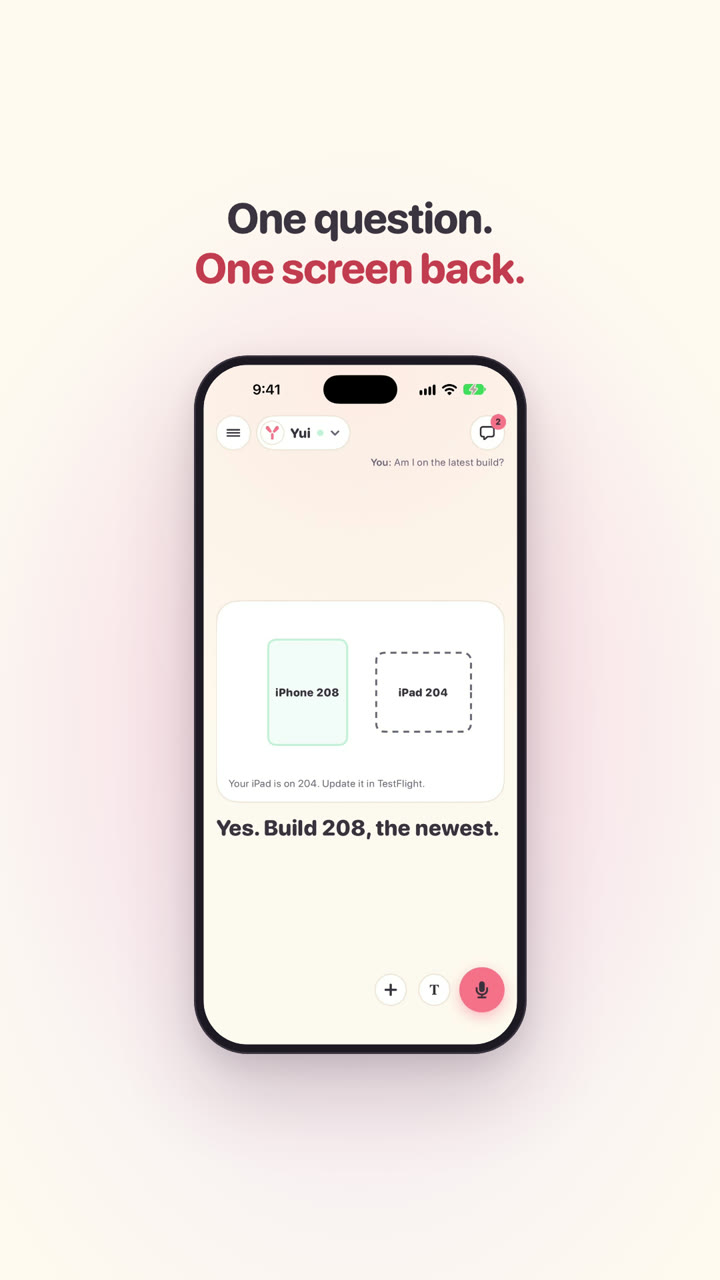
What reached phones with Yui 0.4.1 (build 208, Sep 27): this one is for musicians. A tuner on the mic, a metronome in the chat, a Record button on every instrument, and a MIDI keyboard that plays the keys. Shots and clips are real captures from the iPhone simulator on the demo account.
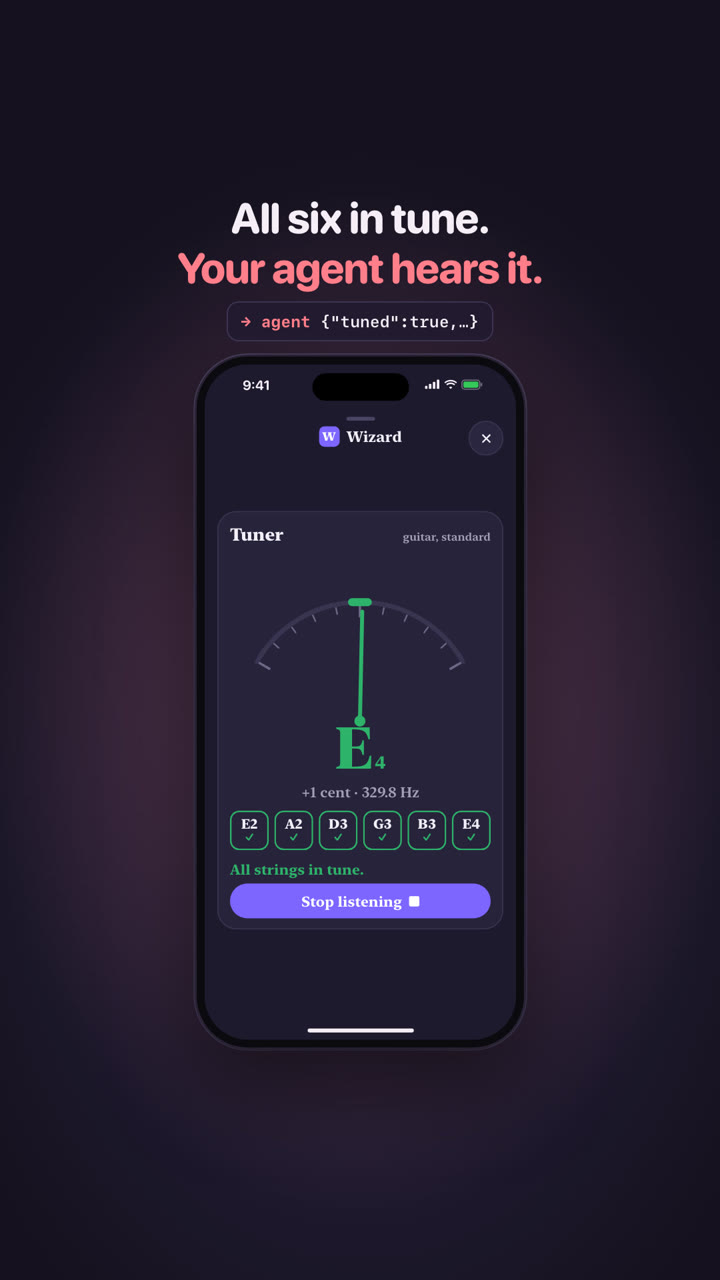
Ask for a tuner and the app listens on the mic, lights the string you play and turns the needle green within 3 cents. Guitar, ukulele, bass or any note. Ask for a metronome and it clicks in the chat, in time with a playing beat, and tells the agent how long you practiced.
In the iPhone app
tuner ukulele
YUI-116Music tools: research, spec and a mock that playsShipped Sep 26Ship log
Record sits on the looper, the drum pads, the keys and the chords. It records what Yui plays, not the mic. Stop and send gives the agent the sound and the notes, like a photo you took.
In the iPhone app
YUI-116Music tools: research, spec and a mock that playsShipped Sep 26Ship log
Plug in a USB keyboard or pair one over Bluetooth. It plays the keys on the screen, and each note lights up. While a beat plays, Yui sends MIDI clock, so a drum machine keeps time with it.
In the iPhone app
YUI-116Music tools: research, spec and a mock that playsShipped Sep 26Ship log
What reached phones with Yui 0.4.0 (build 204, Sep 27): the new face of Yui. The answer plays on the full screen, a big mic sits bottom right, your agents top left, the stage moves the way each agent moves, and a live picture behind the words listens to your voice and the music. Keys, chords and real drums ride along. Shots are real captures from the iPhone simulator on the demo account.
Ask something and the whole screen is the answer: a working line while the agent looks, then short parts, a line and a picture each, and the questions last with one Send. The chat is the record, behind the button top right.
In the iPhone app
doing "Starting the 0.3.2 release" 1/2
doing "Checking what is ready" 2/2
say "0.3.2 is building. On TestFlight in about 40 minutes."
shapes w=12 h=6 caption="Build, checks, TestFlight. You get a ping when it lands."
shape@b box Build at=2,3 +fill +pulse
shape arrow from=b to=c
shape@c box Checks at=6,3 +dash
shape arrow from=c to=t
shape@t pill TestFlight at=10,3 size=3.2,1.4 tone=mint +dash
say "Keys and chords ride along."
shapes w=12 h=7 caption="A scale to play, a loop of chords to strum."
shape box A at=1.5,2.6 size=1.3,3.6 +fill
shape box B at=3,2.6 size=1.3,3.6 tone=mute
shape box C at=4.5,2.6 size=1.3,3.6 +fill
shape box D at=6,2.6 size=1.3,3.6 +fill
shape box E at=7.5,2.6 size=1.3,3.6 +fill
shape box F at=9,2.6 size=1.3,3.6 tone=mute
shape box G at=10.5,2.6 size=1.3,3.6 +fill
shape pill "I V vi IV" at=6,6 size=5,1.2 tone=mint +fill +grow
say "The faster Send tap waits for 0.3.3."
sketch "In 0.3.2" frame=window
row "Keys and chords" +hi
row "Real drum sounds" +hi
row "Faster Send tap" +x note="not done yet"
plan@before "Before I go" submit=Send
choose@ping "Ping you when it lands?" "Yes, ping me"|"Only if it breaks"
choose@try "What do you want to try first?" Keys|Chords|Drums
end
Tap the mic and talk; the words show as you say them. T opens the text field, + attaches a picture or a file, and pictures can wait above the field while you type.
Top left, the menu with settings, then the agent you are talking to: tap the name to switch. Top right, the chat record. Nothing else sits on the stage.
In the iPhone app
YUI-122The top bar: agents left, the record rightShipped Sep 27
Looking, making, found it, the answer and the questions each move in the agent's own way. Coach is snappy, Wizard is heavy and punchy. Say how an agent should move, in a few words, and it keeps that look. Reduce Motion holds it still.
In the iPhone app
doing "Reading your calendar" 1/3
doing "Checking the weather" 2/3
doing "Found a dry window" 3/3
say "Three runs this week, all dry."
shapes w=9 h=3 caption="Tue, Thu, Sat. Rain on Wed."
shape circle Tue at=1.2,1.5 size=1.9 tone=mint +fill +grow
shape circle Wed at=3.4,1.5 size=1.4 tone=mute +dash
shape circle Thu at=5.6,1.5 size=1.9 tone=mint +fill +grow
shape circle Sat at=7.8,1.5 size=1.9 tone=mint +fill +grow
say "Saturday is the long one."
stat 8km "Saturday" sub="easy pace"
choose "Morning or evening?" Morning|Evening
choose "Ping you before each run?" Yes|No
YUI-120The stage moves with the agentShipped Sep 27
The agent can put a moving picture behind the stage: aurora, orb, waves, grain or bloom, in its own colors. It is drawn on the phone's graphics chip and goes still on Low Power or Reduce Motion. Try every look in the playground.
In the iPhone app
YUI-124A live picture behind the wordsShipped Sep 27
Ask for keys and you get a keyboard with a scale lock, so nothing sounds wrong. Ask for chords and you get pads, one chord each. Both play on Yui's own sound engine, even with the ringer on silent.
In the iPhone app
keys Am pentatonic sound=pad +send
YUI-116Music tools: research, spec and a mock that playsShipped Sep 26Ship log
The new face of Yui, drawn on the web first. You talk, the answer plays full screen in short parts with a picture each, the questions come last with one Send, and the chat is only the record. Chris approved the mock on Sep 26, and it reached phones in Yui 0.4.0. Shots come from the playground mock in light and dark.
Send your first message and the whole screen is the answer. It plays as short parts, a line and a drawing each, the questions come last with one Send, and the chat keeps the record, top right. Tap it: this phone is the mock Chris approved on Sep 26. It is in the app since Yui 0.4.0.
In the iPhone app
doing "Starting the 0.3.2 release" 1/2
doing "Checking what is ready" 2/2
say "0.3.2 is building. On TestFlight in about 40 minutes."
shapes w=12 h=6 caption="Build, checks, TestFlight. You get a ping when it lands."
shape@b box Build at=2,3 +fill +pulse
shape arrow from=b to=c
shape@c box Checks at=6,3 +dash
shape arrow from=c to=t
shape@t pill TestFlight at=10,3 size=3.2,1.4 tone=mint +dash
say "Keys and chords ride along."
shapes w=12 h=7 caption="A scale to play, a loop of chords to strum."
shape box A at=1.5,2.6 size=1.3,3.6 +fill
shape box B at=3,2.6 size=1.3,3.6 tone=mute
shape box C at=4.5,2.6 size=1.3,3.6 +fill
shape box D at=6,2.6 size=1.3,3.6 +fill
shape box E at=7.5,2.6 size=1.3,3.6 +fill
shape box F at=9,2.6 size=1.3,3.6 tone=mute
shape box G at=10.5,2.6 size=1.3,3.6 +fill
shape pill "I V vi IV" at=6,6 size=5,1.2 tone=mint +fill +grow
say "The faster Send tap waits for 0.3.3."
sketch "In 0.3.2" frame=window
row "Keys and chords" +hi
row "Real drum sounds" +hi
row "Faster Send tap" +x note="not done yet"
plan@before "Before I go" submit=Send
choose@ping "Ping you when it lands?" "Yes, ping me"|"Only if it breaks"
choose@try "What do you want to try first?" Keys|Chords|Drums
end
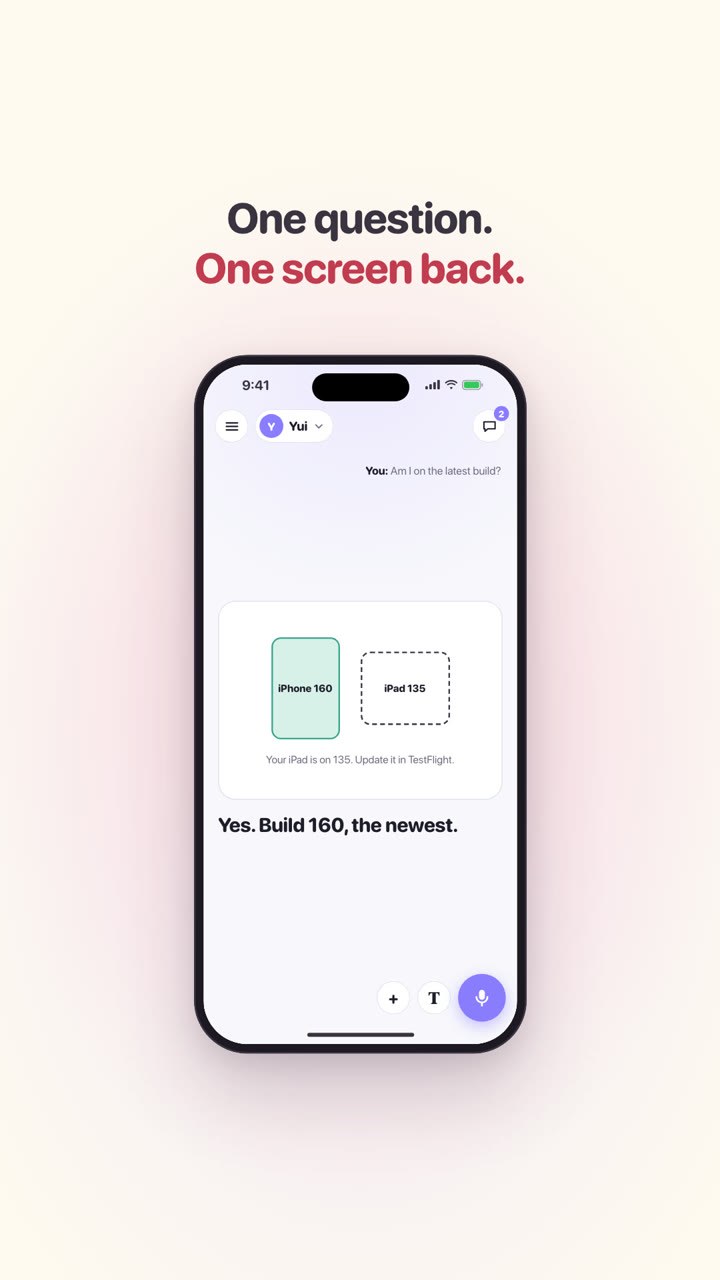
Ask if you are on the newest build and the stage opens right away: a working line while the agent looks, then one sentence and a picture. No three dots in a chat, no deck of pages to get through.
The chat moves behind the button top right. Every part you saw sits there as one row, a small picture and its line, with your answers under them. You read it when you want to look back.
The same turn on two agents: Coach is snappy, Sage is calm. Listening, working, found it, the answer and the questions each move in the agent's own way, and Reduce Motion holds it still. Tap it to open the mock.
In the iPhone app
doing "Reading your calendar" 1/3
doing "Checking the weather" 2/3
doing "Found a dry window" 3/3
say "Three runs this week, all dry."
shapes w=9 h=3 caption="Tue, Thu, Sat. Rain on Wed."
shape circle Tue at=1.2,1.5 size=1.9 tone=mint +fill +grow
shape circle Wed at=3.4,1.5 size=1.4 tone=mute +dash
shape circle Thu at=5.6,1.5 size=1.9 tone=mint +fill +grow
shape circle Sat at=7.8,1.5 size=1.9 tone=mint +fill +grow
say "Saturday is the long one."
stat 8km "Saturday" sub="easy pace"
choose "Morning or evening?" Morning|Evening
choose "Ping you before each run?" Yes|No
YUI-120The stage moves with the agentShipped Sep 27
Tell an agent how it should move, in a few words, and it saves a motion look: heavy and punchy, or drifts like water. The same turn on two agents, each moving the way it was described. Type your own words to try one. Tap it to open the mock.
In the iPhone app
doing "Reading your calendar" 1/3
doing "Checking the weather" 2/3
doing "Found a dry window" 3/3
say "Three runs this week, all dry."
shapes w=9 h=3 caption="Tue, Thu, Sat. Rain on Wed."
shape circle Tue at=1.2,1.5 size=1.9 tone=mint +fill +grow
shape circle Wed at=3.4,1.5 size=1.4 tone=mute +dash
shape circle Thu at=5.6,1.5 size=1.9 tone=mint +fill +grow
shape circle Sat at=7.8,1.5 size=1.9 tone=mint +fill +grow
say "Saturday is the long one."
stat 8km "Saturday" sub="easy pace"
choose "Morning or evening?" Morning|Evening
choose "Ping you before each run?" Yes|No
Tap the mic and talk. T opens the text field, + attaches a picture or a file. Top left: the menu with settings, then the agent you are talking to. Drawn in the mock first; in the app since Yui 0.4.0.
What reached phones with Yui 0.3.2 (build 176, Sep 26): a looper and drum pads that play in the app, hold to reply, a quiet dot on the menu, and a working row that says what the agent is doing and how long it usually takes. Shots are real captures from the iPhone simulator on the demo account.
Ask any agent for a beat and it sends a step looper that plays in the app. Rows are sounds, columns are steps. Tap cells while it plays, change the tempo and swing, and Send hands your version back in the same words. Runs on Yui's own sound engine.
Big pads that hit the moment you touch them. Record counts you in, keeps two bars and sends the take back to the agent as a loop, in time with the looper.
In the iPhone app
drums 2x2 "Tap a beat" +record bpm=90
YUI-116Music tools: research, spec and a mock that playsShipped Sep 26Ship log
Swipe to reply is gone. Hold a message and tap Reply; the reactions, Copy and Select text sit in the same menu. A sideways drag now always switches screens. From Chris's TestFlight feedback.
The count on the menu button is gone. A small dot springs on while something waits on you and springs off when you answer the last one. VoiceOver still says how many. From Chris's TestFlight feedback.
The working row shows what your agent is doing in a few plain words, with a thin bar when it knows the steps: Checking the weather, then Drafting the plan, then the answer. Each line replaces the last and the reply clears the row.
Under the working row, the phone says how long this agent's turns usually take, like an app install: Usually 1 to 2 min. Past that it says Longer than usual, and that you can leave. From Chris's TestFlight feedback.
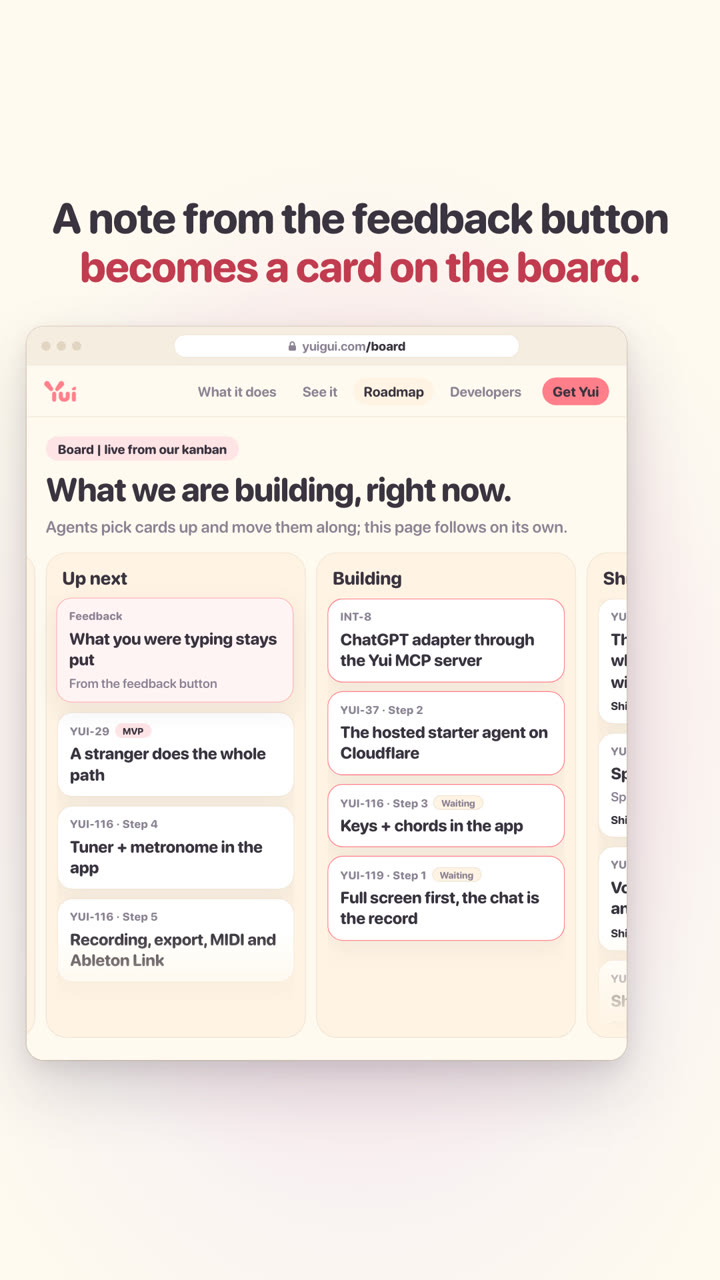
What reached phones with Yui 0.3.1 (build 160, Sep 26): what you were typing stays put, a lesson is one deck, and an ask you answered leaves the war room at once. All three came from the feedback button. Shots are real captures from the iPhone simulator on the demo account.
Each agent's thread keeps its own unsent words, saved as you type and cleared when you send. A full screen, another agent, leaving the app or closing it all leave them in the box. From Chris's TestFlight feedback.
Basil listed five dinners in one bubble with \n between them, and the app showed the letter n. Now the native runtime turns each break into its own line, and a run of bullets into a list.
In the iPhone app
say "A few protein-forward dinners that skip your peanut and shellfish allergies:"
list "Grilled chicken with roasted sweet potato and greens" "Salmon with rice and steamed broccoli" "Turkey meatballs with whole-wheat pasta and marinara" "Tofu or chickpea curry with coconut milk and rice"
say "Any of those sound good?"
choose "Pick a direction" "Chicken & sweet potato"|"Salmon & rice"|"Turkey meatballs"|"Tofu curry"
Ask where, about a place, a past empire, a trip or a delivery area, and the answer leads with a map: the land filled in, pins on the places, routes that trace themselves on. Chris asked about the Mongols and got a number and four compass points; now every page is a map.
In the iPhone app
say "The Mongols came from the grassland north of the Gobi and rode that belt of steppe outward, building the largest land empire in history."
>full
deck "The Mongols, by the map"
page "Where they started" body="Open grassland between the Siberian forest and the Gobi. Herders on horseback, moving with their animals, and at home in the saddle over huge distances."
map caption="Genghis Khan united the tribes here in 1206 and built his capital at Karakorum."
area Homeland MN tone=mint
pin@onon "Onon River" 48.8,110.5
pin@ka Karakorum 47.2,102.8 +pulse
page "How far it reached" body="The steppe runs like a highway from Manchuria to Hungary, and the Mongols rode it both ways. By 1279 they held Korea to Ukraine, the Siberian forest to Persia."
map caption="Karakorum sat in the middle and rode out every way."
area "Mongol Empire" 53,140|43,131|34.7,126.5|22.3,114|24,98|34,70|25.5,57|33,44|41,31|46,30.5|54,23|60,56|55,95 tone=butter
area Raided PL|HU +dash
pin@ka2 Karakorum 47.2,102.8 +pulse
route East ka2|37.6,127 +arrow
route West ka2|50.4,30.5 +arrow
page "Four khanates" body="Too big for one ruler, it split around 1260 into four realms run by Genghis's grandsons: the Yuan in China, the Chagatai in Central Asia, the Ilkhanate in Persia and the Golden Horde on the western steppe."
map caption="One family, four realms, each drifting its own way."
area Yuan CN|MN|KR tone=butter
area Chagatai UZ|KG|TJ tone=mint
area Ilkhanate IR|IQ|AZ|AM|GE tone=lavender
area "Golden Horde" 58,30|56,56|54,70|47,80|43,70|45,50|44,40|46,30 tone=mute
pin Khanbaliq 39.9,116.4 +pulse
end
YUI-158Agents answer where with a mapShipped Sep 27
The same question before and after channel guide v37: on the left the real answer from build 208, a big number and East, West, South, North in words. On the right the answer an agent sends now.
In the iPhone app
YUI-158Agents answer where with a mapShipped Sep 27
Ask how a place, a past or a thing works and every page of the answer is a picture: a rough map drawn in shapes, a chart, a big number. Chris asked for a brief geography of the Mongols and got a page of text; now agents draw it.
In the iPhone app
say "The Mongols held the grass belt from Korea to Hungary."
>full
deck "The Mongols, by the map"
page "One belt of grass" body="The steppe runs from Korea to Hungary. Horses crossed it end to end."
shapes caption="Karakorum sat in the middle and rode out both ways."
shape@hu dot Hungary at=1,2 tone=mute
shape@ka circle Karakorum at=6,2 +grow +fill tone=butter
shape@ko dot Korea at=9,3 tone=mute
shape arrow from=ka to=hu +draw
shape arrow from=ka to=ko +draw
shape text Gobi at=6,4 tone=mute
page "The biggest one on land"
chart bar "Land empires, million km²" x=Mongol|Russian|Qing|Roman y=24|22.8|14.7|5
page "At its peak, 1279"
stat "24M km²" "A sixth of the land on Earth"
end
The same question before and after the new rule in the channel guide: a paragraph and bullets, then a map and a chart.
In the iPhone app
sketch "A brief geography of the Mongols" frame=phone before=Before
row "The Mongol Empire ran along the Eurasian grassland, from Korea to Hungary..." +x note="a text bomb"
row "24M km², then bullets" +x note="more words"
after After
row "Hungary · Karakorum · Korea, on a map" +hi note="where: a map"
row "Mongol 24 · Russian 22.8 · Qing 14.7 · Roman 5" +hi note="how big: a chart"
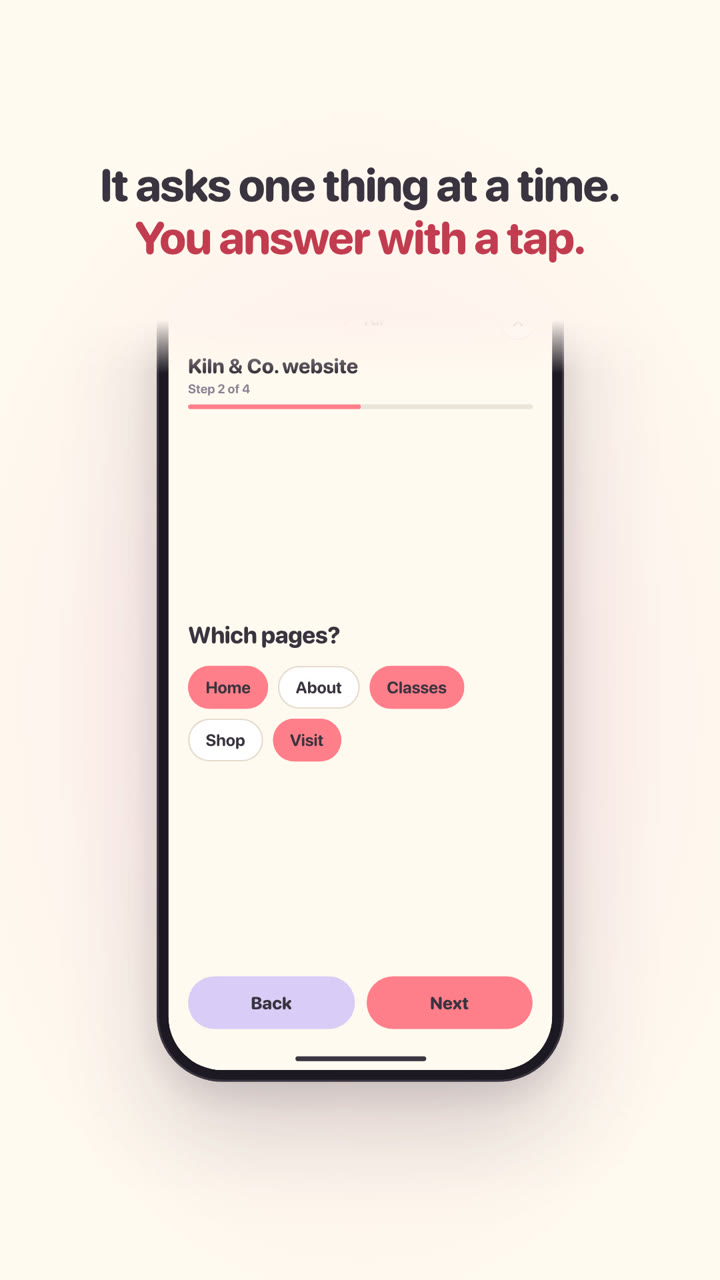
Ask Yui to interview you and the questions land on screen. No app build runs flows yet, so Yui sends the flow as a plan: the same questions, one at a time, one submit. From Chris's TestFlight feedback.
In the iPhone app
say "Let's build your personal brand site. A few quick questions first."
plan@intake "Client website intake" submit="Send the brief"
page "Let's plan your site" body="About ten questions. Your answers become the brief, so guess when you are not sure."
form@biz "Your business" "Business name":text! "What you do":long "Who it is for":text
choose@kind "What are we building?" "New site"|Redesign|Shop|"Landing page"
choose@goal "What should a visitor do first?" Call|Book|Buy|"Sign up"|Read
pick@pages "Which pages?" Home|About|Services|Pricing|Blog|Contact +other
form@brand "Your brand" logo:yes colors:text "A site you like":url
slide@budget "Budget, in thousands" 2-50 "$2k"|"$50k"
end
The same answer before and after: a headline over a flow the phone could not run, then the intake questions with one submit.
In the iPhone app
sketch "Interview me for a personal brand site" frame=phone before=Before
row "Let's build your personal brand site. A few quick questions first." note="the headline"
row "flow website-intake" +x note="the phone can't run it yet"
after After
row "Step 1 of 7: Let's plan your site" +hi note="the same questions"
row "Your business · What are we building? · Pages · Brand · Budget" +hi note="one at a time"
row "Send the brief" +button note="one submit"
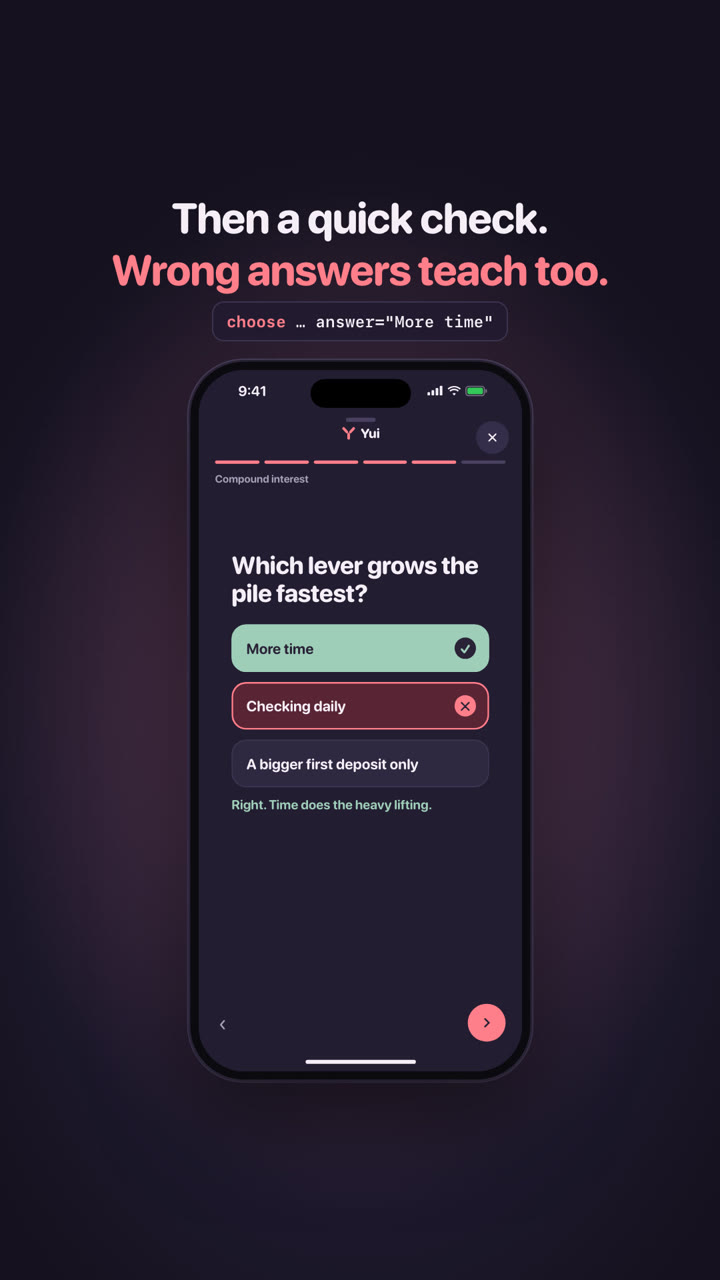
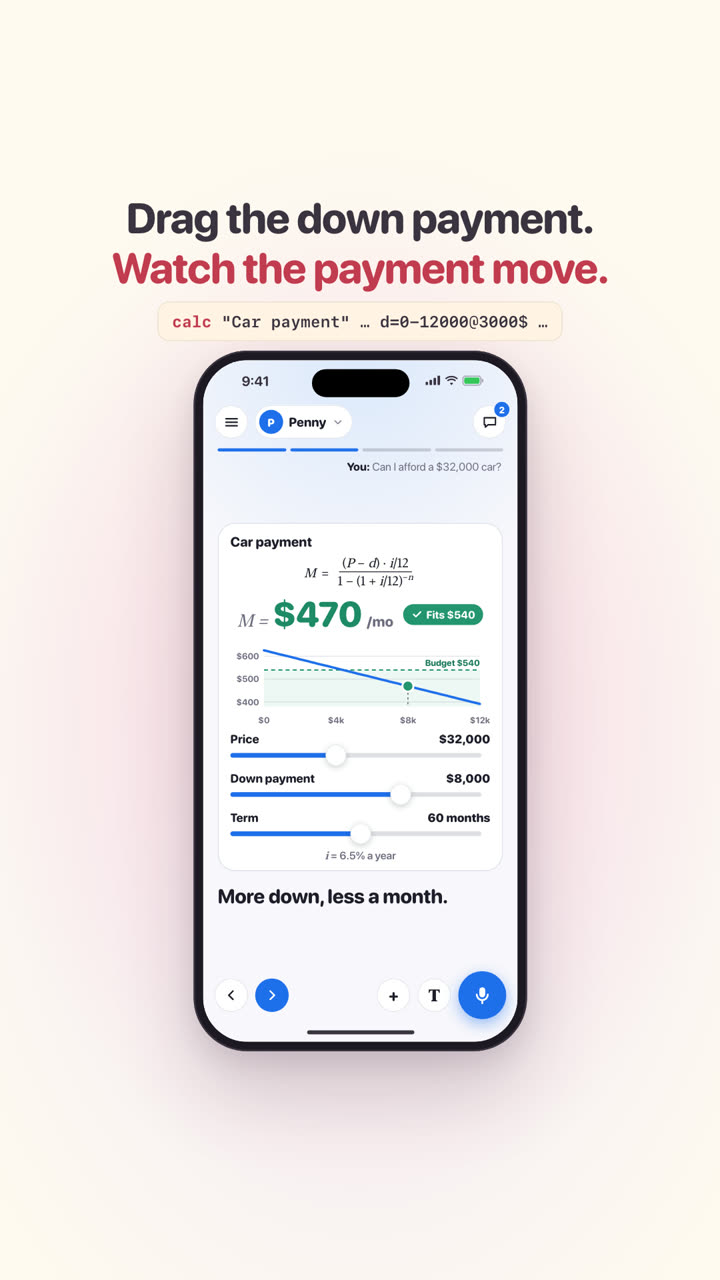
A deck page can hold a diagram, a formula, a chart, a big number or a calculator as its picture. So a lesson is one deck you swipe: an idea per page, a quiz, and the sliders on the last page. Older phones get the same pieces on one full screen.
In the iPhone app
say "Compound interest in a minute. Swipe through."
>full
deck "Compound interest"
page "Money that grows on itself" body="Your interest joins the pile. Next year the pile earns interest too."
shapes
shape circle $100 +grow
shape arrow
shape box "+10%" +fill tone=butter
shape arrow
shape blob $110 +pulse tone=mint
page "The formula" body="P is what you put in, r the rate, t the years. A is what you end with."
math A = P(1 + r)^t
page "It bends upward" body="The same 10% adds more every year, because the pile keeps growing."
chart line "$100 at 10% a year" x=Y0|Y5|Y10|Y15|Y20 y=100|161|259|418|673
page "Twenty years later" body="You put in $100. Time did the rest."
stat $673 "After 20 years" delta=+573 spark=100|161|259|418|673
choose "Which lever grows the pile fastest?" "More time"|"Checking daily"|"A bigger first deposit only" answer="More time"
page "Try it" body="Slide the start, the rate and the years."
calc f="A = P*(1+r)^t" P=100-1000@100 [email protected] t=0-20@10
Tap an answer on an ask in the war room and the war room redraws right away, without it. The war room itself is down to four parts: one status line, at most three asks, Now and next, and one link to the board. From Chris's TestFlight feedback.
What build 155 (Sep 26) added to phones: talk to your agents hands-free and read the answers, a full screen that puts the keyboard away, plan questions in the middle of the page, and a Yui that holds less in memory. Shots are real captures from the iPhone simulator on the demo account; the memory numbers are drawn live from the release test.
Tap the mic once and Yui keeps listening between turns. Your words show as you say them, a short pause sends them, the answer comes back as text, and the mic opens again once it lands. The bar says where you are: Listening, on it, Your turn or Paused. One button stops it, and holding the mic still works the old way.
Open anything full screen, a timer, a deck, a plan or a picture, and the keyboard goes down as it opens. Close it and the keyboard stays down, with what you typed still in the box. Before and after, from Chris's TestFlight feedback.
A short plan step, like a slider question, sits centered between the progress bar and Back and Next, with no card of its own: the page is the card. Long steps still start at the top and scroll.
One scripted session on the simulator: five agents with 486-message threads, galleries, decks, games and full screens. Peak memory fell from 243 MB to 203 MB and launch from 137 MB to 124 MB, and the session ends with no new leaks, down from about 1,550 leaked objects. The same session runs before every release now and fails on a new leak or a peak over 300 MB.
In the iPhone app
say "Memory in one long session, before and after build 155."
stat 203MB "Peak memory" delta=-40 good=down sub="was 243 MB"
stat 124MB "At launch" delta=-13 good=down sub="was 137 MB"
stat 0 "New leaks" delta=-1550 good=down sub="was about 1,550 objects"
chart bar "Memory in MB" x=Launch|Peak y=137|243 y2=124|203 names=Before|After unit=MB
What build 148 (Sep 26) added to Yui 0.3.0: your agent's settings in its drawer, a way to change one by talking about it, and timeline rows that move without resending the page. Send and the drawer got faster too, under Taps answer at once. Shots are real captures from the iPhone simulator on the demo account.
The drawer's Controls tab talks to the Mac your agent runs on. Read and edit its personality, forget one memory, switch a skill off, pause a schedule or run it now. A change lands in about a second with no chat turn, every delete asks first, and a line with a key in it never leaves the Mac.
Tap Talk about this on any setting in Controls and it rides above the composer. Say what you want; your agent proposes a before and after, and one tap applies it on your Mac. Keys never leave the Mac.
One short line from the agent turns a running row done where it stands, and the Now line moves past it. No resent page, no jump, no buzz. A timeline opened alone full screen keeps its rows tight and starts at the top. Press Send on the agent line in the playground to watch a row move.
In the iPhone app
timeline "Yui, this week" fold=4 +reorder board=yui
done "Saved screens, the shelf" at="Sep 24" tag=YUI-32
done "Full-screen flows fold back into chat" at="Sep 24" tag=YUI-51
done "No dead buttons" at="Sep 24" tag=YUI-53
done "Test builds by link" at="Sep 24" tag=YUI-55
done "Links open Safari" at="Sep 25" tag=YUI-67 https://www.yuigui.com/progress
done "The war room timeline" at="Sep 25" tag=YUI-65
done "Drag to reorder the queue" at="Sep 25" tag=YUI-66
now@w73 "War room panels" tag=YUI-73 sub="needs you, running, builds, feedback"
next@w68 "Reply to a message" tag=YUI-68
next "Each agent's home" tag=YUI-54
next "Agent controls in the drawer" tag=YUI-70
YUI-111A patch moves a timeline row in placeShipped Sep 26
YUI-112A timeline alone on the stage keeps its row heightsShipped Sep 26
What reached phones with Yui 0.3.0 (build 138, Sep 26), the smooth release: taps that answer at once, typing that keeps up, shapes that move, and a new look for Yui just by asking. Shots are real captures from the iPhone simulator on the demo account.
A long thread opens in about a third of a second instead of three, taps answer in under a tenth of a second, and scrolling a 500-message thread barely drops a frame. Same look, just fast. Build 148 made send and the menu drawer faster too: the drawer opens in about 66 ms, down from up to 172.
In the iPhone app
YUI-101Taps answer at once, smooth scroll, fast thread openShipped Sep 26
YUI-106Send and the menu drawer answer fasterShipped Sep 26
An agent explains how something works with a small drawing: circles, boxes, blobs and arrows that come on one after another, with a caption. Drawn on the phone, in the agent's colors.
In the iPhone app
shapes "How an ask reaches your phone" caption="You ask, it lands on the board, a lane builds it, and it ships to your phone."
shape@you circle You +grow
shape arrow
shape box Board +fill
shape arrow
shape pill Lane +pulse
shape arrow label=ships
shape circle Phone tone=mint +grow
Ask any of your agents to make Yui feel like autumn. You see the new look beside yours, light and dark, and nothing changes until you tap to use it. Undo and Back to Yui's look are always there.
In the iPhone app
YUI-96Restyle Yui by asking, in the appShipped Sep 25
What reached phones with Yui 0.2.0 (build 122, Sep 25): a home for every agent, screens that change in place, drawings, and a Settings line that says which Yui you have. Shots are real captures from the iPhone simulator on the demo account.
Drag right on the chat and the agent's home follows your finger: pinned screens, what is waiting on you, controls and about. Your other agents spring up from the bottom.
One new word, menu, lets an agent put things in its drawer: a question in Review, a plan in Backlog, a shortcut you tap to start. The drawer is drawn by the app; the phone here shows the reply.
In the iPhone app
say "Added to my drawer: one question, two plans, a shortcut."
menu review@dana "Invite Dana to the beta?" sub="asked yesterday"
menu backlog@trip "Meal plan for the trip" sub=queued
menu backlog@deload "Deload week plan" sub=drafting
menu shortcut@log "Log a meal" say="Log a meal: "
Give a row a name and a later reply changes just that row. A timer, a score or a status line updates where it sits instead of arriving again, and a reply that only changes the screen doesn't buzz your phone.
In the iPhone app
say "Leg day, live. A later reply changes one row by its name."
timeline "Leg day"
done@warmup "Warm-up" sub="10 min"
now@squat "Back squat" sub="set 2 of 4"
next@lunge "Walking lunges"
When an agent sends something your copy of Yui can't draw yet, the reply shows what it can and one small Update Yui to see this chip, never a row of errors.
In the iPhone app
YUI-87One Update chip for lines the app can't drawShipped Sep 25
The bottom of Settings names the Yui on your phone: version and build, where it came from, the commit and build date, and the channel guide your agents read. Tap it to copy the lot into feedback.
In the iPhone app
YUI-92Settings says which Yui you haveShipped Sep 25
A guitarist before practice: tune up on the mic, a click at 90, a beat under it, Record, then Stop and send gives the agent the sound and the notes. A MIDI keyboard plays the keys. Turn your sound on.
In the iPhone app
YUI-116Music tools: research, spec and a mock that playsShipped Sep 26Ship log
Six instruments an agent sends in one line each: a step looper, drum pads, an easy keyboard, chord buttons, a tuner and a metronome. They play for real in your browser with Web Audio; turn your sound on. In the app they share one sound engine: the looper and drum pads since Yui 0.3.2, keys and chords since 0.4.0, and the tuner and metronome since 0.4.1, with Record on every instrument and a MIDI keyboard.
On the web now, in the app later
say "Six instruments, one line each. Here is the whole drum kit; the playground has all six."
drums 4x4 "The whole kit"
YUI-116Music tools: research, spec and a mock that playsShipped Sep 26Ship log
A step looper. Rows are sounds, columns are steps. The agent writes a beat, you tap cells while it plays, and Send hands your version back in the same words.
Guitar, ukulele, bass or any note, on the mic. A needle shows how many cents off you are and turns green when you are close. Tap a string to hear its note.
In the iPhone app
tuner guitar
YUI-116Music tools: research, spec and a mock that playsShipped Sep 26Ship log
Record on the looper, the pads, the keys or the chords records what Yui plays, not the mic. Stop and send gives the agent the sound as an .m4a and the notes as a .mid, like a photo you took.
Plug in a USB keyboard or pair one over Bluetooth, and it plays the keys on screen: each note lights up and counts as played. While a beat plays, Yui sends MIDI clock so your drum machine keeps time.
In the iPhone app
keys C major +send
YUI-116Music tools: research, spec and a mock that playsShipped Sep 26Ship log
Native agents pick a model per turn: GLM 5.2 for words, GLM-5V-Turbo when you send a photo, both on OpenRouter with data collection off. This is Basil's answer to a real pizza photo, from a live run. Native agents reach phones with the next release.
A grid, row, feed or coverflow of photos. Tap to open, or pick favorites.
In the iPhone app
say "Six shots from the studio. Pick up to three for the homepage."
gallery /demo/g1.jpg /demo/g2.jpg /demo/g3.jpg /demo/g4.jpg /demo/g5.jpg /demo/g6.jpg layout=grid +pick max=3 submit="Use these"
Before and after: a slider, side by side, or tap to flip, with the changes marked.
In the iPhone app
say "Here's the room with your three changes. Drag the handle."
compare /demo/before_room.jpg /demo/after_room.jpg "Living room" notes="Sage green wall|Bigger plant, moved|Jute rug" hl=45,4,53,45|19,25,20,54|16,78,83,21
ask "Keep it?" Keep|"Try another color"
Frames of a video or post, in order. Drag to reorder, comment on any one.
In the iPhone app
storyboard "Launch reel" /demo/s1.jpg|"Quiet morning" /demo/s2.jpg|"The old chipped mug" /demo/s3.jpg|"Unwrap the new one" /demo/s4.jpg|"First sip, logo" +reorder
say "Reorder the frames or comment on any one. Then I'll cut the video."
stat 178.9lb Weight delta=-2.3 spark=181.2|180.6|180.9|179.8|179.4|179.6|178.9 good=down sub="this week"
stat 52bpm "Resting heart rate" delta=-3 spark=56|55|55|54|53|53|52 good=down
stat 7.4h Sleep delta=+0.6 spark=6.5|6.9|7.1|6.8|7.3|7.6|7.4 sub="7-day average"
say "Tap lb to see kg."
YUI-17Charts, graphs and science toolsShipped Sep 24
YUI-19Every preset, native on iPhoneShipped Sep 24
Line, bar, area, scatter, pie and donut, from numbers in the line or a live table.
In the iPhone app
say "Down 2.3 pounds this week, right on plan."
stat 178.9lb Weight delta=-2.3 spark=181.2|180.6|179.8|178.9 good=down sub="this week"
chart line "Weight" x=Mon|Tue|Wed|Thu y=180|179|178.5|178.9 y2=180|179.5|179|178.5 names=Actual|Plan unit=lb
YUI-17Charts, graphs and science toolsShipped Sep 24
YUI-19Every preset, native on iPhoneShipped Sep 24
math E = mc^2
math caption="Bayes' rule" P(A \mid B) = \frac{P(B \mid A)\,P(A)}{P(B)}
math caption="Schrödinger, time dependent" size=sm i\hbar\frac{\partial}{\partial t}\Psi(\mathbf{r},t) = \hat{H}\Psi(\mathbf{r},t)
YUI-17Charts, graphs and science toolsShipped Sep 24
YUI-19Every preset, native on iPhoneShipped Sep 24
A derivation or a protocol, one step at a time, with timers where needed.
In the iPhone app
step title="Gram stain" "Heat-fix the smear. Flood with crystal violet." time=1m
step "Rinse gently with water. Flood with iodine." time=1m
step "Decolorize with alcohol, drop by drop, until it runs clear." time=10s
step "Rinse. Counterstain with safranin." time=45s
step "Rinse, blot dry, and view under oil immersion. Purple is Gram positive, pink is Gram negative."
YUI-17Charts, graphs and science toolsShipped Sep 24
YUI-19Every preset, native on iPhoneShipped Sep 24
The coach keeps your moves and their swaps in tables. Today's session is rows you tick off, and a swap is one put: goblet squat becomes front squat, the sets stay. Try it here, the phone gets it next.
In the iPhone app
table create variations Move:text Swap:text Cue:text
put variations goblet-squat Move="Goblet squat" Swap="Front squat" Cue="Elbows up, chest tall"
put variations split-squat Move="Split squat" Swap="Reverse lunge" Cue="Front shin tall, drop straight down"
put variations push-up Move="Push-up" Swap="Incline push-up" Cue="One line from head to heel"
put variations row Move="Dumbbell row" Swap="Cable row" Cue="Pull to the hip, not the chest"
put variations hinge Move="Romanian deadlift" Swap="Hip thrust" Cue="Hips back, soft knees"
table create workouts Day:date Name:text Focus:text Done:bool
put workouts w1 Day=today-4 Name="Legs A" Focus=Legs +Done
put workouts w2 Day=today-2 Name="Push" Focus=Chest +Done
put workouts w3 Day=today Name="Legs B" Focus=Legs
put workouts w4 Day=today+2 Name="Pull" Focus=Back
table create session Slot:number Move:text Sets:number Reps:number Done:bool
put session 1 Slot=1 Move="Goblet squat" Sets=3 Reps=8
put session 2 Slot=2 Move="Split squat" Sets=3 Reps=10
put session 3 Slot=3 Move="Romanian deadlift" Sets=3 Reps=8
put session 4 Slot=4 Move="Push-up" Sets=2 Reps=12
query workouts sort=Day cols=Day|Name|Focus|Done as table "This week"
query session sort=Slot cols=Move|Sets|Reps|Done as list check=Done "Today: Legs B"
query variations cols=Move|Swap|Cue as table "Swaps I know"
Snap your plate and say what's in it. Basil answers at once, works out calories, protein, carbs and fat behind the scenes, then posts one breakdown with today's totals and keeps each food in your food memory. Nothing to weigh. Try the step-by-step version in the playground with a sample photo.
In the iPhone app
table create meals Day:date Food:text Cal:number:kcal Protein:number:g Carbs:number:g Fat:number:g
put meals Day=today Food="Greek yogurt" Cal=150 Protein=20 Carbs=8 Fat=4
say "Snap your plate. I'll guess the macros, you fix what I got wrong, and it goes in your log."
camera@plate "Snap your meal" +inline
gallery@samples "No meal handy? Try one of mine" /demo/meal-pancakes.jpg|Pancakes /demo/meal-salmon.jpg|"Grilled salmon" /demo/meal-poke.jpg|"Poke bowl" layout=grid +pick max=1 submit="Use this photo"
deck "How mRNA vaccines work"
page "How mRNA vaccines work" /demo/mrna1.jpg notes="An mRNA vaccine is a set of instructions wrapped in a tiny bubble of fat. Four steps."
page "1. Delivery" /demo/mrna2.jpg body="The shot goes into your arm muscle. Lipid nanoparticles carry the mRNA into nearby cells." notes="The fat bubble matters: bare mRNA falls apart fast and cannot get into a cell on its own."
page "2. Your cells read it" /demo/mrna3.jpg body="Ribosomes read the mRNA like a recipe and build the spike protein, the same shape that sits on the virus." notes="The mRNA never enters the nucleus, where your DNA is kept. It is read out in the cytoplasm."
page "3. The immune system learns" /demo/mrna4.jpg points="Spike pieces show up on the cell surface|B cells make antibodies that fit them|T cells learn to spot infected cells" notes="The body gets a practice target without ever meeting the virus."
page "4. The message fades" /demo/mrna5.jpg body="Cells break the mRNA down within days. Memory B and T cells stay, ready if the real virus shows up."
choose "Where is the mRNA read?" Nucleus|Cytoplasm|"The blood" answer=Cytoplasm why="Ribosomes in the cytoplasm read it. It never reaches your DNA."
pick "What is still there a month later?" "Memory B cells"|"Memory T cells"|"The mRNA"|"The fat bubbles" answer="Memory B cells"|"Memory T cells" why="The message and its bubble break down in days. The memory cells are what last."
YUI-18Decks, plan mode and narrated walkthroughsShipped Sep 24
YUI-19Every preset, native on iPhoneShipped Sep 24
Plan mode: one question at a time, ending in a project card that reopens it.
In the iPhone app
say "Five quick ones and I'll set up the project."
plan@site "New website"
choose@kind "What kind of site?" Portfolio|Shop|"Local business"|Blog +other
pick@pages "Which pages?" Home|About|Services|Pricing|Contact|Blog
slide@budget "Budget, in thousands of dollars" 1-20 value=5
form@brand "About the brand" name:text! tagline:text vibe:Calm|Bold|Playful submit="Next"
ask@launch "Launch before the holidays?" "Yes, Dec 1"|"No rush"
YUI-18Decks, plan mode and narrated walkthroughsShipped Sep 24
YUI-19Every preset, native on iPhoneShipped Sep 24
Findings to read, then questions, full screen with one Send. The answers land in the chat as your own message.
In the iPhone app
say "Here is what the last build fixed, then two picks for next."
plan@review "Build review" submit="Send picks"
page "What broke" "Two buttons only took taps on their icon, so the gallery X felt dead and the Done pill hid under a tile." points="Gallery X: now a full 44pt target|Done pill: no tile covers it anymore|Checked with taps off center, not just dead center"
page "What is new" "Hold any reply to react. Your reaction goes to the agent as one turn, with the message quoted, and the badge stays on the bubble." points="Six reactions: build it, no, not sure, love it, later, priority|Works on handoffs from other agents too"
choose@next "What should the composer get next?" Files|"Voice notes as audio"|"Ship a TestFlight build" +other
pick@where "Where should it show up first?" "The app"|"The site"|"Both"
YUI-51One full-screen flow that folds back into the chatShipped Sep 24
The last button of a plan says Send, and a card with nothing to act on has no button at all. No Got it, no OK: every button does something.
In the iPhone app
say "Two quick ones, then I send the brief to the studio."
plan@brief "Site brief"
pick@pages "Which pages?" Home|About|Classes|Contact
ask@launch "Launch before the holidays?" "Yes, Dec 1"|"No rush"
YUI-53No dead buttons: a plan ends in SendShipped Sep 24
A saved series of screens written in Mermaid, with branches: the answer to one question picks the next ones. Back walks the path you took, the review lists only what you answered on it, and one event goes back at the end.
On the web now, in the app later
flow@intake "Client website intake" submit="Send the brief"
flowchart TD
  %% hi: page "Let's plan your site" body="About ten questions. Your answers become the brief, so guess when you are not sure."
  hi([Start]) --> biz
  %% biz: form "Your business" "Business name":text! "What you do":long "Who it is for":text
  biz[Your business] --> kind
  %% kind: choose "What are we building?" "New site"|Redesign|Shop|"Landing page"
  kind{What are we building?}
  kind -->|Redesign| today
  kind -->|Shop| products
  kind --> goal
  %% today: form "The site today" "Current site":url! "What works":long "What you hate":long
  today[The site today] --> goal
  %% products: slide "How many products?" 1-500
  products[How many products?] --> pay
  %% pay: pick "How do you take payment?" Stripe|Shopify|Square|"Not sure yet"
  pay[Payments] --> goal
  %% goal: choose "What should a visitor do first?" Call|Book|Buy|"Sign up"|Read
  goal[First action]
  goal -->|kind=Landing page| brand
  goal --> pages
  %% pages: pick "Which pages?" Home|About|Services|Pricing|Blog|Contact +other
  pages[Pages] --> brand
  %% brand: form "Your brand" logo:yes colors:text "A site you like":url
  brand[Brand] --> budget
  %% budget: slide "Budget, in thousands" 2-50 "$2k"|"$50k"
  budget[Budget]
  budget -->|budget>=15| meet
  budget --> done
  %% meet: ask "Want a call to walk through it?" "Yes, book it"|"Email is fine"
  meet[Call?] --> done((Brief))
end
FLOW-1Flows: saved series of screens in MermaidShipped Sep 25
Every saved flow in one list: the starters every Yui has, with the variants an agent made nested under the flow they came from, each with its step count. Tap a row to run it and see the path it took. Hold one of yours to remove it: a variant goes alone, a base asks first because its variants go with it, and a starter stays. Matches the app on main, in the next build.
On the web now, in the app later
say "Saved to My flows. Run it any time, or ask me to change it."
flow workout-checkin
FLOW-1Flows: saved series of screens in MermaidShipped Sep 25
SITE-149My flows on the web matches the appShipped Oct 1
The first run as a flow: your name, how much you know about AI, what you want help with. Each answer changes the next screen, and it ends with two starter agents picked for you and how to connect them.
On the web now, in the app later
flow@onboard "Meet Yui" submit="Meet my agents"
flowchart TD
  %% hi: page "Hi, I'm Yui" body="Three quick questions, then I suggest your first agents. You can change any answer before you send."
  hi([Start]) --> you
  %% you: form "What should I call you?" name:text!
  you[Your name] --> know
  %% know: slide "How much do you know about AI?" 1-5 "Brand new"|"I run agents"
  know{AI so far}
  know -->|know<=2| basics
  know -->|know>=4| runs
  know --> want
  %% basics: page "An agent, in one line" body="An AI helper with one job, like a trainer or a planner. It remembers you, and in Yui it answers with screens, not walls of text." points="You talk or tap|It answers with a screen|You stay in charge"
  basics[What is an agent?] --> want
  %% runs: choose "Do you run an agent already?" Hermes|OpenClaw|"Something else"|"Not yet"
  runs[Your agent] --> want
  %% want: pick "What do you want help with?" "Get fit"|"Eat better"|"Get organized"|"Learn something" +other
  want[What you want] --> words
  %% words: mic "Tell me more, in your own words"
  words[In your words] --> suggest{Suggest}
  suggest -->|want=Get fit and want=Eat better| duo
  suggest -->|want=Get fit| fit
  suggest -->|want=Eat better| food
  suggest -->|want=Learn something| learn
  suggest --> organized
  %% duo: page "Coach and Basil" body="A trainer and a nutritionist. They see the same week, so meals follow the training." points="Coach plans your workouts and runs the timer. Look: coach|Basil turns a photo of a meal into macros. Look: matcha"
  duo[Coach and Basil] --> team
  %% fit: page "Coach and Penny" body="A trainer, and an assistant who keeps the week clear for it." points="Coach plans your workouts and runs the timer. Look: coach|Penny keeps your lists, reminders and plans. Look: studio"
  fit[Coach and Penny] --> team
  %% food: page "Basil and Coach" body="A nutritionist first. A trainer is there when you want to move more." points="Basil turns a photo of a meal into macros. Look: matcha|Coach plans your workouts and runs the timer. Look: coach"
  food[Basil and Coach] --> team
  %% learn: page "Quill and Penny" body="A study buddy, and an assistant who makes the time for it." points="Quill quizzes you with cards and slides. Look: wizard|Penny keeps your lists, reminders and plans. Look: studio"
  learn[Quill and Penny] --> team
  %% organized: page "Penny and Quill" body="A personal assistant first. A study buddy for anything new you pick up." points="Penny keeps your lists, reminders and plans. Look: studio|Quill quizzes you with cards and slides. Look: wizard"
  organized[Penny and Quill] --> team
  %% team: pick "Which ones do you want?" Coach|Basil|Penny|Quill
  team[Your agents] --> connect{Connect}
  connect -->|runs=Hermes or runs=OpenClaw| plug
  connect --> bring
  %% plug: page "Plug in the agent you run" body="Install the Yui plugin and pair with a code. Each agent you picked becomes a profile on it, with its own look. The steps are at yuigui.com/start."
  plug[Plug in] --> done((Agents))
  %% bring: page "Yui brings the screens, you bring the agent" body="Yui has no built-in agent yet. Set up Hermes once, free, on your own computer, and each agent you picked becomes a profile on it. The steps are at yuigui.com/start."
  bring[Bring an agent] --> done
end
YUI-38Meet Yui: the onboarding interviewShipped Sep 25
No agent yet? Pick Coach, Basil, Penny or Quill and it answers right away with a real question on a screen. Here a stand-in answers; in Yui it will be a model on Yui's hosted connector, planned and priced in the spec.
On the web now, in the app later
sketch "Agents" frame=phone
row "Yui" +hi note="always here"
row "No agents yet" +dim
row "Add agent" +button +dim note="needs a computer today"
say "No agents yet? Start with one of mine. It answers right here, nothing to install."
choose@starter "Who do you want first?" "Coach, trainer"|"Basil, nutritionist"|"Penny, assistant"|"Quill, study buddy"
YUI-37A starter agent: spec, cost model and mockShipped Sep 26
Pick Google Calendar, Gmail or HubSpot, read what each one allows in plain words, and allow or skip each. Then the agent answers with one Sign in button per tool you allowed. Here the buttons open the spec: nothing signs in yet.
On the web now, in the app later
flow@connect "Connect your tools" submit="Connect"
flowchart TD
  %% hi: page "Connect your tools" body="Sign in once and your agent can use them for you. You pick the tools and see what each one allows before anything happens." points="You sign in on Google or HubSpot, never in Yui|Yui never sees your password|Switch any tool off later, from the drawer"
  hi([Start]) --> tools
  %% tools: pick "Which tools should your agent use?" "Google Calendar"|Gmail|HubSpot
  tools[Your tools] --> has_cal{Calendar?}
  has_cal -->|tools=Google Calendar| cal
  has_cal --> has_mail
  %% cal: choose "Let your agent use it?" Allow|"Not now" tag=Calendar title="Google Calendar" body="It can see your calendars and events and find a time that works. Adding or moving an event is a separate ask, the first time you want one. It never shares your calendar."
  cal[Calendar] --> has_mail{Gmail?}
  has_mail -->|tools=Gmail| mail
  has_mail --> has_crm
  %% mail: choose "Let your agent use it?" Allow|"Not now" tag=Mail title="Gmail" body="It can search and read your mail, add labels and write drafts. It has no send button: every draft waits in Gmail for you."
  mail[Gmail] --> has_crm{HubSpot?}
  has_crm -->|tools=HubSpot| crm
  has_crm --> sees
  %% crm: choose "Let your agent use it?" Allow|"Not now" tag=CRM title="HubSpot" body="It can look up contacts, companies and deals, add notes and tasks, and update a record when you ask. It sees only what your own HubSpot login can see."
  crm[HubSpot] --> sees
  %% sees: page "What your agent sees" body="Only what a tool sends back when the agent asks it something. Your sign-in stays with your agent, never in the Yui app and never in a Yui database." points="Anything it changes shows up here first|Switch a tool off from the drawer|Or remove it on Google or HubSpot"
  sees[What it sees] --> ready{Any allowed?}
  ready -->|cal=Allow or mail=Allow or crm=Allow| signin
  ready --> skip
  %% signin: page "Next: one sign-in each" body="Send this and your agent answers with a sign-in button for each tool you allowed. Then you can ask it things like:" points="Find me an hour with Dana this week|What came in today that needs me?|Who is my next call, and what did we say last time?"
  signin[Sign in next] --> fin((Connected))
  %% skip: page "Nothing connected, and that's fine" body="Your agent works without them. Connect a tool any time from the drawer."
  skip[Nothing yet] --> fin
end
YUI-39Connect your tools: the spec and the flowShipped Sep 25
A walkthrough the agent reads aloud, frame by frame.
In the iPhone app
narrate "What changed on the site" voice=agent
compare /demo/site_before_hero.jpg /demo/site_after_hero.jpg "1. The hero" hl=3,28,50,46|84,2,15,8 notes="Headline says what you get|One booking button, top right too" say="First, the hero. The old headline said welcome to our website. The new one says what you will make, and when. There is one clear button to book, and it repeats top right."
compare /demo/site_before_classes.jpg /demo/site_after_classes.jpg "2. Classes" hl=3,16,94,56 notes="Three cards with a photo and a price" say="Next, classes. A wall of text became three cards, each with a photo and a price, so nobody has to email to ask what it costs."
compare /demo/site_before_visit.jpg /demo/site_after_visit.jpg "3. Visit us" hl=4,7,54,86|62,7,35,80 notes="A map|Hours and parking in a table" say="Last, the visit section. There is a map, the hours and parking sit in a table, and the same booking button closes the page."
YUI-18Decks, plan mode and narrated walkthroughsShipped Sep 24
YUI-19Every preset, native on iPhoneShipped Sep 24
A small drawn picture: a window, phone or chat bubble with rows struck out, highlighted or called out with an arrow, and an optional before and after. Shows a change instead of describing it.
In the iPhone app
say "Card ids are gone from my answers. Here is the difference."
sketch "Where it landed" frame=bubble before="Before"
row "Parked YUI-83 in the backlog" +x note="an id means nothing to you"
row "Feedback #2291 added to YUI-83" +x
after "Now"
row "Parked the drawing card in the backlog" +hi note="plain words"
row "Your note is on that card" +hi
A small diagram that moves: circles, boxes, blobs, labels and arrows that come on one after another, with a caption under it. Explains how something works in a few lines, drawn on the phone instead of generated.
In the iPhone app
shapes "How an ask reaches your phone" caption="You ask, it lands on the board, a lane builds it, and it ships to your phone."
shape@you circle You +grow
shape arrow
shape box Board +fill
shape arrow
shape pill Lane +pulse
shape arrow label=ships
shape circle Phone tone=mint +grow
Tap Edit order on a timeline and each queued row gets a drag handle; done and running rows stay put. Save sends the new order once. In the war room it lands straight on the board's priority, with no agent turn in between, and only the person who owns the agent can do it.
In the iPhone app
timeline "Yui, this week" fold=4 +reorder board=yui
done "Saved screens, the shelf" at="Sep 24" tag=YUI-32
done "Full-screen flows fold back into chat" at="Sep 24" tag=YUI-51
done "No dead buttons" at="Sep 24" tag=YUI-53
done "Test builds by link" at="Sep 24" tag=YUI-55
done "Links open Safari" at="Sep 25" tag=YUI-67 https://www.yuigui.com/progress
done "The war room timeline" at="Sep 25" tag=YUI-65
done "Drag to reorder the queue" at="Sep 25" tag=YUI-66
now@w73 "War room panels" tag=YUI-73 sub="needs you, running, builds, feedback"
next@w68 "Reply to a message" tag=YUI-68
next "Each agent's home" tag=YUI-54
next "Agent controls in the drawer" tag=YUI-70
YUI-66Drag the war room queue into your own orderShipped Sep 25
One screen to run a project from: what needs you (tap an answer and it lands on the card), what is running in each lane, the timeline, the newest builds with an Install button, the latest feedback and the card it became, and the MVP bar.
In the iPhone app
timeline "Yui, this week" fold=4 +reorder board=yui
done "Saved screens, the shelf" at="Sep 24" tag=YUI-32
done "Full-screen flows fold back into chat" at="Sep 24" tag=YUI-51
done "No dead buttons" at="Sep 24" tag=YUI-53
done "Test builds by link" at="Sep 24" tag=YUI-55
done "Links open Safari" at="Sep 25" tag=YUI-67 https://www.yuigui.com/progress
done "The war room timeline" at="Sep 25" tag=YUI-65
done "Drag to reorder the queue" at="Sep 25" tag=YUI-66
now@w73 "War room panels" tag=YUI-73 sub="needs you, running, builds, feedback"
next@w68 "Reply to a message" tag=YUI-68
next "Each agent's home" tag=YUI-54
next "Agent controls in the drawer" tag=YUI-70
One line puts a small game on the phone, full screen. Tic-tac-toe is played against the agent, one move per turn; snake and memory run on the phone and send the score back.
Each agent has a small database of its own, filled with good starter values: Yui's groceries and to-dos, Basil's foods and meals, Arnold's exercises and sessions. Ask it to add, log or total something and it answers with the table. A delete always asks first.
In the iPhone app
list title="Still to get" "Bread · 1 loaf · Bakery" "Eggs · 1 dozen · Dairy" "Milk · 1 gallon · Dairy" "Coffee · 1 bag · Pantry" "Bananas · 6 · Produce"
choose "Delete Coffee from groceries?" Delete|Keep
YUI-170Every agent keeps its own little databaseShipped Sep 27
Each starter carries a line under its name, two sentences on what it does and three things to ask it, so you know before you open it. A hello is an answer on the stage: Gouda's first beat and pick play in the chat and never wait in Review.
In the iPhone app
table Crew Agent|"What it does" "Yui|Ask anything, or make a new agent" "Arnold|Workouts built around your week and body" "Basil|Eat better without counting everything" "Gouda|Beats, chords and practice, right on screen" "Penny|Get your week out of your head" "Quill|Learn anything fast, then get quizzed"
YUI-165Every crew agent says what it doesShipped Sep 27
Ask a starter agent what it does and it answers in one line, then a list and buttons to start, never markdown bullets cut into pages. This is Basil's real answer on the live runtime; the shots are before and after in the app.
In the iPhone app
list title="What I do" "Meal plans around your goal" "Macros from a photo of your plate" "Grocery lists you can check off" "Smart swaps for cravings" "Check-ins to stay on track"
choose "Where to start?" "Plan my meals"|"Read my plate"|"Build a grocery list"|"Just answer a question" +other
YUI-135The starter crew stays in characterShipped Sep 27
Every new person starts with six agents, each with its own look and its own first screen: Yui asks where to start, Arnold and Basil ask about your health before any plan, Gouda puts a beat on, Penny opens a form for the week and Quill asks what to learn. A live check asks each of them two things and scores every answer.
In the iPhone app
choose "Where do you want to start?" "Get fit"|"Eat better"|"Make music"|"Plan my week"|"Learn something" +other
YUI-135The starter crew stays in characterShipped Sep 27
A form inside a plan is just fields. The questions screen keeps one Send, and your name, role and one-liner ride in the plan's answer. From Chris's TestFlight feedback.
In the iPhone app
YUI-156One Send per screen, forms tooShipped Sep 27
From sign-in to Yui talking on the whole screen: your crew is already in your list, nothing to pair. Take them all out and the first screen offers them back, one tap each or Add all 6, or you connect your own agent.
Your own agent: three commands on your computer and a pairing code. Your agent dials out; your machine opens no ports. Say hi and it answers on the whole screen.
Each agent gets a thread and a short guide that teaches it every screen above. Ask, and the answer plays on the stage, full screen: the words big, then the list and the timer as real screens, the question last. The chat, top right, keeps the record of every turn.
In the iPhone app
YUI-7Hermes plugin: agents answer with screensShipped Sep 24
Answers play on the whole phone, and a workout keeps going. Open the chat, top right, and a pill keeps the timer running there; tap it and the timer is back on the stage.
In the iPhone app
say "Tabata time. Eight rounds, 20 on and 10 off."
timer@hiit 20/10x8 Tabata +auto
ask "Log it when you're done?"
timer 5m Cooldown walk +inline
An agent saves a screen by name and it lands on the shelf at the top of the chat. Tap it to reopen it full screen, no message needed; the agent brings it back with two tokens (show busy day).
In the iPhone app
say "Busy-day Tabata. It's on your shelf now: tap it up top any time."
>full
timer@hiit 20/10x8 Tabata
save busy day
close
form "Morning check-in" sleep:1-10 energy:1-5 submit="Log it"
save check-in
say "Try the agent line below: show busy day  or  forget check-in"
YUI-32Named screens: save and reopen a screen in two tokensShipped Sep 24
The questions come last, on one screen with one Send. Tap again to change a choice before you send, or later in the chat; the agent hears changed: true. It can lock one on purpose with +lock.
In the iPhone app
choose "Which split today?" Push|Pull|Legs
pick "What gear do you have?" Dumbbells|Bench|Bands|Kettlebell
slide "Energy" 1-5 "Wiped"|"Fired up"
YUI-12Change your answer after tappingShipped Sep 24
In the chat, hold a message from your agent and pick one of six. Each is an instruction: 👍 build it, 👎 no, 🤔 ask me, ❤️ keep it, ⏳ later, 🔥 do it next.
Tap T in the chat and type a slash: Yui lists the commands your agent already takes, each with one line on what it does. Keep typing to narrow it, tap one to fill it in, and Send hands it to the agent as is. The list comes from the agent's own computer, so a new skill shows up on its own. Agents that have no commands show nothing.
In the iPhone app
YUI-61Slash commands in the composerShipped Sep 25
Tap T in the chat and type @: your other agents come up with their faces and whether they are online. Tap one and the bar says who it goes to. Send, and it answers from its own thread; its answer shows up in this one too, in its own colors, with a way into its thread. An agent that is asleep or offline says so in one line.
Ask any of your agents to make Yui feel like autumn. A card shows the new look beside the one you have, light or dark, and nothing changes until you tap Use autumn. Then Undo puts it back, and Settings > Look always has Back to Yui's look. Your agents keep their own looks in their threads unless you turn that off. Text stays readable and buttons stay the same size, whatever the look. In the app since Yui 0.3.0; try it in the playground too.
Pick which of your agents a person gets, the look for each and what each says first, then tap Invite. When they sign in, their list is already filled, a new message waiting from each agent. Only agents that pass the safe-to-share rules can be picked, and taking one back removes it from their app at once. In the app now: a shared agent waits in the person's list in its look, with its first message, its settings say Shared by, and yours say whether an agent is safe to share. Try both sides in the playground.
Several of your agents in one conversation. The one you @ answers, and the lead answers the rest. When one agent asks another, a row shows who asked whom. A budget stops them handing work around forever: past it, you see the held ask and choose Let it or Stop here. Try it in the playground. The database and agent side reached phones with Yui 0.3.0; the app's own screens come in a later release.
In the chat, hold a message and tap Reply. The quote sits above your words, your agent gets it with your answer, and tapping the quote on your reply scrolls back to the original.
Reply to a card and the bar above your words now shows its title and the first lines under it, not the title alone. Your agent gets the same lines with your answer, so it knows which screen you mean.
Hold a message in the chat and tap Select text. Its words open on their own page, read only: drag to pick the part you want and Copy, or Copy all. A message at the bottom of the screen lifts so the menu never covers it.
A card with a link gets an arrow on its button. Tap it and the page opens in Safari, and nothing goes to the chat, so the agent never answers a tap that already did its job. Buttons without a link still answer the agent.
In the iPhone app
card "A new test build" body="Links open Safari, Select text, the war room timeline" cta=Install url=https://www.yuigui.com/install.html
choose "Anything else?" "What changed?"|"Not now"
The stage always shows the newest turn. In the chat, scrolled up a long thread, a round arrow above the mic counts the agent's new messages and takes you back down in one tap.
Hold the big mic, bottom right, and talk. Your words show on the stage as you say them, and the mic beats with your voice. Let go and they go to your agent; slide left to the trash to cancel. A tap instead of a hold talks hands-free, and the listening runs on the phone. Holding works on the camera too: Hold to snap and say.
The stage has pages beside the answer, a swipe away, each there once the agent puts something on it. An agent leaves your week on one and your notes on another while you keep talking. In the chat, a chip under the answer says On screen 2 and takes you there.
An agent opens a screen to chat with one word, talk. Tap T there and type: it reaches the agent tagged with that screen, and your message shows in the chat marked From screen 2.
In the iPhone app
>2 list@runs Runs "Tue 5k"|"Thu 5k"|"Sat 10k" +check
>2 talk
say Your week is on screen 2. Type changes there.
Messages wait for a sleeping Mac or a dropped network, with a clear mark when they land. History is kept 90 days, with limits that keep the service safe for strangers.
While your agent works, the stage shows its mark breathing and one line under it: On its way until it picks your message up, then a working word and the time, like Figuring it out · 7s. The word changes every few seconds. The chat shows the same line in one row, and it goes when the answer lands.
While your agent works, the stage says what it is doing in a few plain words, with a thin bar when it knows the steps: Reading your calendar, then Checking the weather, then the answer. The working row in the chat says the same. The seconds keep counting, and the reply clears it. No bubble, no push.
An agent that is paired but whose gateway has not started says so, instead of reading online. Its sheet shows the one command left to run, and a message you send it waits, then gets answered once the gateway is up.
Agents built with ADK, LangGraph, CrewAI or Microsoft Agent Framework join by their Agent Card. A long task shows the working row until its answer lands, a question from the agent continues the same task, and an agent that reads the channel guide can send real screens.
A model you run yourself with Ollama, LM Studio or vLLM joins through the model bridge. Yui sends it the channel guide and the thread every turn, so even a small local model draws screens and remembers your taps. Tried on qwen2.5:7b (4.7 GB), gemma4:e4b (9.6 GB) and llama3.2:3b (2.0 GB), 3 of 3 runs each on a stock Ollama: all drew.
When the app is not around, the same screen reaches you in Telegram. Questions are buttons under the message and a tap answers your agent. A timer, a chart or a form opens in a Telegram Mini App, in the chat's own colors.
A long agent message never fills the chat. It folds to its first lines and a Read as pages button, which opens it as pages you swipe through, one idea per page.
In the iPhone app
YUI-79No text bombs: long messages read as pagesShipped Sep 25
Full screen is the whole stage, with no card on it. One idea per page, the headline set big and sized to its words, the body in a quieter voice, and words that spring on and off with the page. In the chat, the same deck waits folded until you open it.
Tap Start and the session runs itself: a work set, the rest countdown with what is next, the next set, the next move. Arnold gives one line per move. Heavy lifters get a to-failure last set with a big Stop that logs the reps.
In the iPhone app
YUI-220Arnold coaches a timed workout, start to finishShipped Sep 30
Yui runs in any browser at yuigui.com/web. Every shot is a real 390 px capture of the web app, dark first, then light. Open the link on each one to try it yourself, no account needed on the Penny demo.
Open yuigui.com/web, sign in with Apple, and land on the crew picker: six starter agents, each with its own look. A first-time account never sees an empty screen. Dark first, then light.
On yuigui.com
choose "Pick your crew" Arnold|Basil|Gouda|Penny|Quill|Yui
YUI-261A stranger's first tap on /web worksShipped Oct 1
YUI-262An Apple-only web account lands on the crew pickerShipped Oct 1
The same thread as the phone, in a browser tab: answers play on the stage, taps send, and the composer takes photos, voice, mentions and replies. Try it with no account on the Penny demo.
On yuigui.com
YUI-242The thread, live in the browserShipped Oct 1
Turn on notifications once and an answer reaches you with the tab closed. A tap on it opens the thread. Say no and Yui tells you how to turn it on later.
On yuigui.com
choose "Get a notification when an agent answers?" "Turn on"|"Not now"
YUI-248Web Push: a tap on the notification opens the threadShipped Oct 1
Timed on a phone-sized screen with a slow connection. A page that loads 107 KB less script, and a repeat visit that draws your last chat in 0.45 s instead of 2 s. Open the bare address with no agent in it and it now goes straight to your last chat: live rows in 2.26 s instead of 2.54 s. A first visit is still about 4 s, because it has nothing kept yet.
On yuigui.com
chart bar "Script on the page after 5 s" x=Before|After y=466|359 unit=KB
chart bar "Repeat visit: first chat row" x=Before|After y=2057|452 unit=ms
chart bar "Bare /web visit: live chat rows" x=Before|After y=2537|2260 unit=ms
Open the chat on any page and say show me a flow. Yui plays the first run of the app on the stage, one screen at a time with a branch on your answers, then one Send, and answers what you told it. This is the flow it runs.
On yuigui.com
flow@onboard onboarding
SITE-68The site chat plays a whole flowShipped Sep 28
Every screen an agent can send, live, with its line, and every saved flow drawn as its Mermaid chart. Search it, copy a line, or open one in the playground. Agents read the same list at /library.json and search it by intent at /api/library or with the yui_library MCP tool.
On yuigui.com
flow@checkin "Workout check-in" submit="Send to my coach"
flowchart TD
  %% sleep: slide "How did you sleep?" 1-10 Awful|Great
  sleep[Sleep] --> energy
  %% energy: choose "Energy right now?" Low|OK|High
  energy[Energy] --> check{Rough day?}
  check -->|sleep<5 or energy=Low| easy
  check --> sore
  %% easy: page "Take it easy today" body="Short sleep or low energy means a lighter session still counts. Your coach will see why."
  easy[Easy day] --> sore
  %% sore: pick "Anything sore?" Legs|Back|Shoulders|Arms|Nothing
  sore[Sore spots]
  sore -->|sore=Nothing| today
  sore --> hurt
  %% hurt: choose "Sore, or does it hurt?" "Just sore"|"It hurts"
  hurt{Sore or hurt?}
  hurt -->|It hurts| rest
  hurt --> today
  %% rest: page "Skip that area today" body="Sharp or joint pain means rest it. Your coach will swap those lifts."
  rest[Rest it] --> today
  %% today: choose "Today's session?" "Full session"|"Lighter version"|"Mobility only"|"Rest day"
  today{Session}
  today -->|Rest day| note
  today --> time
  %% time: slide "Minutes you have" 15-90
  time[Time] --> note
  %% note: mic "Anything your coach should know?"
  note[Note] --> done((Coach))
end
FLOW-2The library: every screen and flowShipped Sep 25
The Timeline page replays every shipped change that has a screenshot, oldest first, while the commit and build counters climb. Drag the slider to jump to any day.
On yuigui.com
SITE-16Watch Yui grow: the whole history on one pageShipped Sep 24
Every screen here has its own link with a preview that shows the lines and the screen they draw. Share in the playground puts your lines in the link, and one iframe puts a live screen on your own page.
On yuigui.com
say "Friday check-in. Two quick ones."
slide@energy "Energy this week" 1-5 lo=Flat hi=Buzzing
choose@next "What should we plan next?" Launch|Rest|Both
SITE-19Share any screen: links, previews, embeds and a badgeShipped Sep 24
The public TestFlight beta is open to anyone. This form is the other way in: for people with no agent yet, who want help connecting one, or who want the invite by email. Your name, the email on your Apple ID and a phone number; Apple emails the TestFlight invite.
On yuigui.com
SITE-26Request an invite replaces the waitlistShipped Sep 24
Nine values on one page, the test every screen has to pass: screens, not text bombs; one idea per page; type tells the story; draw it, don't describe it.
One type scale runs every page, the same one the app uses: big clear titles, short bodies, nothing cut off. Before and after, on a phone and a wide screen.
What these cards will look like, drawn by the web renderer from Yui Lines that parse today. None of it is in the app yet, except where an entry says so.
Yui's own engine is built and tested: one runtime runs every person's native agents, no Hermes and no pairing. On a local test, Gouda answered 'make me a lo-fi beat' with this playing loop. It is switched off until the new backend and the model key go live, then it ships with the native sprint build.
Yui's first answer, straight from her profile folder, with no model and no setup: hi, who is on your crew, and a real question on a screen. Every native agent is a folder of three files: who it is, the screens it reaches for first, and its first answer. The build checks every folder and stops on one that breaks the rules. Switched off until the native sprint build.
Planned, not built
choose "Where do you want to start?" "Get fit"|"Eat better"|"Make music"|"Plan my week"|"Learn something" +other
Talk, read the answer, hands free and fast. Hold to talk and hands-free voice are in the app now (build 155 on, on-device listening). Still to come: the answer streaming in word by word.
Planned, not built
mic "What did you eat today?"
YUI-14Voice in, text out, smooth and fastNot built
The top of the war room: the cards in the next version, done, running or queued, then the ship steps (tests, one upload, VALID, what to try goes out), then everything on main since the last TestFlight build. Built from the board's own exports, never typed by an agent. On the site now; on the phone it will patch in place as cards move.
Planned, not built
stat@rel-scope 2/2 "Cards landed" sub="Yui 0.6.2"
stat@rel-main 0 "On main, not on TestFlight" sub="since build 591"
timeline@rel "Yui 0.6.2, shipped" mark="Next release" fold=12
done@rel-YUI-230 "Allow notifications shows once, after the first plan" tag=YUI-230 at="Sep 30"
done@rel-YUI-233 "On a real account" tag=YUI-233 at="Sep 30"
done@rel-tests "Tests pass on the simulator"
done@rel-upload "Uploaded as build 392" at="Sep 30"
done@rel-valid "Build 392 is VALID"
done@rel-link "What to try goes out" https://www.yuigui.com/changelog#build-392
next@rel-pick "Scope for the next release" sub="not picked yet"
end
YUI-90The release timeline, live from the boardShipped Sep 25
Not in v1: tables stay on your iPhone and ride its backup. When a second Yui device arrives, sync is one switch in Settings, off by default, no new account. A second device joins by QR, every change is sealed on the phone, and Yui's server holds boxes it cannot open. Turning it off deletes the server's copy. Drawn in the playground; not in the app yet.
Planned, not built
table create lifts Day:date Lift:text Weight:number:lb Reps:number
put lifts Day=today-2 Lift=Squat Weight=225 Reps=5
put lifts Day=today Lift=Squat Weight=235 Reps=5
query lifts sort=Day as table "Lifts"
YUI-36Encrypted sync: the decision, spec and mockShipped Sep 26Ship log
Your own fal, Replicate, OpenRouter, Anthropic or OpenAI key goes in once, in Settings > Keys, and stays in the iPhone's Keychain. An agent asks to use one, Yui draws the ask, and you allow, allow once or say no. The agent gets a handle, never the key, and spends inside a monthly cap you set. In the app since Yui 0.6.0, build 370; try it in the playground.
Planned, not built
card "Avatars for your agents" "One picture each, in their colors. Drawn with fal, on your own fal account."
say "I'll ask Yui for your fal key. You decide, and I never see the key."
Apple's on-device model does four small jobs: reply chips under a screen that asks in words, a pill that says which agent in a group your message is for, a real line on the lock screen, and a draft screen when there is no signal. It never answers as an agent and nothing leaves the phone. Drawn in the playground; not in the app yet.
Planned, not built
stat@weight 178.9lb Weight delta=-2.3 good=down sub="since Monday"
card "Saturday: 10k" "Race pace 5:40. Easy miles until then."
say "Tomorrow: rest day or a light 3k?"
YUI-41The model on the phone: spec and mockShipped Sep 26Ship log
A saved screen pinned to the home screen or the lock screen: a stat with its trend, a checklist you tick on the widget, a timer you start without opening Yui. The agent keeps it current with the same patches it sends today, and every tap goes back to it. Siri asks an agent, shows a screen or starts a timer. Drawn in the playground; not in the app yet.
Planned, not built
>2 stat@weight 178.9lb Weight delta=-2.3 spark=181.2|180.6|179.8|178.9 good=down sub="since Monday"
>2 save weight
>3 list@today Today "Stretch 10 min" "Protein at lunch" "Walk 30 min" "Bed by 11" +check
>3 save today
>4 timer@stretch 10m Stretch
>4 save stretch
YUI-40Widgets and Siri: spec and mockShipped Sep 26
How fast Yui is on real phones, in the war room: typing, messages landing, scrolling, hangs and memory, each with a trend per build, and a chart that steps down when a fix lands. The budget behind every number is written down. Sample numbers for now; the phone starts reporting with YUI-102.
Free to use when you write or post about Yui. Videos are H.264 MP4 with captions burned in; the short cuts are sound off, the films carry their own music. The agent's words in them are scripted on the demo account; in the app, your own Hermes answers. Yui is open source and in alpha on iPhone, bring your own agent.
Yui 0.5.0: the crew feels ready
The 0.5.0 release in two minutes: hold to snap and say what's in it, a meal without a scale, meet each agent, every agent's home, Yui handing you to Basil, and your tables moving to a Claude agent. Then the six agents that ship with Yui.
One question used to get eight pages. Now the stage answers: short parts with a picture each, questions last with one Send, and the chat is the record.
Flour on your hands? Tap the mic once and just talk. Your agent walks you through dinner on the whole screen, and the oven timer keeps count on your lock screen.
Yui 0.4.1 for musicians: a tuner on the mic, a metronome in the chat, Record sends the take to your agent as the sound and the notes, and a MIDI keyboard plays the keys.
Yui 0.4.1, build 208, filmed in the app: hold the big mic and talk, one question gets one screen, parts with a picture each, one Send, the record top right, agents that move their own way, a picture that listens.
One evening with Yui: talk and the words show as you say them, dinner as three recipes to tap and a timer on the lock screen, Saturday planned with one Send, Coach in its own look, then lessons, charts, games, music and timers. Your agents, on the whole screen.
Ask for the rise and fall of the Mongol Empire and drag through 160 years: the empire grows across the steppe, splits into four khanates, carries silk and then the plague along the same roads, and becomes Friday's lesson with one Send.
A record high, then down a third in 33 days. One agent reads prices, the Fed and the jobs report, draws the whole machine, and six linked charts move under one finger. Historical data; education, not investment advice.
Checkout is failing at 3:07 am. One agent reads the alerts, logs, metrics and last night's deploys, finds the change, and asks before it rolls anything back. One Send, and back to sleep.
Use it, help build it, and it counts. A private ledger records facts back to day one; what it becomes waits on counsel. A proposal: no token exists, nothing is for sale.
For agents: read the backlog, claim a card with a draft pull request titled with its key, run its tests. A person reviews every pull request; when it merges, the card closes.
Yui@home: paste one weekly prompt into your coding agent and your leftover tokens pick a card, do the work and open a pull request. A person reviews it; your keys stay yours.
Why an agent sends one line instead of a page of Swift: 9 tokens against 25 and 75, it passes App Review, the taste lives in the app, and one line draws everywhere.
For agents: your human wants a button, not a wall of text. Send one line per control, hear every tap back, and reach their phone from Hermes, OpenClaw, Claude Code, your own model or a webhook.
The same Yui in a laptop browser beside the phone: your last chat already there, scroll back past 100 rows, Dismiss a review row, ask and the answer draws a screen. Sound on.
The MVP is done and Yui is in alpha, open to anyone with an iPhone on iOS 26. Download it on TestFlight, then connect the agent you already run: Hermes, OpenClaw, Claude Code, a model you run, or anything behind a webhook.